Monday, 9 November 2026

How to disable Google Health Coach but still keep Premium

The Gemini coach can be switched off in a privacy menu without cancelling Premium. Here is what disappears, what stays and how to bring it back.

Person holding a phone in bed while wearing a fabric fitness band

The short version

  • Google Health Coach can be turned off from the app's feature privacy controls while you keep paying for Premium.
  • Two softer options exist: hide coach messages on the Today tab or mute coaching notifications.
  • Turning the coach off removes chat, personal plans, summaries and photo meal logging, but deletes none of your data.
  • The coach only comes with Google Health Premium, so cancelling that subscription removes it completely.
Quick read · 2 min

Google Health Coach, the Gemini assistant inside the paid Google Health Premium tier, can be switched off without cancelling your subscription. Tap your profile picture, open your data in Google Health, go to the feature privacy controls, pick Google Health Coach and tap Turn off. You can also reach the same switch through the Coaching section of Google Health settings.

If you only want fewer interruptions, there are lighter options:

  • Set the Today tab coach messages to No Coach insights.
  • Turn off coaching push notifications.
  • Keep the coach on and simply ignore it until you need it.

With the coach off, you lose the chat, personal plans, summaries and photo meal logging, but sleep scores, Health Guardian and your data all stay. To restore it, tap the Ask Coach button and choose Unlock Coach. If you never use it, cancelling the $10 a month Premium plan removes the coach entirely, and the free app still tracks the basics.

If you want to know how to disable Google Health Coach, the switch is hiding in a privacy menu, not in the coach itself. Open the Google Health app, go to your data settings, find the feature privacy controls and turn the coach off. Your Premium subscription, your sleep scores and your history all stay exactly where they were.

That matters because the coach is the headline feature of the paid tier, and plenty of people find it chatty. It nudges you toward the same walk and the same strength session you were going to do anyway, it pings you with advice, and some people simply don’t want an AI reading their heart rate and meal photos. Google added the off switch in an August 2026 update, so you no longer have to choose between all of Premium and none of it.

01

How to disable Google Health Coach, step by step

The full off switch lives under your account data, not under coaching, which makes it easy to overlook. You need to be signed in with an active Google Health Premium subscription, since free users never see the coach at all.

  1. Open the Google Health app and tap your profile picture in the top right corner.
  2. Choose the entry for your data in Google Health.
  3. Scroll down to the section on feature privacy controls and open the option to manage them.
  4. Pick Google Health Coach from the list.
  5. Tap the Turn off button.

There is a second route that lands in the same place. From your profile picture, open Google Health settings, go to the Coaching section and switch Health Coach off there. Use whichever path you find first; the result is the same.

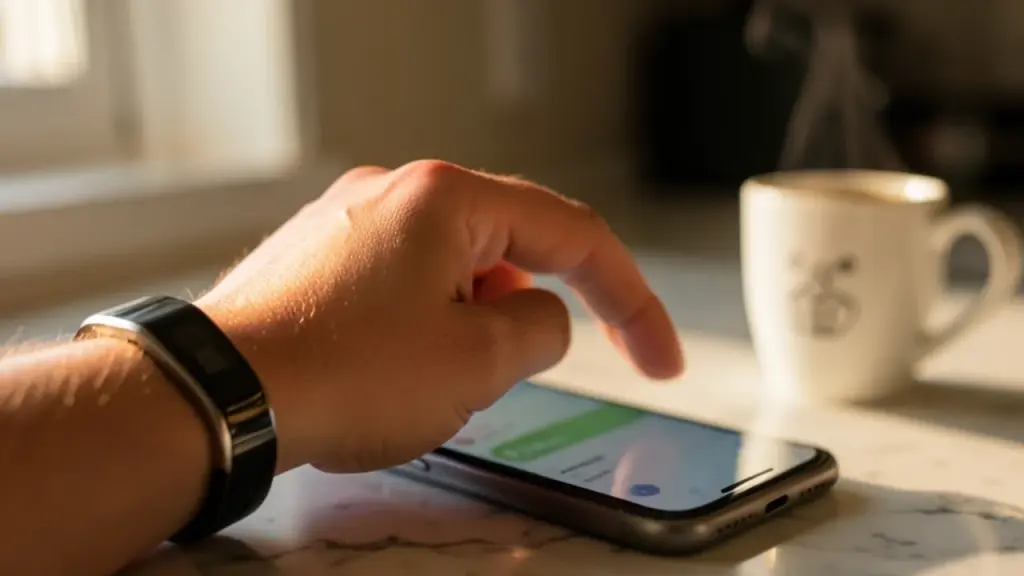
Thumb about to tap a setting on a smartphone, fitness tracker on the wrist
02

Just want less noise? Try these two gentler fixes first

You may not need the full off switch. If the coach is useful now and then but tiring every morning, Google gives you two quieter options that leave it available.

  • Hide coach messages on the Today tab. In the coach message setting for Today, change it from Standard to No Coach insights. The Today screen then shows only basic updates, with no coaching text.
  • Mute coaching notifications. From your profile picture, open Google Health settings, then the push notification options, and turn Coaching off. You stop getting pinged every time the coach has a new tip, but you can still open a chat when you want one.

Starting with notifications is a sensible first step. A lot of the annoyance comes from interruptions rather than from the advice itself, and muting them costs you nothing.

03

What you lose when the coach is off

Turning the coach off takes away more than a chat window, so it helps to know the trade before you tap. Google Health Coach is built on Gemini, and a growing number of Premium features run through it.

  • Personal guidance. No more recommendations, coaching summaries or workout plans built around your goals.
  • The Ask Coach chat. You can no longer ask questions about your sleep, training or health trends.
  • Photo meal logging. Snapping a picture of a plate to estimate protein, carbs and fat goes away. Manual food logging still works.
  • Newer chat shortcuts. The Google Health 5.12 update, rolling out on Android and iOS, lets Premium members log blood pressure and pregnancy by chatting with the coach. Both can still be logged by hand, through the +Log button on the Today tab or in Cycle Health settings.
  • Plan progress summaries. Version 5.12 also added coach-written progress reports for fitness plans in the Fitness tab. Those depend on the coach.
  • Context for Health Guardian. On the Fitbit Air and Fitbit Edge, Health Guardian sends a monthly look at blood pressure and insulin resistance trends, and the coach is what turns those readings into lifestyle tips and talking points for your doctor.

That list has been growing. Rishi Chandra, who runs Google’s wearables and health group, has said the company wants every device it builds, from the Pixel Watch to the whole Fitbit range, to center on the coach. That helps explain why recent updates, like version 5.12, keep adding extras that only work with the coach switched on.

Everything else in Premium keeps working. That includes the detailed sleep summaries, Sleep Score, cycle predictions, nutrition tracking and the Health Guardian alerts themselves.

Running shoes, water bottle, phone and fitness band on a park bench at sunrise
04

Your data stays, and here is how to get the coach back

Disabling the coach does not erase anything. Your past workouts, sleep records and logs remain in the app, and the coach can be switched back on whenever you like.

The way back is a little odd, though. You don’t return to the privacy menu you used to turn it off. Instead, look for the Ask Coach button, which stays visible at the bottom right of the app, tap it and choose Unlock Coach. That starts the process of restoring it.

That makes the switch a reasonable choice if privacy is your worry and you want a pause rather than a permanent break. Whether you are tired of the advice, uneasy about an AI reading your health trends or just want quiet for a while, you can stop the coach today without losing months of history.

05

Should you cancel Premium instead?

If you plan to leave the coach off for good, cancelling Google Health Premium may be the better move, because the coach is the main reason the subscription exists. The coach is not part of the free tier, so ending Premium removes it completely.

Google Health Premium costs $10 a month. The free version of the Google Health app still covers all the basic tracking: steps, calories, sleep stages, heart rate and other vital signs, plus manual meal and cycle logging. Buyers of the $100 Fitbit Air get a three-month free trial of Premium, which is a good moment to decide whether the coach earns its keep.

Here is a simple way to decide:

  • Keep Premium, turn off the coach if you rely on Sleep Score, Health Guardian or the deeper sleep summaries and just find the AI tiresome.
  • Mute notifications only if you like asking the coach questions but hate the unprompted tips.
  • Cancel Premium if you mainly check steps and sleep and never open the coach. The free app does that job.

Some people turn the coach off for a short break, during an injury, an illness or a stretch when daily advice feels like pressure. Because nothing is deleted, pausing it for a few weeks is low risk. Google says its coach features are not intended for medical purposes, so it is no substitute for a doctor either way.
06

Quick answers

Does turning off Google Health Coach cancel my subscription?

No. The toggle only disables the coach. You keep paying for Google Health Premium and keep its other features until you cancel the subscription separately.

Will I lose my health data if I disable the coach?

No. Your existing data stays in the app, and you can bring the coach back later through the Ask Coach button and the Unlock Coach option.

Can I stop the coach notifications without turning it off?

Yes. Open Google Health settings from your profile picture, go to push notifications and switch Coaching off. The coach stays available when you want to chat.

Is Google Health Coach free?

No. It comes only with Google Health Premium at $10 a month. The free Google Health app has tracking but no coach.

You're reading the quick version.