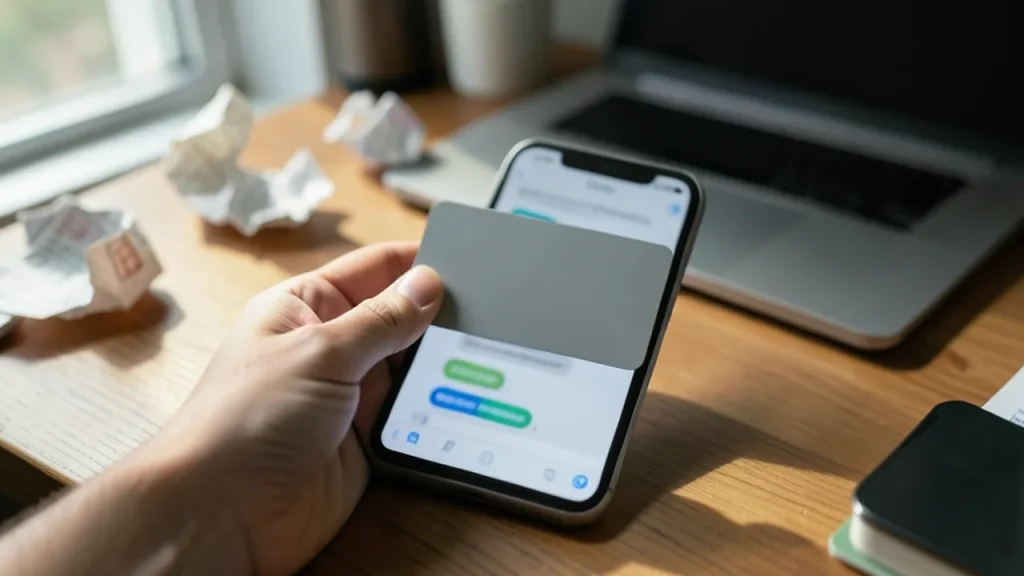
Elon Musk told X users they could photograph their credit card and drop it into a chat so Grok Bot could shop for them.
An X community note pointed out that the company warns against sharing personal data in prompts and that its terms allow cloud storage of credentials.
Musk later promised SpaceX would make users whole if Grok Bot leaks a card, but the company's terms say it isn't responsible for the agent's actions.
In late October Grok Bot added a Vault that stores cards so the bot never sees the full number, a safer option than sending a photo.
Quick read · 2 min
Elon Musk told X users in October that they could photograph their credit card, drop it into a chat and let Grok Bot hunt down the best price and buy things for them. An X community note quickly pointed out that the company warns against sharing personal data in prompts and that its terms let it store credentials in the cloud.
Musk's own Lego order, five sets for $241.34, then exposed an Austin shipping address, an email and the last digits of a card in a screenshot. He later promised SpaceX would make users whole if the bot leaks a card, yet the written terms say the company isn't responsible for the agent's actions.
Never upload a card photo to any AI chat.
Use Grok Bot's new Vault, which hides the full card number from the bot.
Pick a virtual card and turn on purchase alerts.
Snap your credit card, paste the photo into a chat window and let the AI do your shopping. That was Elon Musk’s advice to his followers on X in October, and it is the exact opposite of what security experts and his own AI company’s rules have told people for years.
If you use Grok, or any AI assistant that can now buy things for you, this matters for your money. A card photo shows everything a thief needs: the number, the expiry date and your name. Where that image goes after you upload it, who can see it and who pays if something goes wrong turned out to be far less clear than Musk’s post suggested.
01
What Musk said about Grok and credit card photos
Musk posted on a Saturday that you could simply photograph your card and hand it to Grok Bot, which would then search the web for the best price and place the order. Grok Bot is the AI agent his AI company launched in August. It signs in to apps and websites and carries out tasks for you, such as booking travel or buying products.
Within hours, X users attached a community note to the post. It pointed out that the company explicitly tells people not to put personal information in prompts, and that a card photo is exactly that kind of information. It also said Grok Bot’s terms allow user data and login credentials to be kept in the company’s cloud, and that financial transactions go through human review.
When one user asked Grok whether the idea was safe or dangerous, the chatbot answered “neither”, but still told people not to upload a real card photo. The rest of the replies were mostly jokes, including requests for Grok to share Musk’s own card.
02
The Lego order that showed the risk
Musk then tried to prove how easy it was. He asked Grok Bot to find the most fun Lego Star Wars sets for young kids and order them, and shared a screenshot of the finished order from Lego’s website. The total for five items came to $241.34.
That screenshot also showed a shipping address in Austin, Texas, a separate billing address, an email address, the order number and the last four digits of an American Express card. Users spotted it quickly. Musk replied that the address was where he receives mail, not where he lives, and that it had already been made public many times.
The episode didn’t involve a hack. It simply showed how easily private details slip out when an AI handles a purchase and someone shares the result. The screenshot also didn’t show whether the bot finished the order on its own or whether Musk approved the payment himself.
To buy stuff, you can just take a picture of your credit card, drop it in the chat and Grok @Bot will scour the Internet for the best deal on the item you want and order it
The fine print is where this story gets uncomfortable. Around the same time, the company changed its privacy policy and dropped the lines warning people not to share personal information in their inputs. The new wording says the company can’t control what you give it and that you are responsible for every action, including handing over payment details, just as if you had done it yourself.
Its terms of service, updated on October 12, let Grok take what it calls Agentic Actions for you, including with financial institutions. The same section says the company is not responsible for user content or those actions.
The privacy policy adds two more catches. Personal details you include in inputs may be reproduced in Grok’s answers, and uploaded content, including images, can be kept and used to improve the service and train AI models. Deleted chats are generally supposed to be removed within 30 days, with some exceptions.
Security researchers warned that a shared agent could mix up context between users and reveal one person’s card or charge it for someone else’s purchase. They also said that encouraging this much trust makes the bot a juicier target for prompt injection, where hidden instructions on a web page trick an AI into doing something its owner never asked for.
04
Musk’s promise that SpaceX will make you whole
A few days later, a user said Grok Bot had booked them a flight after they sent it a photo of their card. Musk replied that if the bot ever makes a mistake with a purchase or leaks a card, SpaceX would make the customer whole, adding that it had never happened yet.
He didn’t explain what that pledge covers or how to claim it, and SpaceX didn’t immediately answer a request for comment. A reply on X is not a contract, and the written terms still say the company isn’t responsible for the agent’s actions. If you rely on the promise, keep screenshots of everything.
Grok Bot also isn’t free. It starts with the $30-a-month Premium tier of The X Subscription, which launched on October 12.
For most people, the safest answer is simple: never upload a photo of a payment card to any AI chat, whether it is Grok or another assistant. A photo is a full copy of your card that can sit in a cloud account, end up in training data or appear in a chat log long after the purchase is done.
There is now a safer route inside Grok Bot itself. In late October it added a Vault in settings where you can save cards, logins and contact details once. The company says the bot never sees a saved card’s full number or security code and only fills them in at checkout, and the list shows just the last four digits. That is a real improvement over a photo, though the bot can still see your saved logins and contact details.
Use a virtual or single-use card number from your bank, or a card with a low limit, for any AI shopping.
Turn on purchase alerts so you see every charge the moment it happens.
Keep approval prompts switched on so the bot has to ask before it pays.
06
What to do if you already shared a card photo
Delete the chat, but don’t assume the image is gone, since deletion can take weeks and has exceptions. Call your card issuer, explain that the full card details were shared, and ask for a replacement number. Then watch your statements and report any charge you don’t recognize right away.
07
Quick answers
Is it safe to give Grok a photo of my credit card?
No. The company’s own terms make you responsible for anything the agent does with your payment details, and uploaded images can be stored and used for training. Use Grok Bot’s Vault or a virtual card instead.
Will SpaceX really cover Grok Bot mistakes?
Musk promised it on X, but he gave no details and the written terms say the company isn’t responsible for agent actions. Treat it as a goodwill pledge, not a guarantee.
What did Musk’s Lego screenshot reveal?
It showed a Texas shipping address, a billing address, an email, an order number and the last four digits of a card. Musk said the address is a mailing address, not his home.
Leaked Slack messages show Proton's chief pushing AI-written code over security delays. Users are canceling. Here is what happened and what it means for your encrypted mail.
Researchers showed one booby-trapped ChatGPT link could read a victim's private chats. OpenAI has fixed it, but share links are still a favorite trick for scammers.
6 min read
We use cookies to understand how readers use Talk With Tech, so we can make it better. Is that OK? Privacy policy
The Daily Brief
Today's biggest tech stories, in 5 minutes
Every morning, the news that matters from AI, phones, apps and the people shaping tech. Explained in plain English. Free.
One email a day. No spam, unsubscribe anytime. Privacy policy