Wednesday, 4 November 2026

mSecure breach: why cloud sync matters, and what to reset first

An encrypted copy of mSecure Cloud data was taken. Here is who is exposed, what the company says to change, and why your master password now matters most.

Person at a table at night checking a phone next to a laptop and a small padlock

The short version

  • mSeven Software emailed current and former mSecure customers on November 3 about suspicious activity tied to its password manager.
  • Follow-up replies say an attacker took an encrypted copy of a database held in mSecure Cloud.
  • The company says only people who synced through mSecure Cloud are affected and it has no evidence the vault data was decrypted.
  • mSeven advises changing the master password and vital stored passwords, resetting two-factor sign-ins and replacing passkeys.
Quick read · 1 min

mSeven Software, the developer of the mSecure password manager, warned current and former customers on November 3 about suspicious activity. Later replies from its support team say an attacker took an encrypted copy of a database held in mSecure Cloud, the app's own sync service.

The company says only people who synced through mSecure Cloud are affected and that it has no evidence the stored data was decrypted. Still, a stolen vault can be attacked offline, so a weak master password is the real risk. The 2022 LastPass breach showed how that can end.

  • Change your mSecure master password first.
  • Change your most important stored passwords, then reset two-factor methods and replace passkeys.
  • Don't bother deleting the app; the company says that won't help.

mSeven has not said how the attacker got in, so watch for further updates from the company.

The mSecure breach comes down to one uncomfortable fact: someone walked off with an encrypted copy of the database behind mSecure Cloud, the service that syncs the password manager’s vaults between devices. Its developer, mSeven Software, first emailed current and former customers on November 3 about “suspicious activity” and told them to protect everything they keep in the app.

If you use mSecure, here is the short version. The company says the problem only touches people who synced through mSecure Cloud, and it has no evidence the attacker read the data inside. Even so, mSeven recommends changing your master password, changing your most important stored passwords, resetting two-factor sign-ins and replacing passkeys. Deleting the app, the company says, will not help.

01

What happened in the mSecure breach

The mSecure breach began with a vague email and got clearer only as angry customers pushed for answers. The first message said mSeven had spotted suspicious activity linked to the app, opened an investigation, took steps to contain it and brought in outside security experts. It did not say which systems were involved, when it happened, whether it had stopped or how many people were hit.

That silence did not last. Replies from mSeven’s support team, shared by customers on its own forum and on social media, filled in the gap. One follow-up notice says an unauthorized party obtained an encrypted copy of a database holding information on current and former mSecure users, and that mSeven learned of it the day before writing.

The company has still not explained how the attacker got in. It also says it has added extra security measures and sees no sign that the app is unsafe to keep using.

Dim data hall with rows of server racks and blue status lights
02

Who is affected: the cloud sync question

Only people who synced their vault through mSecure Cloud are affected, according to mSeven’s support replies. That detail matters because mSecure gives you several ways to keep your devices in step: mSecure Cloud, Dropbox, iCloud or a local Wi-Fi sync.

The first email did not make that split clear. It went to everyone who had ever been a customer, which is why so many people assumed the worst. If you only ever synced over Wi-Fi or through your own Dropbox or iCloud account, the company’s later answers suggest your vault was not in the stolen database. If you are not sure which option you picked, check the sync settings inside the app before you decide how much work you need to do.

Former customers are included too. If you used mSecure Cloud in the past and later switched to another password manager, your old vault may still have been part of that copy, so the company’s advice applies to you as well.

03

Is an encrypted vault really safe?

An encrypted vault is only as safe as the password that locks it. mSecure says your data is scrambled on your own device with AES-256 encryption before it is synced, using what it calls a zero-knowledge design, meaning the company itself cannot read your vault. If that holds, a stolen copy is just noise to an attacker who does not know your master password.

The catch is time. A thief holding the file can try password after password on their own computers, with no lockouts and no alerts. Security people even have a name for hoarding encrypted data in the hope of opening it later: harvest now, decrypt later. The 2022 LastPass breach showed how this plays out. Attackers took backups of encrypted vaults, and researchers later tied the theft to cryptocurrency losses where weak master passwords appear to have been cracked.

There is one more wrinkle. In December 2025, Germany’s Federal Office for Information Security (BSI) published a study of password managers and flagged an older Android release of mSecure, from version 6, because the maker could in theory reach stored data. The agency only tested that one version and noted results may differ in later updates. Nobody has said this is linked to the current incident, but it explains why some customers are not taking the encryption promise on trust.

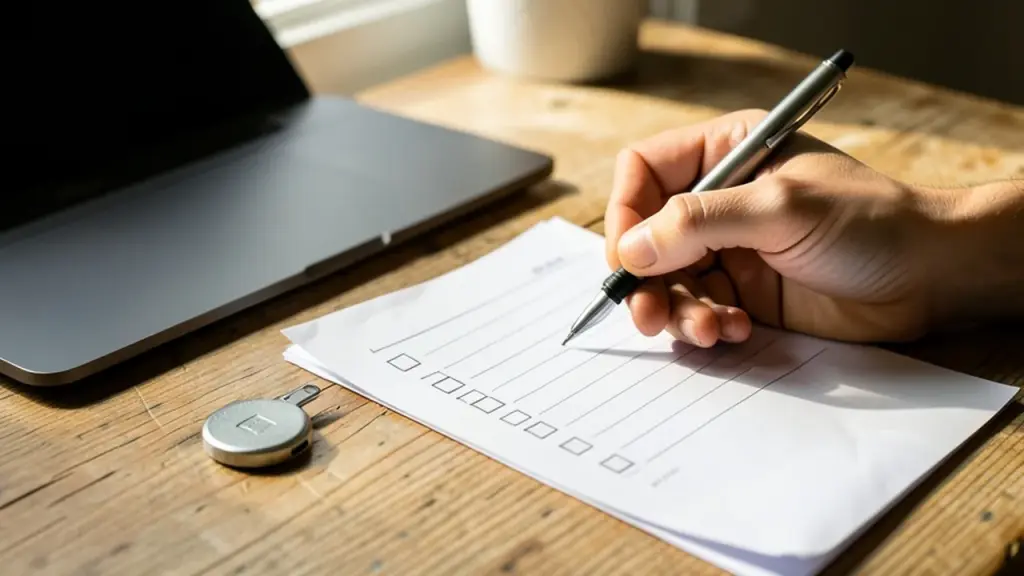
Hand writing a checklist beside a laptop and a hardware security key
04

What mSeven says you should do now

mSeven’s advice is broad, and it frames it as standard good practice rather than proof that vaults were opened. Pulling together its email and its follow-up notice, the steps are:

  1. Change your mSecure master password. This is the key to the vault, and the stolen copy is only useful to someone who can guess it.
  2. Change your vital stored passwords. The company’s own word is “vital”, so start with the logins you could least afford to lose rather than trying to do hundreds at once.
  3. Reset or re-enroll two-factor authentication. That covers the extra codes many sites ask for after your password.
  4. Remove and replace passkeys you have stored in mSecure.
  5. Update any other sensitive details kept in the vault, such as card or account information.

Two points from the company are easy to miss. Uninstalling mSecure does not undo anything, because the copy was taken from the cloud, not from your phone. And mSeven says it has no evidence the app is currently unsafe, so it is not telling customers to stop using it.

The 2FA and passkey advice needs a second look if you keep those inside mSecure. Version 7 can store passkeys and two-factor codes next to your passwords on its Essentials plan and above. The original email did not say whether its steps meant those stored items, the sign-in for your mSecure account, or both, so if you used the app as an all-in-one vault, treat both as in scope.

05

What this means for everyday password manager users

For most people, the lesson is not to ditch password managers. It is that the master password carries the whole load when a provider’s servers are breached. A long, unique master password is what turns a stolen vault into a useless file. A short or reused one turns it into a to-do list for a criminal.

mSecure is a smaller name than some rivals, but not a tiny one. Its Android app shows more than 500,000 installs and more than 6,200 reviews on Google Play, and the iPhone version has more than 3,300 ratings on the App Store. A rough estimate based on those numbers puts its user base at around 250,000 people. For comparison, Bitwarden has more than 5 million installs on Android alone.

It is also not the only password manager to have a rough year. LastPass confirmed losing sensitive customer data in June, and Dashlane said hackers got hold of at least a dozen encrypted vaults. Each case shows how much rides on the one password you type to open the app.

Customers have also been frustrated by how the news came out. Some were asked to change potentially hundreds of logins without being told what the threat was, and one user claimed the company was deleting negative reviews on the Google Play Store. That claim has not been confirmed. Whether you stay or switch, how mSeven reports the rest of its investigation is worth watching.

06

Quick answers

Was my mSecure vault actually stolen?

If you synced through mSecure Cloud, an encrypted copy of that database was taken. mSeven says it has no evidence anyone decrypted it.

Do I need to change every password stored in mSecure?

The company says to change your master password and your vital stored passwords, and to reset two-factor methods and passkeys. Start with the accounts that matter most.

Should I delete the mSecure app?

No. mSeven says deleting the app will not help, because the copy came from the cloud service, and it says it has no evidence the app is unsafe to use.

You're reading the quick version.