Thursday, 5 November 2026

One UI 9 Wi-Fi not working? 6 fixes, plus the SIM bug to watch

Some Galaxy owners lost Wi-Fi, mobile data or their SIM after Samsung's Android 17 update. Here's what has worked so far, and when to stop trying.

A person holding a smartphone next to a home Wi-Fi router

The short version

  • Some Galaxy owners report Wi-Fi, mobile data and SIM detection problems after installing One UI 9, Samsung's Android 17 update.
  • Restarting or toggling Airplane mode brings the connection back for some users, but the trouble can return.
  • A Galaxy S24 owner fixed home Wi-Fi by resetting mobile network settings, restarting, then resetting Wi-Fi and Bluetooth settings.
  • Samsung has not confirmed the connectivity bugs or announced a patch, so check Software update and file an error report.
Quick read · 2 min

Some Samsung Galaxy owners say the One UI 9 update, Samsung's version of Android 17, broke their connection. Reports describe home Wi-Fi that won't join, mobile data that drops while signal looks fine, and phones such as a Galaxy A56 5G that suddenly can't see the SIM card.

Restarting the phone or switching Airplane mode on and off brings the connection back for some people, but it can fail again. A Galaxy S24 owner got Wi-Fi working for good by resetting mobile network settings, restarting, and then resetting Wi-Fi and Bluetooth settings.

  • Forget and rejoin your network before trying the resets.
  • For SIM errors, check SIM Manager and reseat the card.
  • Avoid a factory reset; it wipes your data.

Samsung hasn't confirmed the bugs or a patch date. Send an error report through the Samsung Members app and keep checking Software update for a newer build.

One UI 9 Wi-Fi not working on your Galaxy phone? You’re not the only one. Since Samsung’s Android 17 update began reaching more phones, owners on Reddit and Samsung’s Community forums have described home Wi-Fi that refuses to connect, mobile data that quits while the signal bars look fine, and in the worst cases a phone that can no longer see its SIM card at all.

The short answer: a restart or a quick flip of Airplane mode gets many people back online, but only for a while. The best documented lasting fix, from a Galaxy S24 owner, was a round of network resets done together. Samsung hasn’t confirmed the problem or given a patch date, so below is the order to try things in, what each step erases, and the point where you should stop and call for help instead.

01

What’s going wrong after the One UI 9 update

The complaints fall into three groups, and they don’t all hit the same phones. There’s no clear pattern yet on which Galaxy models are worst affected.

  • Wi-Fi that won’t connect. On Samsung’s US Community forum, a Galaxy S24 owner said the phone stopped joining their home network after installing One UI 9.0 and showed a connection error instead. Their internet provider reportedly told them other Samsung customers had the same trouble, though that’s secondhand. Restarting the router changed nothing.
  • Mobile data that drops out. Other users say data stops working even though they still have allowance left on their plan, or the connection cuts out while signal is available. A few can’t make calls or get online at all.
  • SIM cards that vanish. In a thread on the r/oneui subreddit, a Galaxy A56 5G owner said the phone stopped detecting SIM cards straight after the update. SIM Manager was grayed out even though carrier names still showed in the status bar, and the phone restarted itself a couple of times. Another commenter described the same thing on a Galaxy S24+. A Galaxy A36 owner said their own problem began before One UI 9, which is a useful reminder that not every fault is the update’s doing.

These are individual reports, not a confirmed mass failure. One reviewer who has the update on a Galaxy S26 Ultra and a Galaxy Z Fold 8 says neither phone has had Wi-Fi trouble.

Hands ejecting the SIM tray from a smartphone
02

Fixes for One UI 9 Wi-Fi not working, in the order to try them

Start with the steps that erase nothing, and work down the list. Have your Wi-Fi password ready before step 4.

  1. Restart the phone and the router. It’s the cheapest test. Keep in mind the S24 owner found a router reboot alone didn’t help, so if the phone is the only device struggling, move on.
  2. Turn Airplane mode on, wait a few seconds, then turn it off. Users say this brings the network back quickly, but the drop can return later and you may have to repeat it.
  3. Forget the network and join it again. Open Settings, go to Connections and then Wi-Fi, tap your home network, choose Forget, and reconnect with your password. A forum member suggested this to the S24 owner.
  4. Reset Wi-Fi and Bluetooth settings. You’ll find it in Settings under General management, then Reset. It wipes every saved network and every Bluetooth pairing, so your earbuds, watch and car will need pairing again.
  5. Reset mobile network settings. It sits in the same Reset menu and is worth doing if calls or data are also flaky. Samsung’s own support guide says a network reset clears saved Wi-Fi networks, Bluetooth pairings and mobile configurations, and that it can fix problems caused by software updates.
  6. Check for a newer build. Go to Settings, then Software update. Samsung’s support guide points to outdated firmware as one cause of detection problems, and any fix for this bug will arrive that way.

Here’s the catch. The S24 owner whose Wi-Fi came back did steps 5, 1 and 4 in one go, and nobody can say which one did the work. If a single reset doesn’t help, do the full set before you give up.

03

If your Galaxy says No SIM or No Service

A missing SIM is the more serious version of this problem, and the A56 owner’s case shows the usual tricks don’t always work. Their phone ignored Airplane mode, a network reset and even a hard reset. Still, the basics are worth a few minutes.

  • Check SIM Manager first. In Settings, open Connections, then SIM Manager, and make sure your physical SIM or eSIM is switched on. An update can leave it disabled.
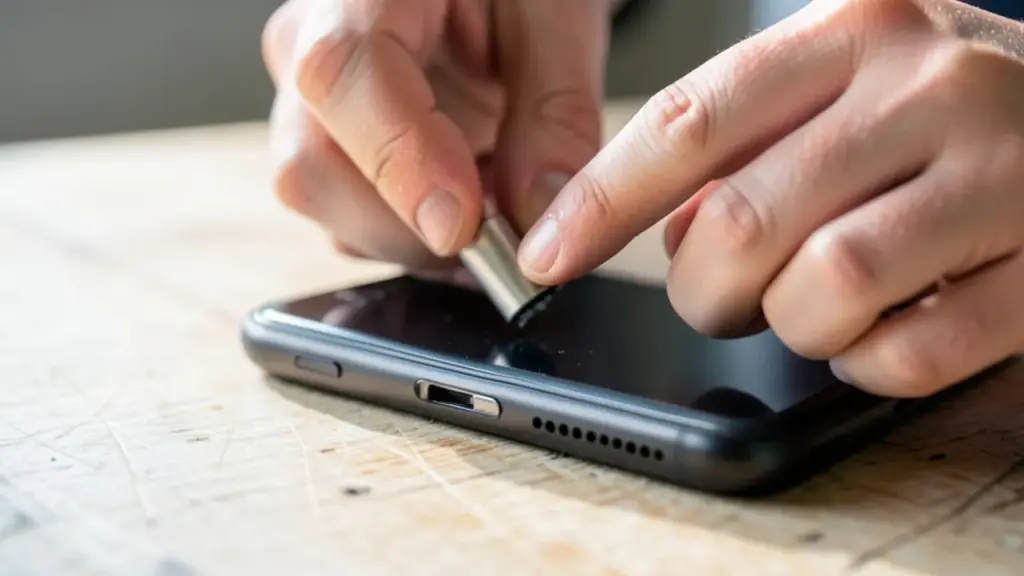
  • Reseat a physical SIM. Samsung’s guide says to power the phone off, pop the tray out with the eject pin or a paperclip, look for dirt or scratches, wipe the card and tray with a soft dry cloth, and push the tray fully back in. A tray that isn’t all the way in can cause the same error.
  • Test the SIM in another phone. If a second compatible phone can’t read it either, the card is the problem, and your carrier can replace it.
  • Call Samsung if SIM Manager stays gray. A grayed-out SIM Manager or a phone that keeps rebooting on its own needs a proper diagnosis. The cause hasn’t been confirmed, so it’s too early to blame the modem or SIM board, but it’s past the point of home fixes.

Skip the factory reset unless a technician asks for it. It deletes your personal data, and in the one detailed SIM case it didn’t help.

A smartphone mounted on a car dashboard with a cable attached
04

The other One UI 9 bugs worth knowing about

Connectivity isn’t the only rough edge in this rollout. Two other problems have shown up in enough places to be worth checking if your phone is acting strangely.

Android Auto won’t connect. Drivers with an A55, an S24 Ultra, or a phone from the S25 or S26 lines say their car stopped recognizing the handset, links that drop during a drive, or a stuttering display. As of November 2, neither Samsung nor Google had confirmed a cause. On Google’s Android Auto help forum, a member of the Android Auto team said one owner’s report had been passed on internally, which is an acknowledgment rather than a promised fix. One Galaxy S26 owner got it working again by uninstalling Android Auto’s updates from the app’s settings page, but that’s a single user’s workaround. A Samsung forum moderator asked affected owners to send an error report through the Samsung Members app.

Phones stuck on the setup screen. In October, some owners of Galaxy S26, S25 and S24 series phones, plus some foldables, hit an XML error reading Access Denied after the update and couldn’t reach the home screen. The workaround users shared was to keep the phone offline: force a restart by holding Volume Down and Power, try Safe Mode, switch off Wi-Fi and mobile data, then restart normally. If you can’t reach settings, unplug the router or pull the SIM for a while instead.

There’s also one report of a Galaxy S25+ running hot while idle after the update. Three other S25 series owners in the same thread said their phones were fine, and one said the heat went away the next day, which fits with phones doing background work after a big update.
05

Should you hold off on One UI 9 for now?

If your phone hasn’t updated yet and you depend on it for work calls, mobile data or Android Auto every day, waiting a little is a reasonable call. The rollout is still widening, with Galaxy A series handsets now in line too, so more people will run into these bugs over the coming weeks, and a patch is the most likely real fix.

If you’ve already updated and everything works, there’s no reason to worry. Many owners report no problems at all, and a few of the complaints may have other causes, like the A36 case that started before the update.

If you’re affected, two things help most. First, report it: the Samsung Members app has an error report option under its help section, and that’s the route Samsung’s own moderators point people to. Second, keep checking Software update, because Samsung hasn’t said when, or whether, these connectivity problems will be addressed in a specific release.

06

Quick answers

Why is my Wi-Fi not working after the One UI 9 update?

Samsung hasn’t said what causes it. Owners have reported Wi-Fi and data drops since installing One UI 9, and network resets fixed it for at least one Galaxy S24 owner.

Has Samsung fixed the One UI 9 Wi-Fi problem?

Not yet. Samsung hasn’t confirmed the connectivity bugs or shared a patch schedule, so check Settings and Software update regularly.

Does resetting network settings delete my data?

It removes saved Wi-Fi networks, Bluetooth pairings and mobile network settings, so you’ll re-enter passwords and pair devices again. A factory reset is the step that wipes personal data.

You're reading the quick version.