Create custom Pixel Watch 4 faces from a simple text prompt
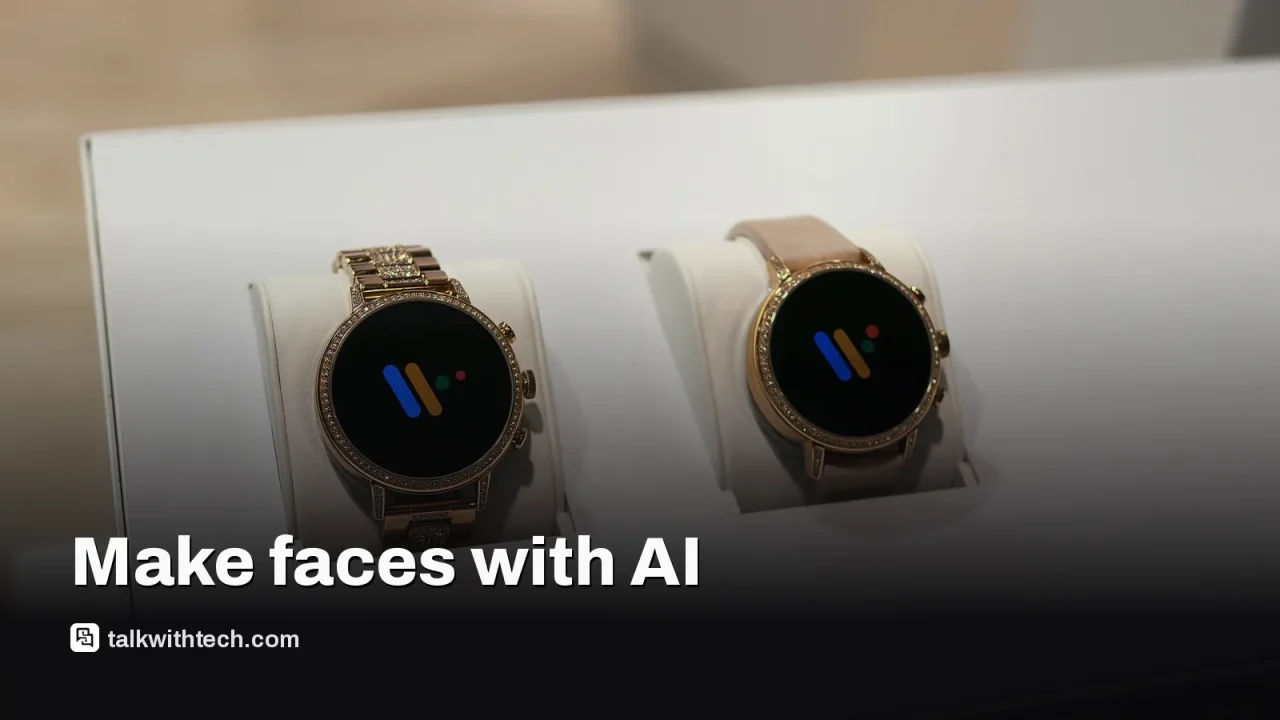
A Pixel Watch 4 update brings the Pixel Watch 5's Gemini-powered face generator, four of its watch faces and the Steph Curry dial to last year's model.
A new Pixel Watch 4 update adds the AI watch face generator that launched with the Pixel Watch 5 in August.
You type a description in the Pixel Watch app, and Gemini Intelligence designs a matching face instead of you picking a template.
The update also brings the Weave, Modular, Reveal and Chronograph faces plus the Steph Curry dial to Pixel Watch 4.
It is rolling out gradually, and several Pixel Watch 5 health features are also promised for the older watch.
Quick read · 1 min
Google is rolling out an update that brings the Pixel Watch 5's AI watch face generator to the Pixel Watch 4. Instead of picking a design from a gallery, you type a description in the Pixel Watch app and Gemini Intelligence creates a face that matches.
The update also adds four Pixel Watch 5 faces, Weave, Modular, Reveal and Chronograph, plus the Steph Curry dial that came with the Pixel Watch 5 special edition.
Where: the watch faces section of the Pixel Watch app
When: rolling out gradually now
Coming next: Health Guardian health tools for Pixel Watch 4 too
For Pixel Watch 4 owners, it is another sign that the newer $399 model isn't a must-buy. If the generator hasn't appeared yet, check for a system update and keep the app current.
Your Pixel Watch 4 can now design its own watch faces. A software update rolling out to last year’s Google smartwatch adds the AI watch face generator that debuted on the Pixel Watch 5, so you can describe the look you want in a sentence and let Gemini build it.
It is a small feature, but it says something bigger about Google’s watches. The Pixel Watch 5 launched in August as a modest upgrade, and many of its new tricks were always meant to reach older models. If you bought a Pixel Watch 4, this update closes a bit more of the gap without you spending $399 on the new one.
01
What is the Pixel Watch 4 AI face designer?
The AI face designer is a tool in the Pixel Watch app that creates a custom watch face from a written prompt. Normally, customizing a face means picking a design from a gallery and changing its colors and complications, the small widgets that show things like weather, steps or your next meeting.
With the generator, you skip the gallery. You describe what you want, and Gemini Intelligence, the AI built into Google’s Pixel devices, comes up with a design that matches. Google showed it as part of the Pixel Watch 5 launch at its Made by Google event, though it didn’t make much noise about it at the time.
The tool is handy if you like to change your face often, for example a different style for each day of the week, a calmer one for evenings or a bold one for workouts.
02
How to create an AI watch face on Pixel Watch 4
The generator lives on your phone, not the watch itself. Here is how to find it once the update reaches you:
Make sure your Pixel Watch 4 has the latest system update installed, then open the Pixel Watch app on your phone.
Start creating a new watch face, and look for the prompt section instead of the template gallery.
Type a short description of the face you want, such as the colors, mood or style.
Review the result, then set it on your watch or try another prompt.
Be specific in your prompt, since the AI only knows what you tell it. A description that names colors and a style tends to give closer results than a single word. The tool has limits, and not every attempt will land, so expect to try a few versions before you find one you like.
03
The new watch faces that come with the update
The AI generator is not the only addition. The same update, which users first spotted and shared online, brings several stock watch faces from the Pixel Watch 5 to the older model:
Weave
Chronograph
Reveal
Modular
The Steph Curry dial, originally tied to the Pixel Watch 5 Steph Curry special edition
That Curry face is the interesting one. On the Pixel Watch 5, it came with a special edition model that also had an exclusive band, available only in the 45mm size. It was one of the few things that set that edition apart beyond its looks. Pixel Watch 4 owners now get the face without buying that edition.
04
What else Pixel Watch 4 owners get from the Pixel Watch 5
This is not the last hand-me-down. When Google launched the Pixel Watch 5, it said many of the new software features would also work on the Pixel Watch 4. That includes Health Guardian, a set of health tools that tracks trends in blood pressure patterns, insulin resistance and breathing during sleep, with a monthly summary of the results.
Some features stay exclusive to the newer watch because they depend on its hardware. The Pixel Watch 5 uses a faster version of Qualcomm’s Snapdragon W5 Gen 2 chip with 50% more RAM, which Google says makes it 20% faster overall. Google also claims its GPS route tracking is twice as accurate as earlier models, its sleep stage detection is 15% more accurate, and it can detect breathing emergencies, a feature starting in Europe.
If you own a Pixel Watch 4, there is little reason to rush to the Pixel Watch 5. The two watches share the same Actua 360 display design and come in the same 41mm and 45mm sizes, and Google keeps moving software features down to the older model. The face generator and new faces are the latest examples.
The upgrade case for the Pixel Watch 5 rests mostly on its faster chip, GPS and sleep tracking, and the breathing emergency feature if you live where it is available. The Pixel Watch 5 starts at $399 for the 41mm model.
For now, the update is rolling out gradually. If you don’t see the face generator yet, check for a system update on your watch and keep the Pixel Watch app up to date. It can take days or weeks to reach every device.
06
Quick answers
Does the Pixel Watch 4 have AI watch faces?
Yes. A rolling update adds the Gemini-powered AI face generator from the Pixel Watch 5, found in the Pixel Watch app.
What are the new Pixel Watch 4 watch faces?
The update adds Weave, Modular, Reveal and Chronograph from the Pixel Watch 5, plus the Steph Curry dial.
Why can’t I see the AI face designer yet?
Google is releasing the update in stages. Check for a system update and keep the Pixel Watch app current.
Apple's creative app bundle is getting MotionVFX effects and AI assistants in November. Here's what it costs in the US and Canada, and when buying outright wins.
Meta quietly put Instagram on the Apple TV App Store with no announcement. What you can watch, what you need to install it, and why Meta wants your couch.
5 min read
We use cookies to understand how readers use Talk With Tech, so we can make it better. Is that OK? Privacy policy
The Daily Brief
Today's biggest tech stories, in 5 minutes
Every morning, the news that matters from AI, phones, apps and the people shaping tech. Explained in plain English. Free.
One email a day. No spam, unsubscribe anytime. Privacy policy