Thursday, 26 November 2026

Xbox Nano Controller brings full layout in a tiny $50 package

Microsoft's smallest Xbox pad keeps every button of the full-size controller, costs $49.99, and is now free with some Samsung TVs in the US.

Xbox image for: Xbox Nano Controller brings full layout in a tiny $50 package

The short version

  • The Xbox Nano Controller is just over five inches long, weighs 3.5 ounces and costs $49.99 in the US.
  • It keeps all 18 standard Xbox inputs and connects over Xbox Wireless or Bluetooth to consoles, PCs, phones and some TVs.
  • It went on sale in the US on November 4, and early testers praised the comfort but noted no rumble.
  • Samsung now gives the Nano and two months of Game Pass Ultimate free with select TVs until January 17, 2027.
Quick read · 1 min

Microsoft's Xbox Nano Controller is its smallest gamepad yet: just over five inches long, 3.5 ounces, and $49.99 in the US since it went on sale on November 4. It keeps all 18 standard Xbox inputs in the usual layout, adds a programmable Action Button, and has a built-in rechargeable battery.

It is designed for kids, people with smaller hands and anyone who games on the go. It connects to Xbox consoles and PCs, and over Bluetooth to iPhones, Android devices and some smart TVs, which makes it a cheap way into console-free cloud gaming.

  • Early testers found it comfortable, with grips intact.
  • There is no rumble, and battery life looks shorter than the full-size pad.
  • Samsung gives it away with select US TVs until January 17, 2027.

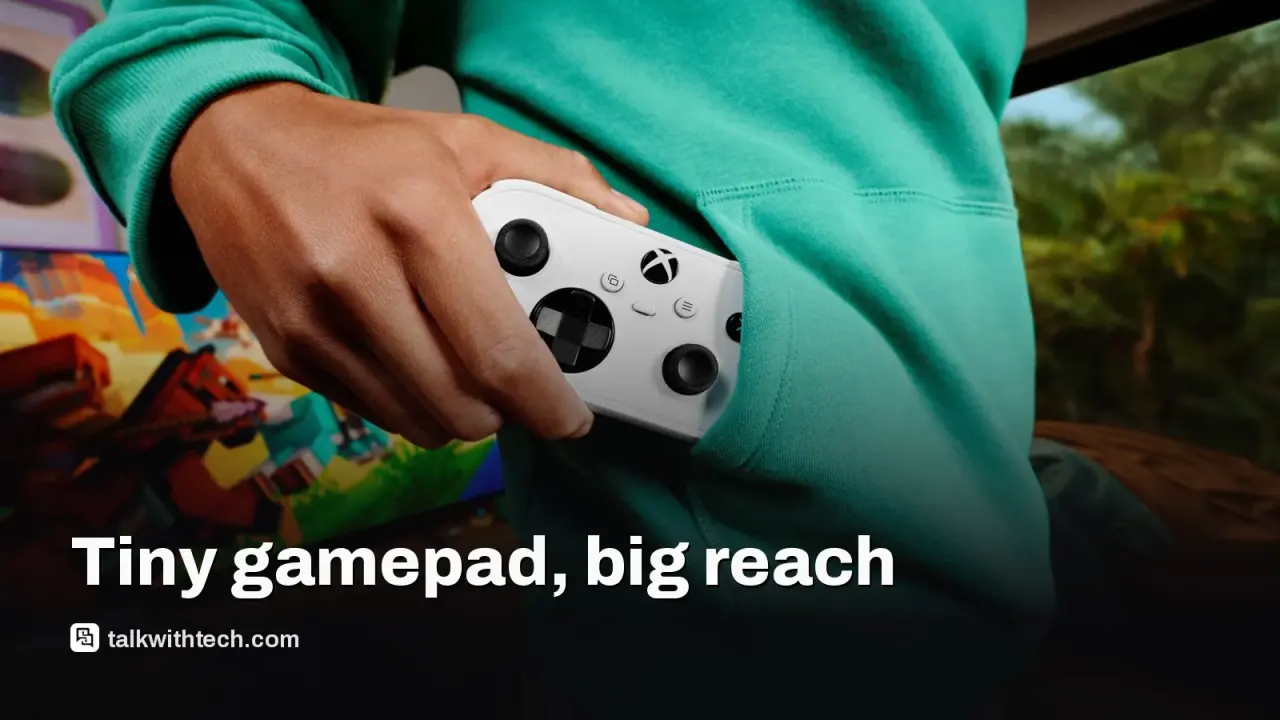
Microsoft has shrunk the Xbox controller to roughly the size of a deck of cards, and it didn’t drop a single button to do it. The Xbox Nano Controller is a little over five inches long, weighs 3.5 ounces and costs $49.99 in the US.

That matters if you have kids who struggle to wrap their hands around a standard Xbox pad, or if you play on a phone, a laptop or a smart TV and want something that fits in a jacket pocket. It also matters for cloud gaming, which Microsoft is pushing hard onto TVs and headsets, because a cheap small controller is the last thing standing between many people and a console-free setup.

01

What the Xbox Nano Controller is, and what it keeps

The Xbox Nano Controller is a full Xbox gamepad in a smaller body. It has all 18 of the standard Xbox gameplay inputs, laid out exactly where they sit on the regular controller: two sticks, the D-pad, the four face buttons, bumpers, analog triggers and the glowing Xbox button.

Microsoft says it is the smallest controller it has ever sold, and it is built for kids, adults with small hands and travelers who want a pad in their bag. Part of the space saving comes from the battery. Instead of removable batteries, the Nano has a built-in rechargeable battery that tops up over USB-C.

There is one extra: an Action Button you can set up in the Xbox Accessories app. Most people will probably map it to a screenshot or a quick gameplay recording, though it works as a general shortcut.

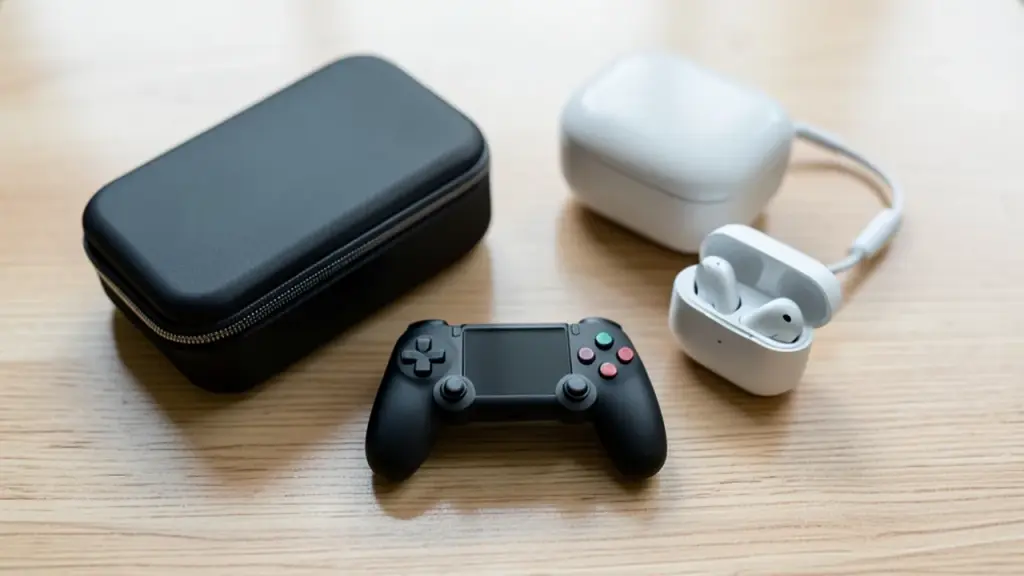
Tiny full-layout controller beside travel case and earbuds on coffee table, overhead
02

Which devices work with the Xbox Nano Controller

The Nano works with Xbox consoles, Windows PCs, iPhones, Android phones and tablets, and certain smart TVs. It supports both Xbox Wireless, the radio link Xbox consoles use, and standard Bluetooth, which is what lets it pair with phones and TVs without an adapter.

Samsung TVs are a big part of the plan. Samsung calls itself the official smart TV partner for the Nano, and its Gaming Hub, the cloud gaming section built into its TVs, runs the Xbox app. Pair the controller, sign in with Game Pass Ultimate and you can stream games straight to the TV with no console at all.

A report published the day before launch said the Nano also has an unannounced trick: it can connect directly to Xbox Cloud Gaming servers over Wi-Fi, skipping the phone or TV in the middle to cut lag. That feature was being tested privately and needs pairing through the Xbox mobile app. Microsoft had not officially confirmed it, so treat it as a likely future addition rather than something you can count on today.

03

How it feels in your hands

Early hands-on testers were surprised by how comfortable the Nano is. The grips stay, which many tiny controllers sacrifice to keep things thin, and they make long sessions easier. The trade-off is that the controller won’t lie flat on a table.

The face buttons and sticks are a touch smaller than usual, but the D-pad and Xbox button are the same size as on the full controller. The triggers are where you notice the shrink most. They are still analog and pressure sensitive, but they end in more of a click than the softer thud of a full-size pad, and the bumpers feel less clicky.

One reviewer with small hands found it comfortable for hours. People with larger hands may feel cramped, which is expected given who it was designed for.

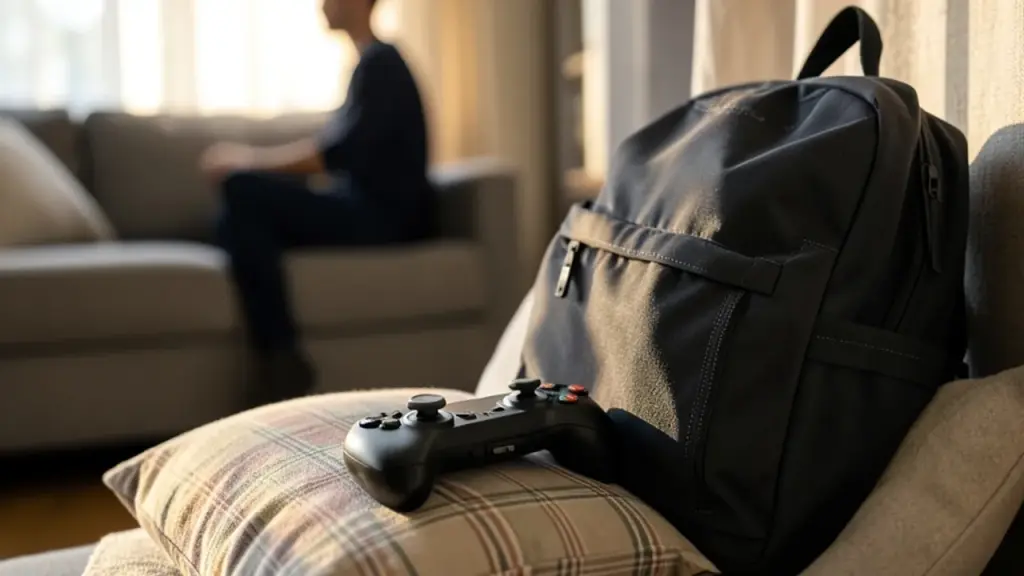
Compact controller on pillow next to backpack in a small living-room corner
04

The catch: no rumble and a smaller battery

The biggest missing feature is vibration. The Nano has no rumble motors at all, so you won’t feel a car hit a wall or a gun recoil. Even Nintendo’s tiny Joy-Con controllers have rumble, so this stands out.

Battery life looks shorter too. Microsoft hasn’t given an official figure, but one early test saw the charge drop by around 10 percent every 30 to 40 minutes of play. For comparison, the rechargeable pack for the larger Xbox Wireless Controller is rated at about 30 hours. The upside is fast charging: the same tester went from 30 percent to 60 percent in under 10 minutes, and you can keep playing while it’s plugged in.

05

What it means for families and cloud gamers

For a household with young kids, the Nano is the first official Xbox controller that properly fits small hands without losing any buttons. That means children can play the same games as everyone else, with the same layout, rather than using a third-party pad that may be missing inputs.

For cloud gamers, it is a cheap way to turn a TV, phone or laptop into a game machine. There’s a catch on that front too. In November, Microsoft began limiting cloud streaming on TVs, Meta Quest headsets and similar devices to 15 hours a month on Game Pass Ultimate, unless you buy extra time credits. If you plan to use the Nano mainly for TV streaming, keep that cap in mind before you cancel plans to buy a console.

06

Price, release date and the free Samsung TV offer

Microsoft announced the Nano on October 14 and opened pre-orders the same day. It went on sale in the US on Wednesday, November 4, at $49.99. Microsoft said it would reach 35 more countries in the following weeks, including the UK, with more markets after that, but it has not published UK or Canadian prices.

You may not need to pay for one at all. Samsung Electronics America is bundling the Nano with two months of Game Pass Ultimate when you buy a qualifying TV or The Freestyle+ projector in the US. Samsung values the pair at $95. The offer covers select Micro RGB, OLED and Neo QLED sets, plus The Frame and The Frame Pro, bought from Samsung or participating retailers between November 16, 2026 and January 17, 2027, while supplies last.

Read the fine print before you buy. The Game Pass months are for new members only, the redemption link arrives by email about 15 days after purchase, and you need a credit card to activate it. The subscription then renews automatically, so set a reminder to cancel if you only want the free period. Microsoft has announced a similar Nano and Game Pass bundle for people who buy a Meta Quest headset.
07

Quick answers

Does the Xbox Nano Controller work with an iPhone or Android phone?

Yes. It pairs over Bluetooth with iOS and Android devices, so you can use it for Xbox Cloud Gaming and other games that support controllers.

Does the Xbox Nano Controller have rumble?

No. It has no vibration motors, which is its most noticeable omission compared with the standard Xbox controller.

How much does the Xbox Nano Controller cost?

It costs $49.99 in the US. It is also included free with select Samsung TVs bought in the US until January 17, 2027.

You're reading the quick version.