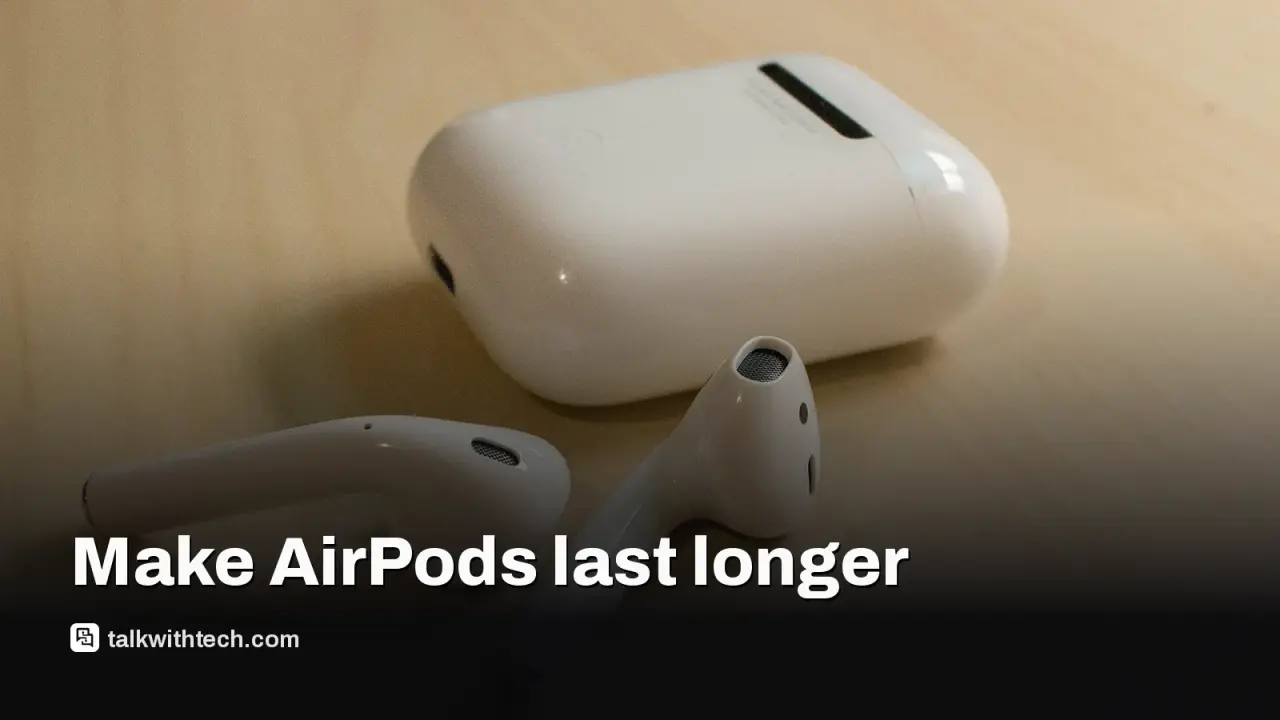
Every AirPods model has small sealed batteries in each earbud and in the case, and they lose capacity with every charge cycle.
Lithium-ion cells like these usually see real wear after roughly 300 to 500 cycles, or about two to three years of use.
Optimized Battery Charging, keeping the buds in their case, avoiding heat and cleaning the case contacts all slow the decline.
Owners with AppleCare+ can get battery service at no extra charge once capacity drops below 80 percent of the original.
Quick read · 2 min
AirPods don't last forever. Each earbud and the charging case hold small sealed lithium-ion batteries that lose capacity with every charge, and you can't replace them yourself. Batteries like these usually show real wear after roughly 300 to 500 charge cycles, around two to three years for many listeners.
You can slow that decline:
Turn on Optimized Battery Charging under Settings, your AirPods, then Battery, so the buds pause at 80 percent.
Put the buds back in their case, keep them out of heat and avoid draining them to zero.
Clean the case and mesh gently, keeping hard tools away from the charging contacts.
If one bud charges far slower than the other, dirt on the contacts is a likely cause. If your pair has AppleCare+, Apple offers battery service at no extra charge once capacity falls below 80 percent. When they are finished, recycle them at a certified e-waste drop-off or trade them in at an Apple Store rather than binning them.
Your AirPods have an expiration date, and it isn’t printed on the box. The tiny batteries inside each earbud and inside the charging case wear down a little with every charge, and you can’t swap them out yourself.
That matters because AirPods are not cheap, and a pair that only lasts an hour or two is a pair most people throw away. The good news is that the decline can be slowed, sometimes by a lot, with a handful of habits and one setting most owners never check. Here is what actually wears them out and what helps.
01
Why AirPods batteries have an expiration date
AirPods run on lithium-ion cells, the same basic chemistry used in phones and laptops, and that chemistry ages. Batteries of this type typically get roughly 300 to 500 charge cycles before the loss of capacity becomes obvious. For a lot of daily listeners, that works out to about two to three years.
The catch is that the battery meter can fool you. An older pair can still show 100 percent when you pull it out of the case, but a full charge on a worn battery holds far less energy than it did on day one. So the buds report “full” and still die halfway through your commute.
The case ages too. It loses a little capacity with every cycle, which means fewer top-ups for the earbuds on the go, even if the buds themselves still charge all the way.
Since Apple first released AirPods in 2016, the design has stayed sealed. There is no door to open and no cell you can replace at home, which is why the wear pattern decides how long a pair stays useful.
02
Is it the battery, or something simpler?
Before you assume the battery is finished, rule out the easy problems. A short listening time is not always a worn cell.
Check Apple’s rating for your model. Expectations differ a lot. Apple rates the base AirPods for up to five hours per charge and up to 30 hours with the case, while AirPods 4 with active noise cancellation (ANC) are rated at four hours with ANC on and five with it off. With the case included, AirPods Pro 3 reach up to 24 hours, or about eight hours per charge with ANC switched on.
Look at both buds’ charge levels. With the earbuds charging in the case, check each one on your iPhone. If one sits at 22 percent and the other at 65 percent, dust or earwax is probably blocking the charging contacts on one side.
Watch where the buds live. An earbud left out of its case keeps drawing power while it stays connected to a device or hunts for one. Putting them back in the case when you finish is the simplest fix of all.
If none of that explains it, a reset is worth a try. With the buds in their case, open Settings, then Bluetooth, tap More Info next to your AirPods and choose Forget This Device. Then follow Apple’s reset steps for your model, pair them again like a new set and see how long they last.
03
The setting that slows battery wear
Optimized Battery Charging is the one switch most worth checking. Open your AirPods case near your iPhone, then go to Settings, tap your AirPods and open Battery. If the toggle is off, turn it on. Newer models also offer Charging Notifications there, which warn you when the battery runs low.
The feature learns when you usually use your AirPods. It holds the charge at 80 percent and only fills the last stretch when it expects you to need them, which cuts the hours the cells spend sitting full.
That follows the general rule for these batteries: they dislike being drained to nothing and dislike being parked at 100 percent for long periods. Aiming to keep them somewhere around the middle, rather than at either extreme, eases the strain on the cells.
Heat is the other enemy. High temperatures speed up battery aging, so keep your AirPods out of direct sun and hot cars, especially while they charge.
04
Cleaning AirPods without damaging them
Earwax is not just a hygiene issue. Over time it can clog the speaker mesh, hurt the sound and, if it builds up in the case, stop the buds from charging properly.
Advice on how hard to scrub differs, so start gently. A lint-free cloth handles most routine cleaning. Apple says the case can be wiped with a cloth lightly dampened with isopropyl alcohol, as long as you keep moisture out of the charging port and let everything dry before charging. For the mesh, Apple suggests a soft-bristled toothbrush dipped in micellar water, followed by a rinse with distilled water.
Some guides suggest a weekly session with a cotton swab, a toothpick and a little rubbing alcohol to stop wax from building up. If you go that route, use very little alcohol and stay away from the metal charging contacts. They are delicate, and scraping them with something hard can damage them for good.
Stretching a pair from two years to three or four is real money saved, and the same habits apply to other wireless earbuds too, from Samsung Galaxy Buds to Nothing and OnePlus models.
It also keeps gadgets out of the trash. Wireless earbuds are hard to recycle because the batteries are sealed in alongside tiny circuit boards and speakers. When a pair really is done, don’t put it in household waste. Take it to a certified local e-waste drop-off, or ask about a trade-in at an Apple Store.
Before you give up on them, check your coverage. If your AirPods have AppleCare+, Apple offers battery service at no extra charge once the battery holds less than 80 percent of its original capacity. You can also turn off features you don’t need, such as ANC in quiet rooms, Spatial Audio or automatic ear detection, though the gain is small. On old models, switching off Spatial Audio may add around 30 minutes.
06
Quick answers
How long do AirPods batteries last before they wear out?
Lithium-ion batteries like those in AirPods usually show real wear after roughly 300 to 500 charge cycles, which is about two to three years for many people. Heat and constant full charges can shorten that.
Can you replace an AirPods battery?
Not yourself, because the cells are sealed inside each bud and the case. With AppleCare+, Apple services the battery at no extra charge once it falls below 80 percent of its original capacity.
Does Optimized Battery Charging really help AirPods?
It reduces the time the cells sit at full charge by pausing at 80 percent until you are likely to need them. Find it under Settings, your AirPods, then Battery on a connected iPhone.
Reviews are in. The OLED MacBook Pro wins on blacks, contrast and weight, but the mini-LED model still matches its speed and lasted longer in one battery test.