Apple TV sign language interpretation goes live on Friday, November 13, with the streaming premiere of Being Heumann.
F1 gets both American Sign Language and British Sign Language, while Greyhound and Way of the Warrior Kid follow later this year.
You have to switch the feature on in the TV app settings first, then tap a Sign Language button in the player.
It needs version 27.2 of Apple's software or a supported third-party device running the latest TV app.
Quick read · 1 min
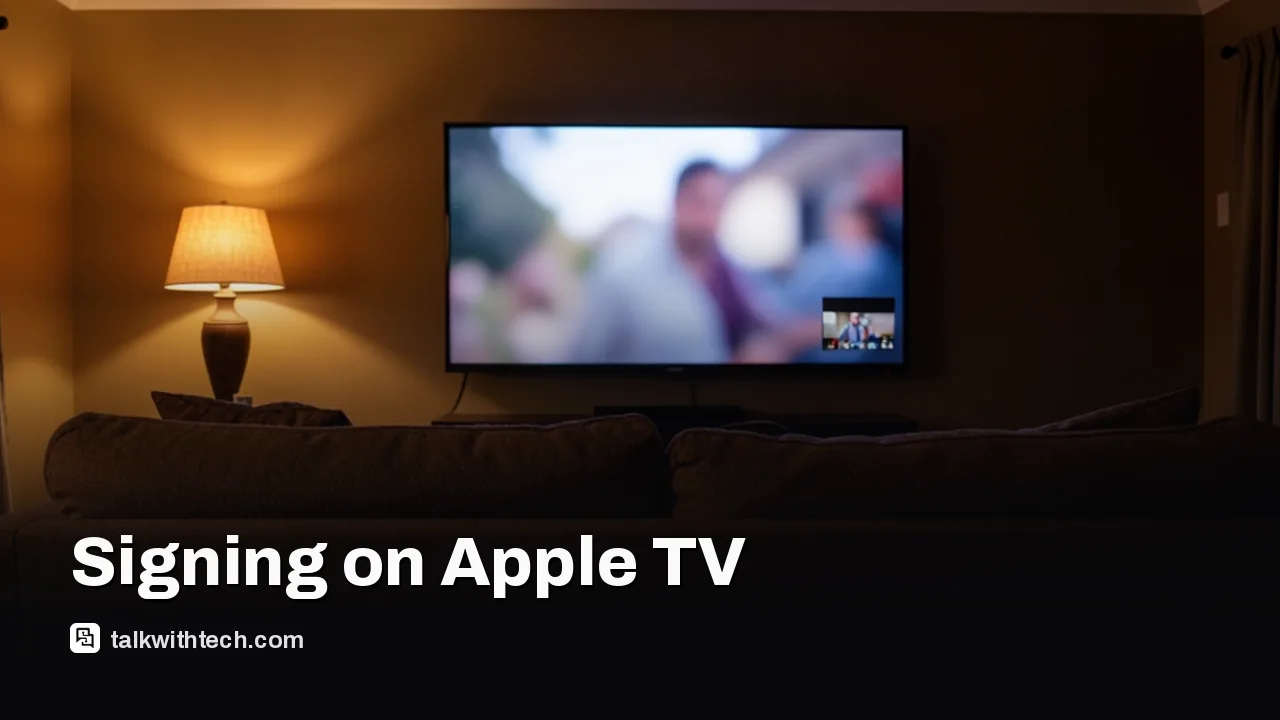
Apple TV now offers sign language interpretation on some of its own films. A real human interpreter appears in the bottom right of the screen, signing in sync with the movie, and you can switch it on or off like captions.
It goes live on Friday, November 13, with the premiere of Being Heumann, a film about disability rights pioneer Judy Heumann. F1 gets both American and British Sign Language, and Greyhound plus Way of the Warrior Kid follow later this year.
Update to version 27.2 of iOS, iPadOS, macOS, tvOS or visionOS, or the latest TV app on other devices.
Turn on Sign Language in the TV app settings.
Press the Sign Language button while a supported title plays.
You'll still need an Apple TV subscription, which runs $14.99 a month in the US. Search "with ASL" to find titles.
Starting Friday, a sign language interpreter can appear in the corner of an Apple TV movie, signing along with the dialogue in real time. Apple TV sign language interpretation is a new accessibility setting that Apple announced on November 10, and it debuts with the streaming premiere of Being Heumann, a film about disability rights activist Judy Heumann.
If you or someone at home is Deaf and prefers signing to subtitles, this matters: the interpreter isn’t a separate “accessible edition” you have to hunt for. It’s an option on the regular film, a bit like turning captions on or off. But it’s off by default, it only works on a short list of Apple Originals for now, and you need a recent software update before the button shows up at all.
01
How to turn on Apple TV sign language
You turn on Apple TV sign language in two places: once in the TV app’s settings, then again inside the player while a supported title is running. Here is the order Apple and early testers describe:
Update your device. On Apple hardware you need version 27.2 or later of the system software, so iOS 27.2 on iPhone, macOS 27.2 on a Mac, tvOS 27.2 on Apple TV 4K, plus iPadOS 27.2 or visionOS 27.2.
Switch the option on. On iPhone, iPad and Mac, open the Settings app, go to the TV app entry and enable the Sign Language display. The controls stay hidden until you do this.
Pick a supported title. Look for the Sign Language icon, a small slanted hand, on the title page. It sits next to familiar badges such as CC for closed captions and AD for audio description.
Start playback and press the Sign Language button. It appears above the progress bar with the other player controls. Choose American Sign Language or British Sign Language where both are offered.
Once it’s running, the interpreter shows up in the bottom right of the picture, laid over the film and kept in sync with it. To stop it, or to swap languages, use the same button in the player. You don’t have to go back into settings.
02
Which Apple TV movies have sign language right now
Only four Apple Original films are confirmed so far, and two of them arrive later in the year:
Being Heumann: available from Friday, November 13, the day it premieres worldwide on Apple TV.
F1: the racing film gets interpretation in both ASL and BSL.
Way of the Warrior Kid: due later this year. The film itself debuts Nov. 25.
Greyhound: also promised before the end of the year.
Apple says more of its own originals will follow, but it hasn’t given a list or dates. Apple’s announcement only spells out both sign languages for F1, so check the languages section on each title page to see what’s offered before you press play.
Finding titles should get easier as the list grows. Typing “with ASL” or “with BSL” into the TV app’s search box brings up matching titles, and a new collection called Movies & Shows with American Sign Language gathers them in one place. That collection also includes films where signing is part of the story, such as CODA, the 2021 Best Picture winner with a mostly Deaf cast.
03
Which devices get Apple TV sign language
The feature lives inside the Apple TV app, so it isn’t limited to Apple’s own box. On Apple gear you need the 27.2 software releases listed above. On other hardware, Apple only says it works on supported third-party devices running the latest version of the app. It hasn’t published a list of which smart TVs, streaming sticks or consoles qualify yet.
That’s worth knowing because the Apple TV app runs on a lot of non-Apple screens, from Roku and Fire TV sticks to Sony, LG and Samsung TVs, plus Xbox and PlayStation consoles. If you watch on one of those and don’t see the Sign Language button, update the TV app first. If it still isn’t there, your device may not be supported yet.
The films themselves still sit behind an Apple TV subscription, which costs $14.99 a month in the US, and new subscribers get a week free to try it. Apple is also giving three months free to people who buy and activate a new iPhone, iPad, Mac or Apple TV 4K, for a limited time.
04
What makes Apple’s version different from Netflix or Max
Apple’s interpreters are real people, not AI avatars. Apple says it chose not to use AI-generated signing because that isn’t what the Deaf community has asked for. Each performance was designed and tested by Deaf and native signers, and Apple worked with Directors of Artistic Sign Language, specialists who shape a signed performance to match a film’s tone, much as a director guides an actor.
Being Heumann’s signed version was directed by Daniel Durant, who also appears in the film. He said it was “incredibly meaningful” to see his language shown authentically on screen. Sarah Herrlinger, who leads Apple’s global accessibility policy work, called the launch a step toward a more inclusive experience for Deaf viewers.
Apple isn’t first here. HBO Max and Prime Video already offer sign language on some titles. On Netflix, Disney Plus and Peacock, interpretation for a selection of mostly family titles comes through SignUp Media, a third-party Chrome extension that lays an interpreter over the picture. Apple’s approach is built into its own app, so there’s nothing extra to install, and it works on the TV in your living room rather than only in a desktop browser.
For many Deaf viewers, ASL or BSL is a first language and English is a second one. Captions give you the words, but a skilled signer can carry tone, emotion and emphasis in a way that a line of text struggles to. That’s why a lot of Deaf viewers prefer interpretation when they can get it.
The catch is cost and time. Good interpretation needs trained human performers for every film, which explains why the launch list is so short. It also explains why Apple is starting with a film that has deep ties to disability history. Being Heumann follows Heumann, played by Ruth Madeley, as she leads a sit-in of more than 100 disability rights protesters in San Francisco in 1977. Siân Heder, who made CODA, wrote and directed it.
06
What this means if you watch with a Deaf family member
For households that mix hearing and Deaf viewers, the useful part is that everyone can watch the same version together. The interpreter is an overlay, so the film’s sound and picture stay as they are, and you can turn signing on for one viewing and off for the next without changing the title.
Before Friday, the practical steps are simple: install the 27.2 update on whatever you watch on, flip on the Sign Language setting so the button is ready, and add Being Heumann to your watchlist. Way of the Warrior Kid lands on Nov. 25, so that’s the next date to watch for more signed titles.
07
Quick answers
Is Apple TV sign language free?
There’s no extra charge for the feature, but the supported films are Apple Originals, so you need an Apple TV subscription, which is $14.99 a month in the US.
How do I turn off sign language on Apple TV?
Press the Sign Language button in the player and switch it off, or change languages there. To hide the button entirely, turn the Sign Language option off in the TV app settings.
Does Apple TV have BSL for UK viewers?
Yes, at least on F1, which offers both British Sign Language and American Sign Language. Apple hasn’t listed the languages for every other title yet.
Meta's video editor now runs on Apple silicon Macs with 4K exports and AI agent support, yet Windows users and cross-device projects still have to wait.
Apple's new questionnaire tags dating apps and romantic AI chatbots as adults only, and flags location sharing. Here's what parents and developers face.
6 min read
We use cookies to understand how readers use Talk With Tech, so we can make it better. Is that OK? Privacy policy
The Daily Brief
Today's biggest tech stories, in 5 minutes
Every morning, the news that matters from AI, phones, apps and the people shaping tech. Explained in plain English. Free.
One email a day. No spam, unsubscribe anytime. Privacy policy