Monday, 23 November 2026

Xbox Series X sleep or shutdown? 13 watts vs 45 seconds

One setting decides whether your console sips power or wakes instantly from your phone. Here is what each mode keeps, what it drops, and how to switch.

A black game console standing beside a TV stand at night with a small standby light glowing

The short version

  • Microsoft lists an Xbox Series X at 0.5 watts in Shutdown (energy saving) and 13 watts in Sleep.
  • Both power modes still install console, game and app updates while the Xbox is off.
  • Only Sleep supports remote wake from the Xbox app, fast boot and waking the console by voice.
  • Shutdown can take up to 45 seconds to start, and you switch modes under Power options in Settings.
Quick read · 1 min

Xbox Series X|S consoles have two ways to turn off. Sleep keeps the console partly awake, so it starts in seconds and can be woken from the Xbox app or by voice, but Microsoft lists it at 13 watts on a Series X. Shutdown (energy saving) drops that to 0.5 watts, and a cold start can take up to 45 seconds.

  • Both modes: automatic overnight updates and Quick Resume keep working.
  • Sleep only: remote wake, remote installs from your phone, voice wake and fast boot.
  • Series S: 10 watts asleep, 0.4 watts in Shutdown.

New consoles ship set to Shutdown, and Microsoft moved older ones over with a one-time update. To change it, open the guide, go to Profile & system, then Settings, and pick Power options in the General section. If remote wake stops working after you held the power button, restart the console normally and check the setting again.

In the Xbox Series X sleep mode vs shutdown choice, the trade is simple: Sleep keeps the console ready to go in seconds but draws about 13 watts while it waits, while Shutdown (energy saving) cuts that to 0.5 watts and asks you to wait up to 45 seconds when you power on. Those are the figures Microsoft publishes for the Series X.

If you don’t use remote features, Shutdown is the more economical default. Your games and system still update overnight in both modes, and Quick Resume survives either way. Pick Sleep only if you use the features that need it: waking the console from your phone, turning it on by voice, or getting to the home screen almost instantly.

That is the short answer. The details matter, though, because a few things people blame on a “broken” Xbox are really this one setting.

01

Xbox Series X sleep mode vs shutdown in numbers

Sleep draws far more power than Shutdown on both consoles, going by Microsoft’s own idle figures. Here is how the two modes compare on both current consoles:

  • Xbox Series X, Shutdown (energy saving): 0.5 watts
  • Xbox Series X, Sleep: 13 watts
  • Xbox Series S, Shutdown (energy saving): 0.4 watts
  • Xbox Series S, Sleep: 10 watts
  • Start-up from Shutdown: up to 45 seconds, by Microsoft’s count
  • Start-up from Sleep: around five seconds or less

You may see these numbers mixed up elsewhere. Some guides give the Series X the 10-watt figure and the Series S the 13-watt one, and older coverage simply said Sleep draws 10 to 15 watts. Microsoft has also said the energy saving mode uses up to 20 times less power than Sleep. Whichever figure you use, the gap is large, and it runs every hour the console sits idle.

Start-up times vary too. Microsoft’s own guidance says a cold start can take up to 45 seconds, while some reports put it nearer 15 seconds. Treat 45 seconds as the worst case.

A hand holding a game controller in front of a blurred TV settings screen
02

What Shutdown (energy saving) still does while the console is off

Shutdown does not mean your Xbox falls behind on updates. Microsoft says the energy saving mode still installs automatic updates for the console, your games and your apps, the same as Sleep.

When Microsoft switched consoles over to this mode, Xbox technical program manager Blaine Haugie said the change “will not affect performance, gameplay” or overnight updates. While you are actually playing, there is no difference at all between the two modes. The setting only changes what happens after you turn the console off.

Quick Resume, the feature that lets you jump back into several suspended games where you left them, also keeps working. Games you had suspended are still waiting when you start the console from Shutdown, so you do not lose your place just because you chose the greener setting.

There is one extra perk. Since an update in February 2023, Xbox consoles are “carbon aware”: when the console is set to update automatically and local data is available, it times downloads for hours when more of your area’s electricity comes from lower-carbon sources. That only helps where renewables make up a real share of the local grid.
03

What you only get in Sleep mode

Sleep earns its higher power draw through three features that need the console to stay partly awake:

  1. Remote wake. With Sleep on, the Xbox app on your phone can turn the console on, launch games, and install or remove titles while you are out. In Shutdown, those remote features only work once the console is already on.
  2. Fast boot. The console was never fully off, so it reaches the home screen in seconds instead of up to 45.
  3. Voice wake. Microsoft says you can switch a Series X|S on and off by voice only when the power mode is Sleep, and voice commands are not offered in every country or region.

If your Xbox ignores the app when you try to start it remotely, or ignores your voice, check this setting first. A console set to Shutdown will not answer a remote wake request, and that is working as designed.

Why remote wake stops working after a hard power-off

Holding down the power button to force the console off has a side effect. Microsoft says a full shutdown done that way switches off Sleep mode and voice wake until the console’s next restart.

So if your phone suddenly cannot wake an Xbox that is set to Sleep, start it with the power button, restart it from the guide, and then check Power options again.

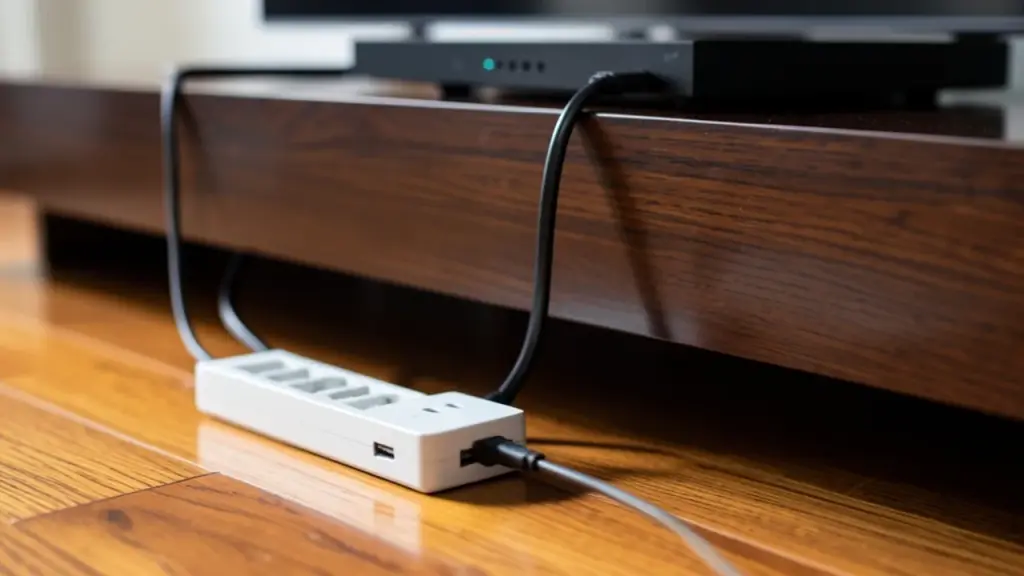
A power strip and plug-in energy monitor behind a game console on a wooden floor
04

How to switch power modes on Xbox Series X|S

You can change the mode in under a minute, and it applies straight away. Newer consoles already ship set to Shutdown, and Microsoft pushed a one-time update that moved older consoles to it too, so if you never touched the setting, you are probably on Shutdown now.

  1. Press the Xbox button on your controller to bring up the guide.
  2. Open Profile & system, then choose Settings.
  3. In the General section, select Power options.
  4. Pick either Sleep or Shutdown (energy saving).

The same screen has a Customize power options entry. That is where you decide how long the console waits before it turns itself off when nobody is using it, how it wakes, and whether updates install while it is off. Microsoft changed the default idle timer to 20 minutes of inactivity, and you can lengthen or shorten it there.

A restart is a separate thing. Restarting reboots the console without erasing any games or data, works in either mode, and is the better fix when the console just feels sluggish.

05

Active Hours: a middle ground Microsoft built

Microsoft also designed a compromise for people who like Sleep but not its power bill. Called Active Hours, it keeps the console in Sleep during the times you usually play and drops it into Shutdown the rest of the day.

When Microsoft announced it, the company said the feature would turn on automatically and schedule itself on Series X|S consoles by learning when you tend to play, with an option to set the hours yourself. On the older Xbox One, owners have to set their active periods manually. Microsoft first tested it with members of its Xbox Insider program alongside the energy saving changes.

If you play at the same times most days, this keeps fast starts for your usual play times and uses the low-power mode the rest of the day.

06

Which mode should you pick?

The answer depends on which features you use.

  • Choose Shutdown (energy saving) if you want the lowest power use and can live with a longer start. You keep automatic updates and Quick Resume.
  • Choose Sleep if you rely on remote wake from the Xbox app, voice wake, or near-instant starts, for example to queue a big download from work.
  • Look at Active Hours if you want Sleep’s speed only at the times you actually play.

Microsoft frames the switch as part of its goal to become carbon negative by 2030. It has estimated that every two consoles running the energy saving mode save about as much carbon as a tree growing for a decade, though that figure assumes the console is off for 20 hours a day.

07

Quick answers

Does an Xbox Series X download updates in Shutdown mode?

Yes. Both Sleep and Shutdown (energy saving) install automatic console, game and app updates while the Xbox is off. What Shutdown blocks is starting downloads remotely from the Xbox app.

Do I lose Quick Resume if I use Shutdown?

No. Games held in Quick Resume are still there when you start the console from Shutdown (energy saving), the same as from Sleep.

How much power does an Xbox Series S use in sleep mode?

Microsoft lists the Series S at 10 watts in Sleep and 0.4 watts in Shutdown (energy saving), a little less than the Series X.

Is it safe to leave an Xbox in sleep mode?

Yes. Microsoft’s support material gives no sign that Sleep is meant only for short breaks, so leaving a Series X asleep between sessions is fine.

Two sensible habits still apply. Give the console room to breathe, since Microsoft recommends at least four inches of clearance on every side. And if you know you will not play for a few days, Shutdown makes more sense than leaving it asleep the whole time.

You're reading the quick version.