Friday, 27 November 2026

Alexa Tablet Pro 12 review: good hardware, apps still lag iPad

Amazon’s first Pro tablet runs real Android with the Play Store and an anti-glare screen, but stretched phone apps keep it a step behind the iPad.

iPad
Photo: 彭家杰 / CC BY-SA 4.0 (modified)

The short version

  • Amazon’s Alexa Tablet 12 Pro starts at $499.99 and runs full Android with the Google Play Store, unlike old Fire tablets.
  • Its 12-inch, 120Hz screen has an optional Nanomatte anti-glare finish that adds $50 and wins strong praise from reviewers.
  • Reviewers say many Android apps still look like blown-up phone apps, and app switching can lag.
  • It is sold in the US, Canada and Mexico, with a $149.99 keyboard and $89.99 pen as extras.
Quick read · 1 min

Amazon’s Alexa Tablet 12 Pro replaces the old Fire tablets with something much more serious: full Android 16, the Google Play Store, an aluminum body and a 12-inch, 120Hz screen. It starts at $499.99, and it is sold in the US, Canada and Mexico.

Reviewers single out the optional Nanomatte finish, a $50 upgrade etched into the glass that removes almost all glare. Apple only offers a similar screen on a $1,799 iPad Pro. Battery life is rated at up to 16 hours of video.

The catch is software. Many Android apps still look like stretched phone apps on a big screen, and app switching can stutter, so heavy workers may still prefer an iPad.

  • Pro Keyboard: $149.99
  • Pro Pen: $89.99
  • Alexa+ screen reading is opt-in and off by default

For years, the main reason not to buy an Amazon tablet was simple: no Google Play Store, so no proper YouTube, WhatsApp or Gmail apps. The Alexa Tablet 12 Pro fixes that, and reviewers broadly agree Amazon got the hardware right. What still holds it back is the same thing that holds back every big Android tablet.

If you have been eyeing an iPad but balk at the prices, this matters. The 12 Pro starts at $499.99, and the most talked-about feature, a glare-killing screen finish, costs far less here than Apple’s version. The open question in this Alexa Tablet Pro 12 review roundup is whether the apps you use every day will feel at home on it.

01

What the Alexa Tablet 12 Pro is, and what it replaced

The Alexa Tablet 12 Pro is the top model in a new lineup that replaced Fire tablets in October. Amazon dropped Fire OS, its own locked-down version of Android, and moved to full Android 16 with Google’s apps and the Play Store installed out of the box. Alexa+, Amazon’s newer AI assistant, is built in.

There are three sizes. The 12 Pro sits above an 11-inch model starting at $329.99 and an 8-inch one at $229.99. The cheap $99 Fire tablet is gone, so Amazon’s tablets now start at a higher price than before. The whole line is on sale in the US, Canada and Mexico, and it is also stocked at Best Buy and Target. The UK isn’t on the launch list.

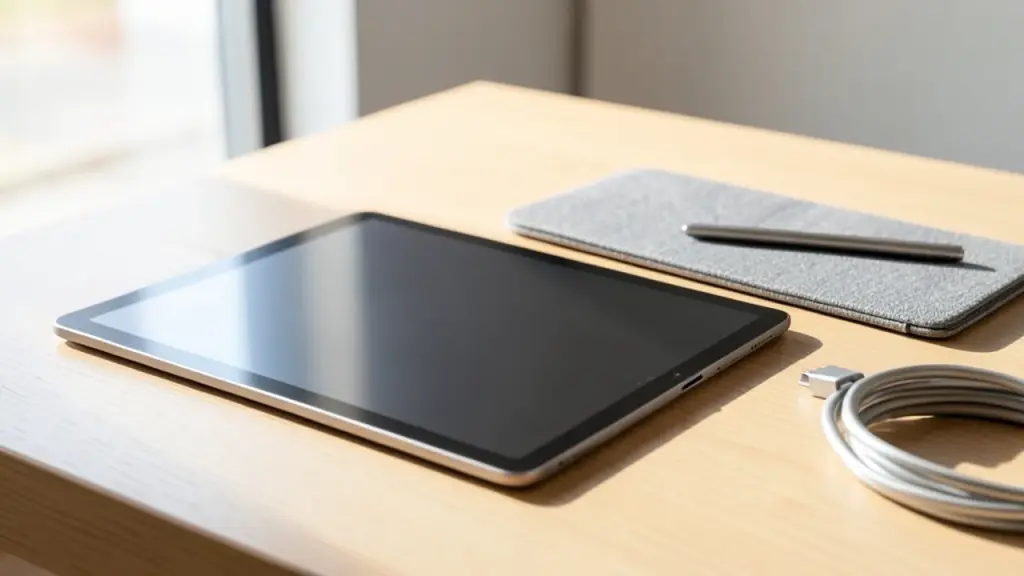
Tablet on table with keyboard and stylus, sunlight showing low-glare surface
02

The Nanomatte screen is the standout

The 12-inch display is an LCD, not OLED, with a 2,800 by 1,840 resolution, a 3:2 shape and a 120Hz refresh rate (the screen redraws 120 times a second, which makes scrolling look smoother). It reaches 500 nits of brightness. To get 120Hz on an iPad, reviewers point out, you need an 11-inch iPad Pro starting at $1,199.

The real headline is Nanomatte, Amazon’s name for an anti-reflective texture etched into the cover glass by Corning rather than stuck on as a film. It adds $50, bringing the price to $549.99, and reviewers consistently call it worth paying for. Under office lights, near windows or outdoors, glare drops to almost nothing. Apple’s equivalent, nano-texture glass, is only sold on the 11-inch iPad Pro with 1TB of storage at $1,799.

There is a trade-off. Colors look a little washed out when a strong light hits the screen, and the matte finish takes some punch out of saturated images. Most reviewers say that is a fair price for being able to read the screen anywhere.
03

Why the apps still lag the iPad

This is where the headline comes from. Because the 12 Pro is a full Android tablet, you can install Chrome, Slack, Lightroom and the rest from the Play Store. But many developers still don’t design Android apps for big screens. Slack, for example, runs as a single stretched column instead of showing channels and chats side by side, which makes it feel like an enlarged phone app.

Google’s own apps such as Gmail, Docs and Keep handle the larger display well, and so do some popular third-party tools. Even so, testers ran into apps freezing or crashing now and then, and switching between apps felt laggier than the hardware should allow. Reviewers blame Android software here, not the chip, which is a 4nm eight-core processor. Benchmark results put its multi-core speed close to the base iPad, while single-core scores were weaker.

Multitasking is decent. You can split the screen between two apps or drop them into a desktop mode with resizable, overlapping windows. One review still rated window handling below what iPadOS or Samsung’s tablet software offers.

Hands typing on tablet with folio keyboard in a sunlit home office
04

Design, battery and the Alexa twist

The body is aluminum, 6.5mm thick and about 1.21 pounds, so it looks and feels much like a recent iPad Air. A fingerprint reader sits in the power button. There’s one USB-C port, which can also mirror the screen to an external monitor, four speakers with Dolby Atmos, Wi-Fi 6E, a 13-megapixel rear camera and an eight-megapixel front camera. There is no headphone jack and no microSD slot, so pick your storage carefully: the base model has 8GB of RAM and 128GB, and higher configurations go up to 16GB of RAM.

Battery life is a high point: Amazon claims up to 16 hours of video, more than any tablet it has made before, and readers using the Kindle mode can expect even longer, with a claimed 20 hours. Reading is a strength: the Kindle app can cut blue light and mute alerts when a book is open, and it offers warmer, low-color and grayscale display profiles.

Alexa+ is everywhere, from a home-screen widget to a dedicated key on the keyboard. It can also look at what is on your screen, for example pulling dates from a schedule into your calendar. That screen-reading feature is opt-in, off by default, and shows an indicator while it is active.

05

What this means for you: who should buy it

If you mostly read, stream, browse and use Google’s apps, the 12 Pro offers an iPad-class screen and build for hundreds less, and the Nanomatte version is the one reviewers would pick. Families get kids profiles with parental controls even with the Play Store on board.

If you rely on apps that are polished on iPad, or you plan to work on a tablet all day, the iPad remains the safer choice. The add-ons also raise the bill. The Pro Keyboard costs $149.99 and attaches with magnets and pins, so there is no Bluetooth pairing or charging, though its two-piece kickstand design is awkward on a lap. The Pro Pen costs $89.99, supports pressure and tilt, and docks magnetically on top of the tablet to charge.

06

Quick answers

How much is the Alexa Tablet 12 Pro?

The base model, with 128GB of storage and 8GB of RAM, costs $499.99. The Nanomatte anti-glare version costs $549.99.

Does the Alexa Tablet 12 Pro have the Google Play Store?

Yes. It runs full Android 16 with the Play Store and Google’s apps preinstalled, which old Fire tablets never had.

Is the Alexa Tablet 12 Pro sold in the UK?

Not at launch. Amazon lists the US, Canada and Mexico for the new tablets.

You're reading the quick version.