Apple released iOS 27.2.1 on November 9 with no new features and nine security fixes.
Two Messages bugs let outsiders join iMessage group chats or read messages from before they were added.
Several Bluetooth and AirPlay flaws could let a nearby attacker pair with a device without the owner doing anything.
The update reaches iPhone 11 and later, and Apple says it cannot be rolled back once installed.
Quick read · 1 min
Apple's iOS 27.2.1 arrived on November 9, and the answer to whether you should install it is yes. It adds no new features, but it repairs nine security flaws, including two in Messages that let outsiders join iMessage group chats or let new members read older messages from before they were added.
Other fixes stop rogue Bluetooth gadgets from pairing with your phone without your approval and block attackers from guessing AirPlay pairing codes. Apple hasn't reported any real attacks, but the details are now public.
Who gets it: iPhone 11 and later, plus recent iPads.
How: Settings, General, Software Update.
Older phones: iOS 26.7.3 or iOS 18.7.12.
Once it's installed, you can't roll back to iOS 27.2. The next big update, iOS 27.3, is in beta and expected in December, so there's no reason to wait for it.
Yes, you should update to iOS 27.2.1, and the sooner the better. Apple’s November 9 patch closes nine security holes, and two of them sit inside Messages: one let an outsider get into an iMessage group chat and read along, and another let a newly added member scroll back through messages posted before they ever joined.
So if you’re asking whether iOS 27.2.1 is worth the restart, here’s the short version. It’s a small update with no new features, so nothing about how your iPhone looks or works will change. The real risk is in waiting, because now that Apple has published what it fixed, anyone hunting for those weak spots knows exactly where to look on phones that haven’t been patched.
01
iOS 27.2.1: should I update, or wait for the next one?
Update now rather than holding out for iOS 27.3. That bigger release is still in testing, with Apple putting out its first public beta on the same day iOS 27.2.1 arrived, and it isn’t expected until December. It brings a redesigned Health app, a Vertical Tabs option in Safari and Siri Recap, but none of that helps you while today’s holes stay open on your phone.
There’s also no tradeoff to weigh here. Apple’s on-screen notes describe iOS 27.2.1 simply as bug fixes and security updates for your iPhone. You don’t lose anything, you don’t gain any new menus to learn, and the download is small compared with a feature release.
One thing to know before you tap the button: Apple says that once an iOS update is installed, you can’t go back to the previous version. That’s normal for every release, but it means the move from iOS 27.2 to iOS 27.2.1 is one-way.
02
What iOS 27.2.1 actually fixes
The patch fixes nine problems across Messages, Bluetooth, AirPlay and a few behind-the-scenes parts of iOS, according to Apple’s security notes. Grouped by what they mean for you:
Group chats in Messages: a remote attacker could slip into an iMessage group and receive its messages. A separate bug gave people who were added to a group access to older messages from before they arrived. Apple closed the first with stricter permission checks and the second by deleting the faulty code altogether.
Silent Bluetooth pairing: two bugs in a system component called CoreUtils could let a malicious Bluetooth gadget connect to your device without you tapping anything, partly by getting around the cap on how many pairing codes can be tried.
A Bluetooth memory bug: someone within Bluetooth range could corrupt the memory of a running process. This was a use-after-free bug, which means software kept using a chunk of memory after it had already handed it back.
AirPlay code guessing: two more holes let attackers dodge the limit on AirPlay pairing code attempts, one from Bluetooth range and one from the same Wi-Fi network.
App Intents: an app could reach sensitive personal data it wasn’t meant to see. App Intents is the part of iOS that lets apps offer their actions to the rest of the system.
Brotli: a specially crafted file could make this data compression tool write outside the memory it was given, which can corrupt memory.
Apple found four of the nine flaws itself. The rest came from outside researchers, several of whom chose to stay anonymous.
03
Is iOS 27.2.1 safe, and were these bugs used in attacks?
Apple hasn’t said any of these flaws were exploited in real attacks, which is the reassuring part. Apple’s policy is to keep quiet about security problems until a fix is out, so the details only went public when the patch did.
That timing cuts both ways. Memory corruption bugs can crash an app or, in worse cases, expose data, and a written description of each flaw is now available to anyone. Phones still on iOS 27.2 are the ones left exposed.
As for the update itself, it’s a point release, the kind Apple uses for bug fixes, security patches and performance tweaks rather than new features. It’s also far lighter than iOS 27.2, which arrived on October 26 with more than 130 security fixes of its own.
04
What this means for your group chats and Bluetooth gear
For most people, the Messages fixes are the ones that hit closest to home. Family threads, work groups and friend chats are exactly where people share addresses, photos and plans, and both bugs went straight at who can see what inside a group. Until you update, the protections that decide who belongs in a chat aren’t as tight as they should be.
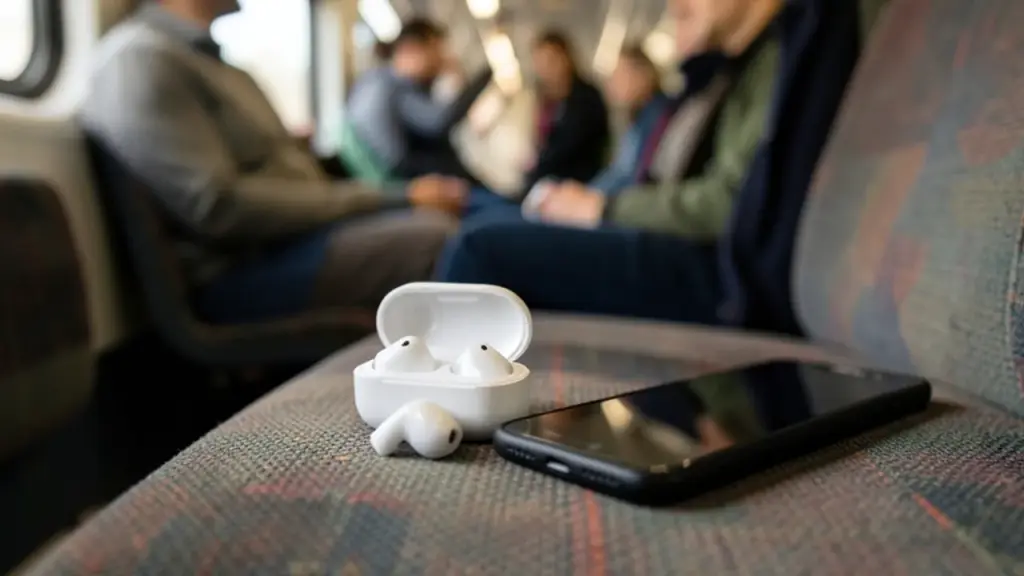
The Bluetooth and AirPlay fixes matter most when you’re out in public. These attacks needed the attacker to be within Bluetooth range or on the same network, which describes a crowded train, a coffee shop or an office far better than your living room. A gadget pairing with your phone without your say is the kind of thing you’d never notice happening.
None of this calls for panic, and you don’t need to change any settings. Installing the update is the whole fix.
iOS 27.2.1 is available for the iPhone 11 and every newer model. Apple lists the same security fixes for these iPads on iPadOS 27.2.1:
iPad mini 6th generation and later
iPad 9th generation and later
iPad Air 4th generation and later
11-inch iPad Pro 2nd generation and later
12.9-inch iPad Pro 4th generation and later
Most iPhones get build 24B8156, while the iPhone Duo gets its own build, 24B91034. Apple has started making separate builds for some newer products, so don’t worry if a friend’s phone shows a different number.
If your iPhone isn’t on iOS 27, you’re not left out. Apple released iOS 26.7.3 and iOS 18.7.12 the same day for devices not running iOS 27, so people on older versions also get protection.
06
How to install iOS 27.2.1 now
Installing iOS 27.2.1 takes a few taps in Settings:
Open the Settings app on your iPhone.
Go to General, then choose Software Update.
When iOS 27.2.1 appears, pick Update Now, follow the prompts on screen and let the phone restart.
If you’ve turned on automatic updates, your iPhone will handle this by itself. Checking by hand gets the fix on your phone today instead of whenever the automatic install gets around to it.
Don’t forget your other Apple gear. Apple released macOS 27.2.1, watchOS 27.2.1 and visionOS 27.2.1 alongside the iPhone update, and the Mac version also adds protection for command-line tools against a flaw involving eMudhra certificates. Some Macs, including the M6 MacBook Pro, the iMac and the PROLED MacBook Pro, get their own builds. Older Macs can install macOS 26.7.3 or macOS 15.8.3, and older Apple Watch models get watchOS 26.6.1. Apple TV stays on tvOS 27.2 for now.
07
Quick answers
Does iOS 27.2.1 add any new features?
No. It’s a bug-fix and security release only. New features such as the redesigned Health app are coming in iOS 27.3, which is still in beta.
Can I go back to iOS 27.2 after updating?
No. Apple says iPhone and iPad updates can’t be downgraded once they’re installed.
My iPhone is older than the iPhone 11. Am I still protected?
iOS 27.2.1 only reaches the iPhone 11 and newer. Apple put out iOS 26.7.3 and iOS 18.7.12 for phones that aren’t on iOS 27, so install whichever one your phone offers.
Attackers are locking files on outdated Synology NAS boxes with the .L0CK3D extension. Here are the DSM builds that fix it and the steps Synology recommends.
6 min read
We use cookies to understand how readers use Talk With Tech, so we can make it better. Is that OK? Privacy policy
The Daily Brief
Today's biggest tech stories, in 5 minutes
Every morning, the news that matters from AI, phones, apps and the people shaping tech. Explained in plain English. Free.
One email a day. No spam, unsubscribe anytime. Privacy policy