Sunday, 22 November 2026

Ray-Ban Meta Gen 3 vs Gen 2: what the extra $70 really buys you

Meta's newest camera glasses add an hour of battery, a sixth microphone and a shortcut button. The camera stays the same, and two of the new frames cost far more.

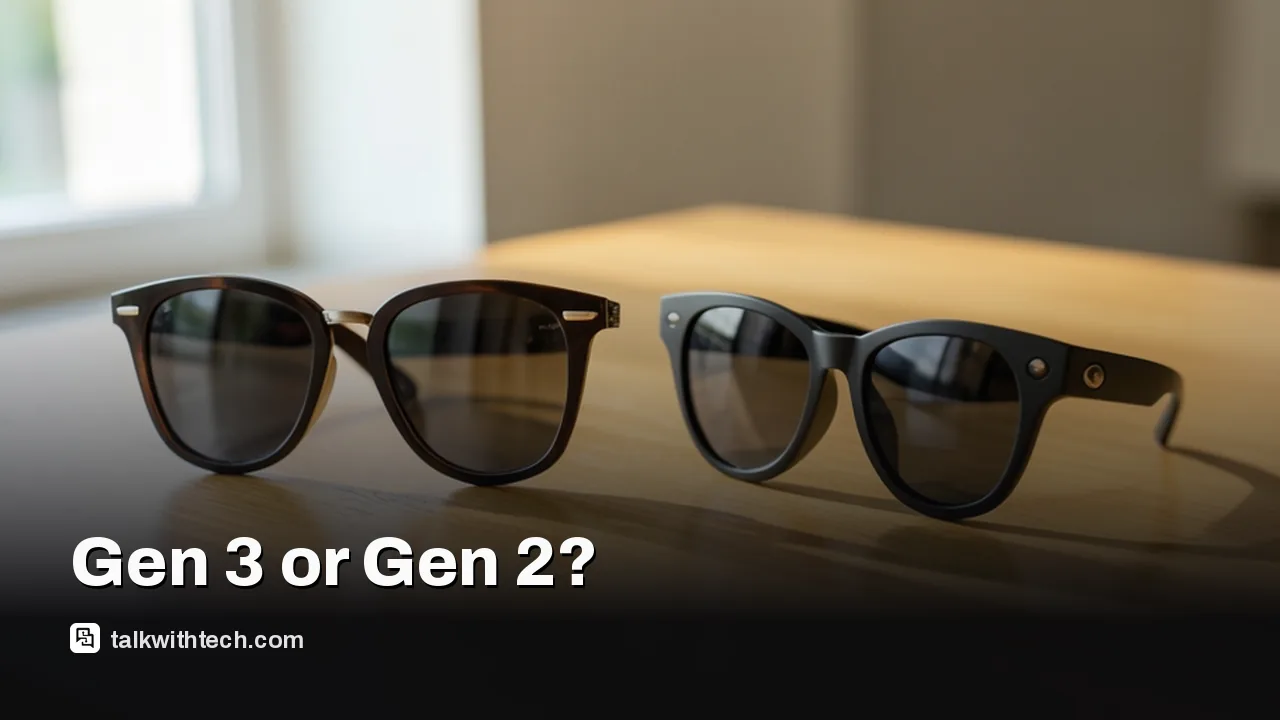
Two pairs of camera-equipped smart glasses side by side on a wooden table

The short version

  • Ray-Ban Meta Gen 3 starts at $449 in the US, which is $70 more than the Gen 2's $379 starting price.
  • Gen 3 is rated for up to nine hours per charge, one hour more than Gen 2, and adds a sixth microphone.
  • Both generations use the same 12MP ultrawide camera, and Meta's new software features are not limited to Gen 3.
  • The new Aviator and Zena frames start at $529, so the cheapest Gen 3 is still the Wayfarer.
Quick read · 1 min

Meta's Ray-Ban Meta Gen 3 glasses start at $449 in the US, $70 more than the Gen 2's $379. For that you get up to nine hours of rated battery instead of eight, a sixth microphone that Meta says filters out over 90% of surrounding noise, a programmable action button and a slightly slimmer Wayfarer.

The camera is unchanged. Both pairs use the same 12MP ultrawide sensor, and the software features Meta announced with Gen 3 are not exclusive to it.

  • Own a working Gen 2? Reviewers say there is no strong reason to upgrade.
  • Coming from Gen 1, or take lots of calls? Gen 3 is the better buy.
  • Want the new Aviator or cat-eye Zena frames? Those start at $529.

A Dolby Atmos audio capture update is due later this year, and Meta is still testing paid Meta One plans that could put some features behind a subscription.

In the Ray-Ban Meta Gen 3 vs Gen 2 matchup, the newer glasses cost $70 more and take exactly the same photos. Meta’s third-generation camera glasses start at $449 in the US, against $379 for the Gen 2, and the camera inside is the one part Meta left alone.

So what does the extra money pay for? One more hour of rated battery life, a sixth microphone for calls, a shortcut button you can program, a slightly slimmer Wayfarer and two new frame shapes. If you already wear a Gen 2 pair that works well, reviewers who have used both say you can keep your money. If you are buying your first pair, the choice is closer, and it mostly comes down to how much you talk on the phone and which frame you want on your face.

01

Ray-Ban Meta Gen 3 vs Gen 2: the differences at a glance

The gap between the two generations is small, and almost all of it sits in battery, microphones, controls and frame choice. Here is how they line up on the specs Meta and reviewers have published.

  • Starting price: $449 for Gen 3, $379 for Gen 2.
  • Battery in the glasses: up to 9 hours on Gen 3, up to 8 hours of mixed use on Gen 2.
  • Charging case: up to 50 hours of extra power on Gen 3, up from 48 on Gen 2.
  • Microphones: six on Gen 3, five on Gen 2.
  • Camera: the same 12MP ultrawide sensor on both, with video at up to 3K resolution and 30 frames per second.
  • Controls: Gen 3 adds a separate action button that you can customize. Gen 2 does not have it.
  • Frames: Gen 3 comes in Wayfarer, Aviator and a new cat-eye shape called Zena, across 27 color and lens combinations.

One thing to watch if you are shopping by frame: the $449 price applies to the Wayfarer. The Aviator and Zena frames both start at $529.

Close-up of a small button on the arm of aviator-style smart glasses
02

Is the battery really better on Gen 3?

Yes, but only by about an hour, and neither pair is likely to hit its official number in heavy use. Meta rates the Gen 3 frames for up to nine hours per charge, compared with eight for Gen 2.

Real-world results are lower on both. One reviewer who spent weeks with the Gen 2 got between four and five hours when mixing video capture, Meta AI questions and loud music. A reviewer testing Gen 3 managed about six hours of continuous audio playback, and noted that Live AI, the mode that uses the camera to analyze what is around you, drains the battery faster still.

The same Gen 2 reviewer estimated the newer battery would give them roughly 30 minutes to an hour of extra time, depending on how the glasses are used. That is welcome, and it is not a reason on its own to replace a pair you already own.

03

The sixth microphone matters most if you take calls

Call quality is where Gen 3 makes its strongest case. The Gen 2’s five microphones were already good at separating a voice from wind and traffic, and Gen 3 adds one more. Meta claims the new array filters out over 90% of the noise around you.

That is a company claim, but early hands-on reports back it up. People on the other end of calls told one Gen 3 reviewer that she sounded clearer than she does on her AirPods Pro 2. The same reviewer said she had never had complaints about call quality on Gen 2 either, so this is a good feature getting a bit better.

The extra microphone has a second job. Meta says a software update later this year will let the glasses capture Dolby Atmos spatial audio, which is sound recorded so it seems to come from all around you.

Smart glasses resting in an open charging case on a desk
04

The camera did not change, and neither did most of the software

If photos and video are why you want smart glasses, Gen 3 gives you nothing new on the sensor side. Both pairs use a 12MP ultrawide camera that records video at up to 3K. The visible difference is cosmetic: the opening for the camera and the recording light is around 36% smaller on Gen 3.

You may see Gen 3 described elsewhere as a camera upgrade. Reviewers who compared the two spec sheets say Meta did not touch the camera, and that the chip inside appears to be the same as well.

Software is a similar story. The features Meta announced alongside Gen 3, including Dynamic Photos (which lets you pick the best frame from a shot), hearing enhancement and improvements to Meta AI and translation, are not exclusive to the new hardware. Gen 3 stores your captures on 32GB of built-in storage and runs the same Meta AI assistant as the rest of Meta’s glasses.

05

Fit, frames and the new button

Gen 3 is a little smaller in its most popular shape, and it finally gives you a shortcut that does not need your voice. The Wayfarer’s width from hinge to hinge drops from 131mm to 129mm, and the temple arm goes from 150mm to 149mm. A standard Gen 3 Wayfarer weighs about 51.5 grams. The arms are still thicker than those on regular sunglasses, which was one reviewer’s biggest comfort complaint about Gen 2.

The new shapes will not suit everyone. The Aviator is 10mm wider than the smallest Gen 3 Wayfarer, and one reviewer found it oversized and prone to sliding down her nose. The temple tips on every Gen 3 frame can be adjusted for a better fit, but that has to be done by an optician or at a Meta store, which is awkward if you order online.

The action button is the change you will notice every day. It sits near the capture button and can be set to one task, such as opening Meta AI, taking a capture, sending a message or reading out your latest text. It does not fix the Gen 2’s habit of registering accidental taps on the touchpad, since the touchpad is still there, but it gives you a physical control that is harder to trigger by brushing your hair back.

06

Which one should you buy?

What this means for your wallet depends on where you are starting from.

  • You own Gen 2 and it works fine: stay put. The reviewer who compared them directly said Gen 3 does not make a compelling case for people in this position.
  • You own the original Gen 1: Gen 3 easily counts as an upgrade.
  • You are buying your first pair and take a lot of calls: the sixth microphone and the action button are the best arguments for paying $449.
  • You mainly want photos and video: the camera is identical, so the Gen 2’s $379 starting price gets you the same pictures.
  • You want the Aviator or Zena look: those frames exist only as Gen 3, and they start at $529.

One full review of Gen 3 summed up the upgrades as minor ones that cost too much, and questioned whether the $449 model should be anyone’s default choice given how many different glasses Meta now sells. Both generations also depend on a compatible phone, a Meta account and the Meta AI app, and the AI features on offer can vary by country.

There is one more cost to keep in mind on either pair. Meta is testing paid Meta One subscription plans, and one Gen 3 reviewer found a prompt to sign up for more photo storage at the top of her glasses settings. Meta has already put its hearing enhancement tool, which has yet to roll out, behind that paywall.

07

Quick answers

Is Ray-Ban Meta Gen 3 worth it over Gen 2?

Only for some buyers. Gen 3 adds an hour of rated battery, a sixth microphone, an action button and new frame shapes for $70 more. The camera is the same, so Gen 2 owners with a working pair have little reason to switch.

How much are Ray-Ban Meta Gen 3 glasses?

Gen 3 starts at $449 in the US for the Wayfarer. The Aviator and Zena frames start at $529. Gen 2 starts at $379.

Does Ray-Ban Meta Gen 3 have a better camera?

No. Both generations use the same 12MP ultrawide camera with video at up to 3K and 30 frames per second. The camera opening is just smaller on Gen 3.

You're reading the quick version.