Tuesday, 17 November 2026

Amazon launches two Kids Tablets from $229.99 with Storybuilder AI

Amazon's new 8.7-inch and 11-inch Kids Tablets drop Fire OS for Android, with Google Play downloads that need a parent's OK and an AI picture-book maker.

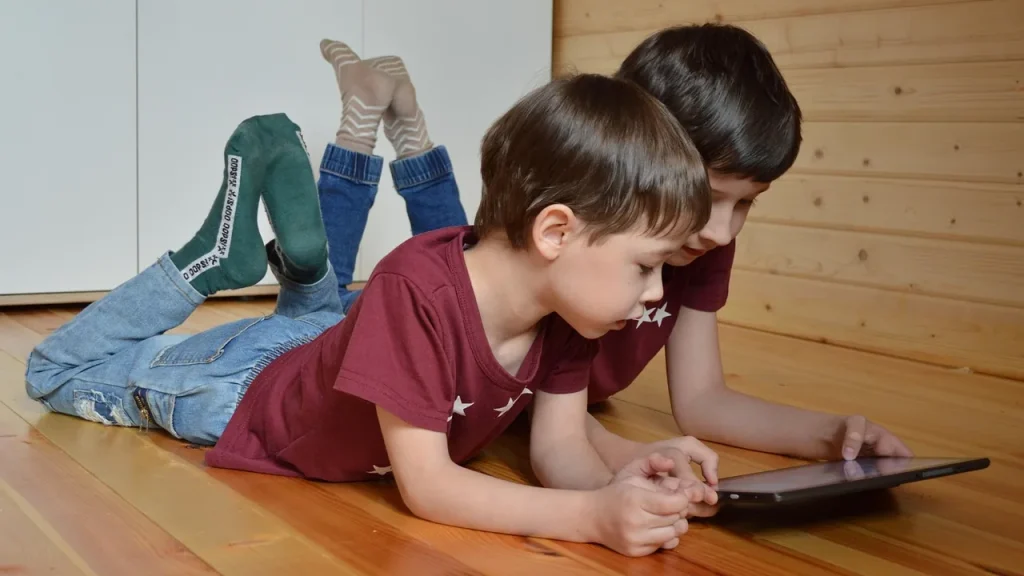
Child using a tablet with a protective case at home

The short version

  • Amazon's Kids Tablet 8.7-inch costs $229.99 and the 11-inch model costs $329.99, both with a kid-proof case and a year of Kids+.
  • Unlike older Fire Kids tablets, they run Android with Google Play, but every download needs a parent's approval.
  • A new Kids+ feature called Storybuilder uses AI to turn a child's spoken story ideas into illustrated picture books or comics.
  • Shipping was set for October 14 in the US, Canada and Mexico, with the UK and parts of Europe following on October 19.
Quick read · 1 min

Amazon launched two Kids Tablets that run Android instead of Fire OS, giving children access to the Google Play Store with one big rule: a parent must approve every download. The 8.7-inch model costs $229.99 and suits ages 3 and up, while the 11-inch model costs $329.99, adds a 2.5K screen, 8GB of RAM and stylus support, and suits ages 6 and up.

Both include an age-appropriate case and a year of Amazon Kids+. The Parent Dashboard sets screen-time limits, Learn First goals and remote pausing for up to four child profiles.

  • Storybuilder uses AI to turn kids' story ideas into picture books.
  • US shipping was set for October 14.
  • UK and European buyers followed on October 19.

Expect to pay more than for older Fire Kids models.

For years, Amazon’s kids tablets ran Fire OS, a walled garden where children could only reach Amazon’s own app store. The new Amazon Kids Tablets change that. Both models run Android with the full Google Play Store, and the twist is that a parent has to approve every single download before it lands on the device.

That matters for families because it removes the biggest complaint about Fire Kids tablets: the apps your child wants from school or friends often weren’t there. Now they can be, without giving a seven-year-old free run of the Play Store. The trade-off is price. These tablets cost noticeably more than Amazon’s older Fire Kids models, so it’s worth knowing exactly what you get.

01

Amazon Kids Tablets: prices and sizes

There are two models, aimed at different ages:

  • Kids Tablet 8.7-inch: $229.99. It has 64GB of storage, and Amazon rates its battery at up to 14 hours of video. It’s meant for children aged 3 and up.
  • Kids Tablet 11-inch: $329.99, with a sharper 2.5K screen, 8GB of RAM for smoother gaming, and stylus support for drawing and homework. It’s aimed at kids 6 and older, and Amazon estimates up to 15 hours of video playback.

Both share a lightweight aluminum body and an eight-core processor. They are essentially the smaller versions of Amazon’s new Alexa Tablet lineup for adults, which also swaps Fire OS for Android with Google Play, but with child-focused software on top. Amazon calls them real tablets rather than toys.

Family member configuring parental controls on a tablet
02

What’s in the box for kids

Every Kids Tablet comes with a protective case and a year of Amazon Kids+. The case depends on age. Younger children get a chunky soft bumper with a handle, while kids six and up get a slimmer hard case with a fold-out kickstand. Designs feature characters including SpongeBob, Barbie and Paw Patrol.

Amazon Kids+ is the company’s ad-free subscription with books, shows, games, apps and audiobooks from names such as Lego, Disney and Nickelodeon. Amazon says the content shifts as a child grows, from preschool favorites to older series a few years later. The tablets also include Alexa for Kids and a Dynamic Tab that suggests content based on age.

03

How parent-approved Google Play works

The Parent Dashboard app comes pre-installed and is where parents keep control. Whenever a child tries to install something from Google Play, the request needs a parent’s sign-off first.

You can manage everything on the tablet itself or remotely through the Parent Dashboard app for iPhone and Android. The controls include:

  • Daily screen-time limits and usage monitoring.
  • Learn First goals, which put reading and educational apps ahead of entertainment.
  • Pausing or resuming the tablet remotely from your own phone.
  • Web browsing filters and content controls.
  • Profiles for up to four children on one account.

One caution: a bigger app catalog doesn’t make every app suitable. Approval is only useful if you actually check what you’re approving, so expect to spend a little more time reviewing requests than you would on a Fire Kids tablet.

The controls are safeguards, not a babysitter. They work best alongside regular conversations about what your child is doing online, sensible screen-time routines, and a habit of looking at new apps together before you approve them. Setting this up on day one, before the first download request arrives, saves arguments later.

Colorful kid-friendly tablet case on a tablet
04

Storybuilder turns kids’ ideas into picture books

The most unusual new feature is Storybuilder, part of Kids+. Children describe characters, worlds and plot twists out loud, and AI turns their ideas into an illustrated picture book or comic they can share afterward.

The idea is to make the tablet a tool for creating, not just watching. The launch details don’t explain how the AI pictures are made or filtered, so parents may want to try it alongside younger kids at first.

05

What this means for parents choosing a kids tablet

If your child is outgrowing Fire Kids apps, these tablets solve a real problem: access to the same Android apps their friends and teachers use, with you as the gatekeeper. The 8.7-inch model suits preschoolers who mostly watch and play, while the 11-inch, with its sharper screen, extra memory and pen support, makes more sense for school-age kids doing homework or drawing.

If you mainly want a cheap screen for videos, the higher prices are the sticking point. Both models cost substantially more than older Fire Kids tablets. The price does cover a case and a year of Kids+, but independent tests of battery life, speed and durability weren’t available at launch, so the battery figures are Amazon’s own.

A simple rule of thumb: buy the size for the age your child will be next year, not today. A younger child who will soon start school may get more use from the 11-inch model’s pen and extra memory, while a toddler is better served by the smaller tablet and its tougher bumper case.


06

Where and when to buy

Preorders opened when Amazon announced the tablets in early October. Amazon set shipping for October 14 in the US, Canada, Mexico and Japan, with the UK and other European markets following on October 19. Prices outside the US weren’t confirmed in the launch details, so check Amazon’s local store for your country.

07

Quick answers

How much do the Amazon Kids Tablets cost?

The 8.7-inch model is $229.99 and the 11-inch model is $329.99 in the US, each with a case and a year of Kids+.

Do Amazon Kids Tablets have Google Play?

Yes. They run Android with the Google Play Store, but a parent must approve every download through the Parent Dashboard.

What is Amazon Storybuilder?

A Kids+ feature that uses AI to turn a child’s spoken story ideas into illustrated picture books or comics.

You're reading the quick version.