iPhone Duo face unlock: the 45-minute rule and what it won’t do
Apple's iOS 27.3 beta lets the folded iPhone Duo recognize you with its selfie camera, but Touch ID still guards payments, passwords and the big inner screen.
The second iOS 27.3 developer beta adds an Unlock with Front Camera option to the iPhone Duo.
It only works on the Lock Screen while the Duo is folded shut, and it is less secure than Face ID.
Touch ID or a passcode is still needed for Apple Pay, saved passwords and roughly every 45 minutes.
Apple plans to release iOS 27.3 to everyone in December, so most owners will get it soon.
Quick read · 1 min
The iPhone Duo can now recognize your face. The second iOS 27.3 developer beta adds an Unlock with Front Camera option that uses the outer selfie camera to open the folded phone from the Lock Screen. The Duo has no Face ID hardware, so this is a software solution, and Apple says it is less secure than Face ID or Touch ID.
The limits are real:
You still need Touch ID or a passcode about every 45 minutes.
Apple Pay and saved passwords still require Touch ID.
It does nothing once you open the phone flat.
Early testers say it works well in good light, struggles in the dark and wasn't fooled by photos or video. You turn it on under Touch ID & Passcode in Settings. Apple plans to release iOS 27.3 to everyone in December, so owners who skip the beta won't wait long.
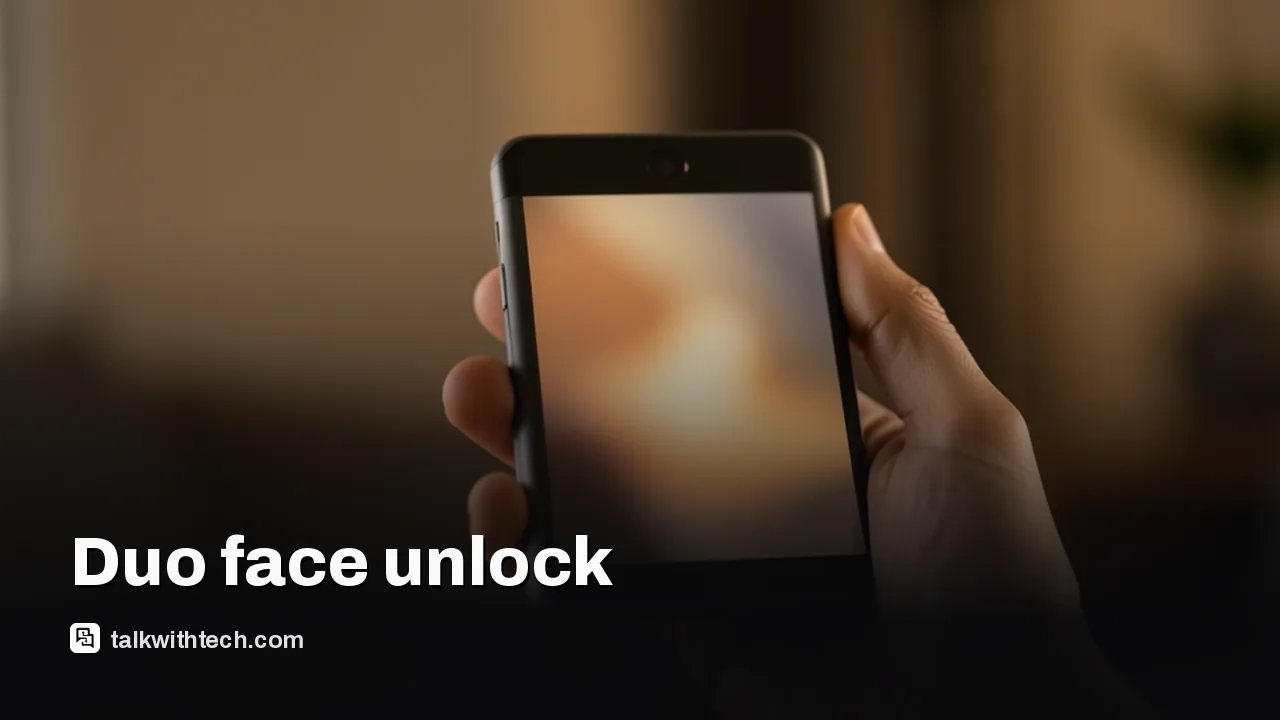
Apple has found a way to give the iPhone Duo face unlock without adding a single new part. The second developer beta of iOS 27.3, released on Monday, adds an option called Unlock with Front Camera that lets the folded Duo recognize your face through its ordinary selfie camera.
That matters because face unlock was the thing many owners missed most. The Duo costs $1,999 and launched with Touch ID in its side button, while every other current iPhone, including the cheapest one, has Face ID. The new option closes some of that gap, but it comes with real limits, and Apple itself says it is less secure than either Touch ID or Face ID. Here is what it does, what it refuses to do, and when you can expect it.
01
How iPhone Duo face unlock works without Face ID hardware
iPhone Duo face unlock uses the standard front camera on the outer screen, not the TrueDepth system that powers Face ID on other iPhones. Face ID projects a pattern of infrared dots to build a 3D map of your face. The Duo has no such hardware, so Apple is leaning on software and the camera that is already there.
The face data is handled by a protected area of Apple’s chip. One report describes it as a new Apple silicon capability called Secure Exclaves, and Apple says that neither iOS, apps, other people nor the company itself can read that data. The setup screen also states that the recognition data stays on the phone.
Setup will feel familiar if you have ever registered Face ID. The phone asks you to place your face in the camera frame, then turn your head slowly in each direction so it can capture different angles.
There is one obvious weakness. Because it relies on a regular camera, early hands-on testing found it struggles in a dark room. In decent light it works well enough to skip the fingerprint reader most of the time.
02
The 45-minute rule and the things it won’t unlock
The biggest catch is that face unlock never works alone. You need a recent Touch ID scan or passcode entry, and reports describe the window as about 45 minutes. Go longer than that and the Duo asks for your finger or code again.
It also has a narrow job. Here is what it can and can’t do:
Works: unlocking from the Lock Screen while the Duo is closed and you’re using the outer display.
Doesn’t work: paying with Apple Pay. Touch ID is still required.
Doesn’t work: filling in logins from the Passwords app.
Doesn’t work: unlocking the phone once it’s opened up. The big inner screen still needs Touch ID or your passcode.
Apple’s own wording frames the feature as a convenience for when you are actively using the phone. In plain terms, it is built for the dozens of quick checks a day, like reading a message or glancing at a notification, not for anything that touches money or accounts.
03
How to turn on iPhone Duo face unlock in the beta
Right now the feature is only in the iOS 27.3 developer beta, not in a regular software update. If you already run the beta, these are the steps reported by people testing it:
Open the Settings app on your iPhone Duo.
Go to Touch ID & Passcode and enter your passcode.
Switch on Unlock with Front Camera.
Follow the prompts to frame your face and turn your head slowly in each direction.
If you don’t run the beta, you can sign up through Apple’s beta program and then pick Beta Updates under Settings, General, Software Update.
Apple is also adding a companion setting for the Duo. Close to Lock, found under Display & Brightness, locks the Duo when you fold it shut instead of moving your app to the cover screen.
04
Attention features arrive too, even without face unlock
The update brings another Face ID perk to the Duo. Attention Aware features, which first showed up on iPhone X, check whether you’re looking at the screen before the phone acts.
In practice that means the Duo can keep its display awake while you read, turn down the volume of an alarm, timer or incoming call when you’re already looking at it, and show the full text of a notification after a face unlock. Like face unlock, this only works on the outer display. You don’t have to set up face unlock to use it, and it should switch on by itself after the update. The controls live under Accessibility in a section about face recognition and attention, which also has an option for a small vibration when an unlock succeeds.
This is the question Apple fans have been asking, because camera-only face unlock has a poor track record on Android. Security researchers once found that as many as 72% of the hundreds of Android devices they tested would unlock with a flat photo, and an update this year still put the figure at 63%.
Early testing of the Duo is more reassuring. One reviewer tried several photos and a video of themselves moving in front of the camera, and none of them opened the phone. When the face check failed, the Duo went straight to Touch ID with no second try. Apple has not published a technical paper explaining how the Duo checks that a real person is in front of it, so that testing is the best evidence for now.
Rivals have had this for a while. Samsung’s Galaxy Z Fold 8 already offers facial recognition alongside a fingerprint reader, and one reviewer found the Samsung fingerprint reader quicker than the Duo’s. Apple’s own HomeView smart display also uses face recognition that isn’t Face ID and asks you to unlock your iPhone from time to time, a similar safety net.
06
What this means for Duo owners right now
If you own a Duo and the side fingerprint reader annoys you, this is the fix you’ve been waiting for, with fine print. Picking up the folded phone to check messages should get faster, but you’ll still touch the sensor every time you pay, autofill a password, open the phone flat or let the 45-minute window lapse.
If you wear an Apple Watch, you may barely notice. The Duo already supports unlocking with a watch, and Apple lets that work alongside face unlock and Touch ID, with the phone picking whichever method fits the moment.
And if you were holding out for true Face ID, this doesn’t change the hardware. Whether the iPhone Duo 2 gets Face ID is still uncertain, though Apple reportedly has working prototypes. The same beta also adds daily usage limits for Siri AI, which is a separate change worth watching.
07
Quick answers
Does the iPhone Duo have Face ID?
No. The Duo uses Touch ID in its side button. The iOS 27.3 beta adds a camera-based face unlock instead, which Apple says is less secure than Face ID.
When will iPhone Duo face unlock be available to everyone?
Apple has said iOS 27.3 will launch publicly in December. If the feature stays in the final build, every Duo owner should get it then as a free update.
Can I use iPhone Duo face unlock for Apple Pay?
No. Apple Pay and the Passwords app still need Touch ID or your passcode, and face unlock only works on the Lock Screen while the Duo is closed.
Alert Ready sounds on phones, TVs and radios Wednesday. Here is the local time for each province and territory, which phones get it, and why some won't.