Modern CPUs now boost themselves, so manual overclocking fades
As processors get smarter and hardware gets better, pushing clock speeds manually isn’t the daredevil move it once was, here’s what that means for your PC.
Modern CPUs auto-boost performance with features like Enhanced Turbo and Precision Boost Overdrive, reducing the need for manual overclocking.
Auto-boosting is safer and more predictable, but it offers smaller performance gains than old-school manual tuning.
Enabling features in the BIOS is easier than ever, but cooling and power limits still matter for any gains.
For everyday users, the big takeaway is that you should rely on built-in boosting rather than chasing large clock-speed numbers.
Quick read · 1 min
PC enthusiasts long chased higher clock speeds with manual overclocking. Today, CPUs and motherboards mostly handle boosting automatically, offering smaller, safer gains.
Enable auto-boost features in the BIOS, pair with better cooling, and you’ll likely see steadier performance for everyday tasks and light heavy lifting.
Auto-boost features adjust speeds to the workload
Better cooling improves potential gains
Manual overclocking still works but offers smaller rewards
CPU overclocking is no longer the social media stunt of PC enthusiasts it used to be. Modern processors and their motherboards routinely push clock speeds beyond stock settings automatically, reducing the need for manual tinkering. The practice isn’t dead, but it’s largely shifted from hands-on, granular tweaks to automated algorithms that adjust performance on the fly.
In the past, overclocking meant pushing a CPU beyond its factory clock with a lot of trial and error. Today, features like Enhanced Turbo and Precision Boost Overdrive (PBO) take over that job, dialing up performance when there’s enough cooling headroom. It’s still possible to overclock, but the gains are smaller and the process is more about enabling smart technologies than dialing in manual numbers.
On the hardware side, many AMD Ryzen chips and modern boards include built-in mechanisms that raise frequencies and power limits automatically when there’s room for headroom. Ryzen users might see PBO or PBO2 with a Curve Optimizer, which lets the system tune voltage and frequency curves with less guesswork than old-school methods. Intel platforms also offer automatic boost behavior, though the exact flavor differs by generation and motherboard features.
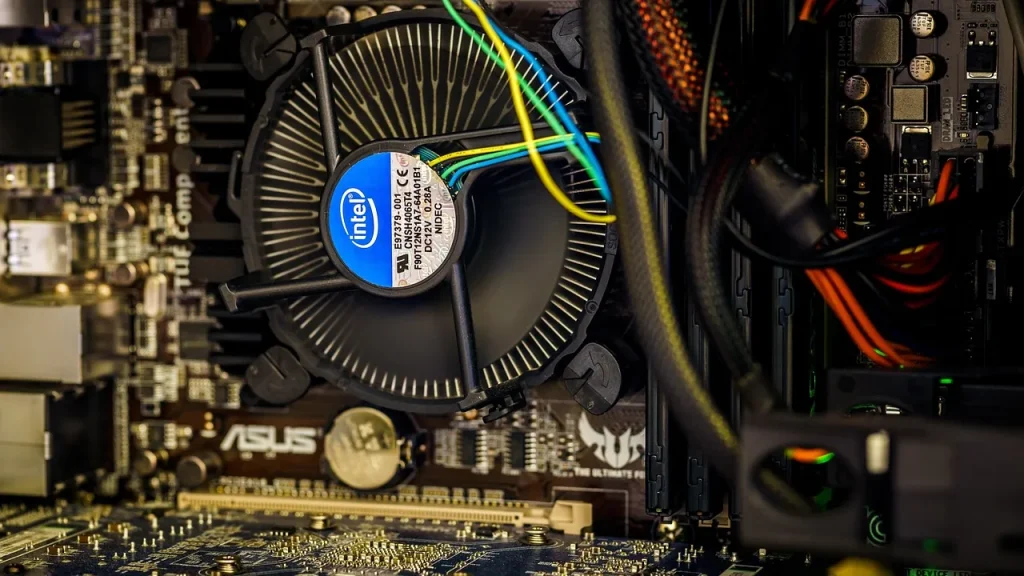
That doesn’t mean you can forget cooling. Even with automated boosting, higher temperatures can throttle gains. If a stock cooler is doing the job, you may not see much benefit from trying to push frequencies further. A stronger cooler and a motherboard that supports more aggressive power limits can widen the window for any boost, but the returns aren’t the same as a decade ago when every extra megahertz felt revolutionary.
So why did overclocking lose its wild popularity? Because the entire ecosystem shifted. Chip makers design CPUs to run fast by default, with calculated headroom baked into the silicon. Motherboard firmware now does a lot of the heavy lifting, and the risk of instability or increased power draw makes users think twice about chasing every extra clock cycle. The upshot is steadier performance, less risk of frying a chip, and what many people actually want: fast, reliable performance that doesn’t require a lot of manual dialing.
For most readers, the practical takeaway is simple. If you’re curious about a little extra speed, check if your motherboard offers a built-in boost feature you can enable with a single toggle and make sure your cooling is adequate. If you’re comfortable with manual tweaking and you love the old-school process, you can still experiment, but don’t expect dramatic, game-changing gains from a few extra MHz.
01
Why auto-boosting is now the mainstream path
Auto-boosting aligns performance with the workload, power, and thermal headroom, all without the guesswork. It’s designed to prevent unstable behavior that used to scare people away from overclocking altogether. In practice, that means more consistent speeds across long-running tasks, rather than rapid spikes that drop off when the chip heats up.
02
What to do if you want faster daily performance
First, ensure your system’s Intelligent Boost features are enabled in the BIOS. If you’re on an AMD setup, look for PBO or Curve Optimizer options; on Intel, search for Turbo or similar boost controls. Pair with a capable cooling solution and a motherboard that supports higher power limits. If your goal is smoother gaming or faster compilation times, many systems will deliver adequate gains with these automated tools rather than manual overclocking.
03
What this means for everyday people
For most users, you’ll see faster بلack harmonic improvements when the system has a light load or needs to spike performance briefly, rather than big long-term clock hikes. The big benefit is easier, safer access to extra performance without learning the art of voltage tuning or chasing unstable overclocks. If you do heavy workloads like video editing or large software builds, enabling auto-boosting features can yield noticeable, consistent gains while keeping energy use reasonable.
04
What happens next
As processors continue to evolve, expect more of the same: smarter boosts, better cooling options, and more refined controls in firmware. If you’re curious, check your motherboard’s manual or manufacturer support pages for specifics on Enhanced Turbo or PBO and the recommended cooling configurations.
OpenAI now has two fresh GPT-6.1 models. Sol is the stronger thinker, Terra the fast, cheap worker. Here's how they compare on price, speed, accuracy and access.
5 min read
We use cookies to understand how readers use Talk With Tech, so we can make it better. Is that OK? Privacy policy
The Daily Brief
Today's biggest tech stories, in 5 minutes
Every morning, the news that matters from AI, phones, apps and the people shaping tech. Explained in plain English. Free.
One email a day. No spam, unsubscribe anytime. Privacy policy