Friday, 16 October 2026

Data Security explained: what it is and what it means for you

Data security is about keeping your personal information safe from leaks, misuse, and unauthorized access. Here’s a plain-English guide to how it works and why it matters.

Office desk with data security elements and a dark laptop screen.

The short version

  • Data security is about protecting personal and company information from leaks, theft, and unauthorized access.
  • Modern work tools can leak data if employees use personal AI on company devices; controls at the prompt level can help prevent this.
  • Privacy awareness is growing, but many people still don’t take basic steps to limit data collection and sharing.
  • Ongoing government oversight aims to improve how public systems protect data and deliver transparent IT practices.
Quick read · 1 min

Data security is about protecting your information from leaks or misuse. With more AI tools in the workplace, the risk grows when people mix personal apps with work data. The fix is simple: use approved tools, and apply prompt-level controls that block sensitive prompts before they leave a device. People should turn off invasive data flows, like ad personalization and broad location sharing, and treat their phone number as sensitive information. Government oversight is also moving toward clearer IT rules and more transparency about data handling, which could shape how public services protect data in the future. Look for more workplace rules and privacy features to roll out in coming months.

  • Use only company-approved tools.
  • Limit what apps can access on your device.
  • Review and tighten data-sharing settings this weekend.

Data security is simply about keeping your information safe from people who shouldn’t see it. It covers how data is stored, who can access it, and what happens when something goes wrong. The goal is to prevent accidental or deliberate leaks, protect your privacy, and keep sensitive business information from falling into the wrong hands.

01

What it is

At its core, data security means applying rules and technologies that limit who can access data and how it can be used. That includes strong authentication, careful handling of data while it’s being used, and policies that decide what tools are allowed for work. A recent practical example shows why this matters: employees using personal chat tools on work laptops can expose customer data unless a company enforces prompt-level controls that block sensitive prompts from leaving the device. In short, security isn’t just a tech problem; it’s a policy and process problem too.

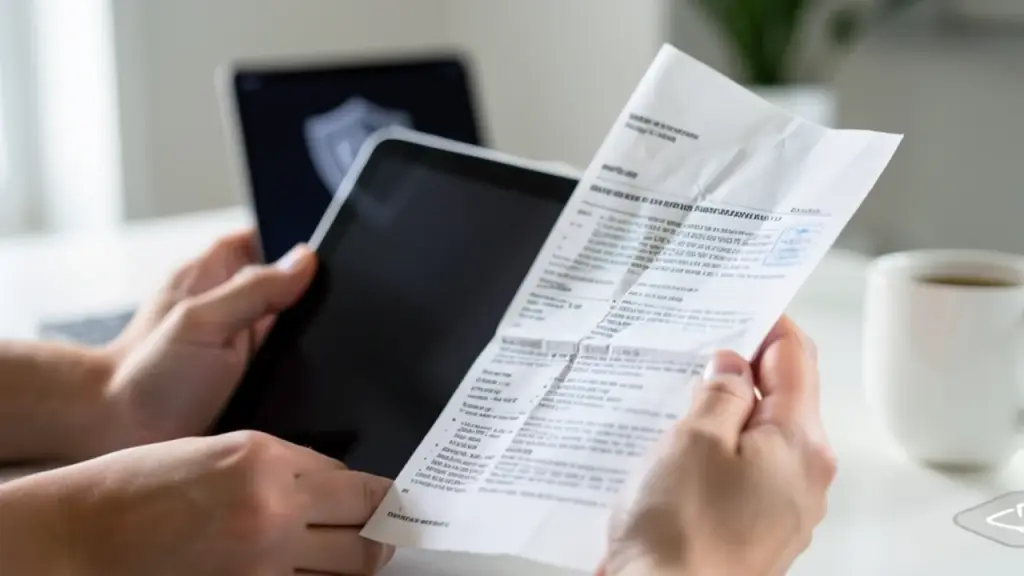
Hands with tablet, policy sheet, and shield icon in soft focus.
02

How it works

Think of data security as a multi-layered shield. Authentication checks who you are. Data-in-use controls decide what you can do with data once you’re logged in. And policy enforcement governs what tools and apps you can use at work. In the workplace example, a browser-extension detector inspects prompts before they reach an AI service and can block a prompt that contains sensitive data. When a prompt is blocked, it’s easier to see what happened, who was using the device, and what needs to be fixed.

03

Why it’s in the news right now

Two threads are pulling data security into current conversations. First, the rise of AI tools in the office means more data is at risk as people mix work and personal apps. Second, privacy discussions are simmering just beneath the surface of daily tech use, with surveys showing many Americans say privacy matters but don’t always take steps to protect it. A recent privacy survey highlighted that many people don’t know how widely their data travels, and experts stress simple, practical steps to shrink your data footprint. Meanwhile, lawmakers are pressing for clearer IT rules and stronger protections in federal systems, signaling that data handling and transparency will stay on the public agenda for a while.

Dusk office scene illustrating daily data security practices.
04

What it means for you

For most readers, data security boils down to practical daily habits. Use only company-approved tools at work, avoid sharing customer data in personal chats, and keep an eye on how apps access your data. In addition, treat personal information like a credit card number: guard it closely and don’t hand it out where it isn’t needed. Basic steps like turning off ad personalization, limiting location sharing, and reviewing which apps can access your contacts can cut down on the data trails that companies and advertisers build about you.

05

What to watch next

Expect more workplaces to deploy prompt-level checks, better incident-response playbooks, and clearer policies around when and how you can use AI tools at work. On the policy side, governments may push for stronger IT rules and more transparency about data handling in public systems, which could affect the services you rely on as a citizen or consumer.

06

Practical tips you can use now

  • Use only company-approved AI tools for work tasks.
  • Avoid pasting customer data or internal tickets into personal chat tools.
  • Review app permissions on your devices and turn off unnecessary data access.
  • Treat your phone number and other identifiers as sensitive data; share them sparingly.
07

Quick answers

What is data security?

It’s the practice of protecting data from unauthorized access, use, or disclosure, through people, processes, and technology.

Why is it important now?

Because more work is done with AI tools and personal apps on work devices, which can accidentally leak sensitive data without proper controls.

What can I do today?

Limit data sharing, use approved tools, and review app permissions. Start with turning off ad personalization and restricting location access on your devices.

You're reading the quick version.