Tuesday, 17 November 2026

How to change Xbox startup animation to the original 2001 boot

The green original Xbox intro and two Xbox 360 intros are now free on Series X, Series S and Xbox One. Here's the menu, plus a fix if they're missing.

Game console under a TV glowing with green light in a living room

The short version

  • Xbox Series X, Series S and Xbox One owners can now pick the original Xbox startup animation for free.
  • Two Xbox 360 intros came with it, one from 2005 and a later version from 2010.
  • The setting lives under Settings, then System, then Startup, where a drop-down list holds every option.
  • Microsoft added the animations on November 15 to mark 25 years since the original Xbox launched.
Quick read · 1 min

Xbox owners can now swap their console's startup animation for the green original Xbox intro from 2001 or one of two Xbox 360 intros. To do it, open Settings, choose System, then Startup, and pick from the drop-down list. The same menu holds the sound settings.

  • Works on Xbox Series X, Xbox Series S and Xbox One.
  • Free, with no purchase or extra download needed.
  • Includes Xbox 360 intros from 2005 and 2010.

Microsoft added the classic intros on November 15 to mark 25 years since the first Xbox launched. The rollout was gradual, so if your list doesn't show them yet, install any pending system update and check back later. You can switch back to your console's normal intro at any time from the same Startup menu, and all the options stay in the list.

To change your Xbox startup animation, open Settings, choose System, then Startup, and pick a new intro from the drop-down list. As of November 15, that list includes the green original Xbox boot sequence from 2001 plus two Xbox 360 intros, and it works on Xbox Series X, Xbox Series S and Xbox One.

It costs nothing and you don’t need to buy or download anything extra. Microsoft added the three classic animations for the 25th anniversary of the first Xbox, which launched in North America on November 15, 2001. If you grew up with a chunky black Xbox or a white Xbox 360 under the TV, this is the quickest way to hear that sound again every time you switch on.

01

How to change Xbox startup animation, step by step

The change only takes a moment, and you only do it once. Your choice then plays every time the console powers on.

  1. Open Settings on your Xbox.
  2. Choose System.
  3. Select Startup.
  4. Open the drop-down list of animations and pick the one you want, such as the original Xbox or one of the two Xbox 360 versions.

The same Startup menu also holds the sound settings, so check them there if you want the full experience with the matching audio. Then turn the console off and on again to see your new intro.

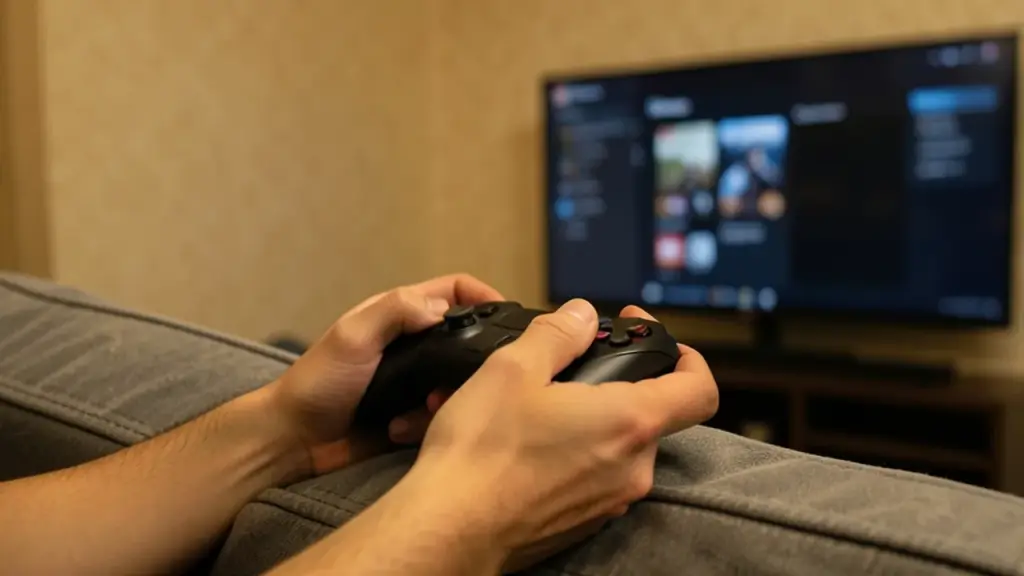
Hands holding a game controller in front of a blurred TV menu
02

Which startup animations can you pick?

You now get seven choices, spanning every Xbox generation. Here they are, grouped by era:

  • Original Xbox: the green 2001 boot sequence that started it all.
  • Xbox 360 (2005): the first intro from the Xbox 360’s launch.
  • Xbox 360 (2010): the revised intro from the Kinect years, when the console got a redesign.
  • Xbox One and Xbox One X: the two intros from the previous generation.
  • Xbox Series X|S: the current console’s own animation.
  • We Are Xbox: a brand animation that sits alongside the console intros.

Which Xbox 360 version feels right probably depends on which model you owned. Early 360 owners will know the 2005 one. If you bought a slimmer model later, the 2010 intro is likely the one you remember.

03

Which consoles get the classic Xbox intros?

Every Xbox Series X, Xbox Series S and Xbox One can use them. Microsoft said the update was for all players on those consoles, not only members of its testing program.

That matters because you may have read older posts saying the feature was for testers only. In September, Xbox Insiders (people who sign up to try features early) got a first version of the Startup menu. That early build let them choose among the Xbox One, Xbox One X, Xbox Series X|S and We Are Xbox animations, but it didn’t include the original Xbox or Xbox 360 intros. The November update is a separate, public release that adds those older three for everyone.

There was also some confusion just before launch. References to the three animations showed up in patch notes before Microsoft announced them, and those notes were later changed. If you read an article from that window, it may still say the animations aren’t available yet. They are now.

Older game consoles from the 2000s beside a modern console on a shelf
04

Can’t see the original Xbox option? Try this

Microsoft rolled the update out gradually through November 15 and didn’t give a time for each console, so a few systems can lag behind. If the old intros aren’t in your Startup list, work through these steps:

  • Look for a pending update. Install any system update that’s waiting, then go back to Settings, System, Startup.
  • Give it time. If nothing is pending, check the Startup menu again later. Microsoft hasn’t listed every reason an option might be missing.
  • Stay in the right menu. Startup is the only place Microsoft pointed to, so there’s no need to hunt through other settings.

A system update isn’t guaranteed to fix every case, and Microsoft hasn’t published a firmer timetable for individual consoles. Patience is the main fix here.

05

How to switch back to the normal Xbox intro

You can go back whenever you like using the same steps. Open Settings, choose System, then Startup, and pick your console’s usual animation from the list. On a current console that’s the Xbox Series X|S option, and on an older one it’s Xbox One or Xbox One X.

Nothing is lost when you switch. All seven animations stay in the list, so you can rotate between eras as often as you want. The new ones appear to be permanent additions rather than a limited-time event, though Microsoft hasn’t said so directly.

06

What this means for your Xbox, and the rest of the 25th party

For most people, this is a free, quick bit of nostalgia that changes nothing about how your console runs. You still land on the same dashboard, and your games and settings stay as they were. It only changes the few seconds between pressing the power button and seeing your home screen.

The startup intros are one small piece of a bigger anniversary push. Microsoft also launched Xbox Playback, a personal recap of your gaming history, and grew its list of original Xbox games you can play on PC to 25, with achievements added to some of them. A free 25th Anniversary Magazine is available online, too.

If you want more than a boot screen, there’s the Xbox Series X25 limited edition console. It costs $899.99, has a see-through green shell inspired by the original Xbox, carries engraved numbers and comes with a download code for Halo: Campaign Evolved. Pre-orders opened in August, and it began shipping earlier this month.

Sony did something similar for its own anniversary, bringing back startup sounds from the PS1 through the PS4.
07

Quick answers

Does the original Xbox startup animation cost anything?

No. It’s free for all Xbox Series X, Series S and Xbox One owners and arrives through a normal system update.

Where is the startup animation setting on Xbox?

Go to Settings, then System, then Startup. The animations sit in a drop-down list, with sound options in the same menu.

Can I get the Xbox 360 startup animation on Xbox One?

Yes. Both Xbox 360 intros, the 2005 original and the 2010 redesign, are available on Xbox One as well as Series X and Series S.

You're reading the quick version.