One UI 9, built on Android 17, is rolling out to recent Galaxy flagships with several new features.
My FanCam offers on-device subject tracking in videos, improving mobile editing without cloud data.
Quick Panel and volume/brightness controls gain more customization and a cleaner look.
Document scanning gets smarter, automatically correcting curved pages for better digital copies.
Quick read · 1 min
Samsung’s Galaxy phones are getting One UI 9, built atop Android 17. The update brings practical tweaks like My FanCam for on-device subject tracking in videos, a more customizable Quick Panel with reduced slider clutter, and smarter document scanning that handles curved pages better.
What this means for you: faster everyday tasks, cleaner controls, and easier scans. If you’re curious whether your device will get the update, check Settings > Software update. Expect a staged rollout that may take a bit to reach everyone.
Samsung’s Galaxy software core gets a practical upgrade with One UI 9, the latest version of the company’s user interface built on Android 17. The update is rolling out to recent Galaxy flagships and aims to give everyday tasks a smoother feel, rather than piling on gimmicks. The headline features aren’t flashy, but they’re the kind of improvements you notice in daily use.
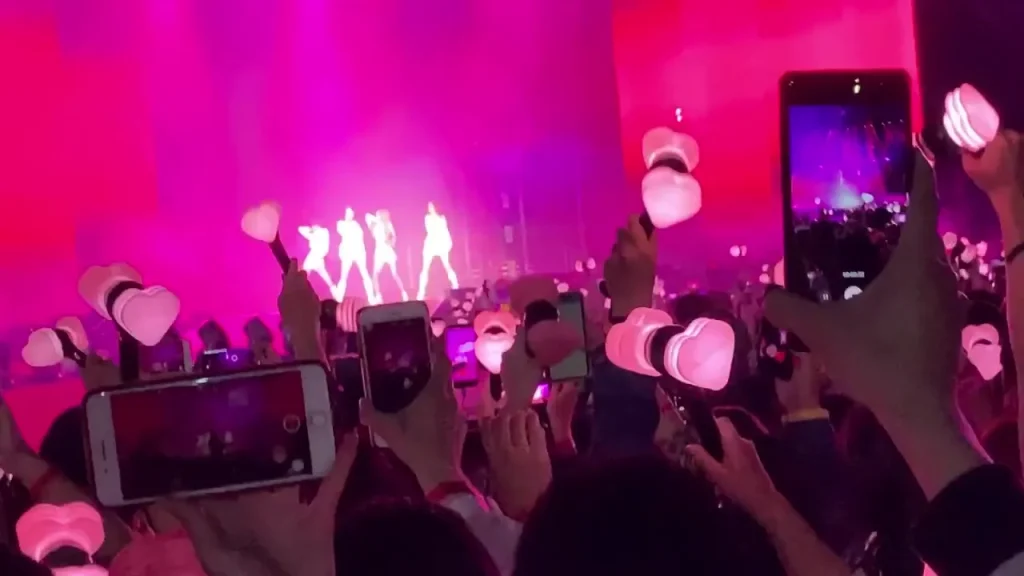
Among the most talked-about changes is a new on-device video tool called My FanCam. It tracks a chosen subject across a wide video, then crops to a close-up on that person for you. It works directly on the phone, even when the device is in airplane mode, and it doesn’t require sending data to the cloud. You’ll need a Samsung account to access it, and so far it’s been tested on Galaxy S26 Ultra and S25 Ultra models. Older devices are still in the process of receiving One UI 9, and the feature has shown up in beta on some S24-series devices.
01
Which phones get the update first
The update is rolling out to newer Galaxy flagships first. If you’re curious whether your exact model will see One UI 9 soon, you’ll want to check Samsung’s software update page on your device. The rollout timing can vary by region and carrier, but the best bet is to look for a system update notice in Settings.
One UI 9 continues Samsung’s trend of letting you tailor the Quick Panel and system controls. The big change this time is how volume and brightness sliders work. You can now separate these sliders from other quick settings and use them as standalone controls. The old, chunky UI pads around the sliders are gone, giving a cleaner look that’s easier to reach with a thumb. Samsung also removed the border around tiles for a more minimal feel. The music widget in the quick panel has a refreshed scrubber that better matches the current album art.
03
Document scanning gets smarter
Samsung has long offered a document scanner inside its camera app. One UI 9 beams in smarter scanning for curved pages and bound documents. The new processor-side improvements automatically compensate for warps and folds, so scanning a page from a book or a folded document results in a flatter, cleaner digital copy without needing extra edits.
04
What this means for everyday users
For ordinary Galaxy users, One UI 9 is about making common tasks simpler and faster. A tracking-crop video tool could help you pull out highlights from family events, without opening a desktop editor. The reworked Quick Panel and updated sliders cut down fiddling with settings, so you can adjust volume or brightness with fewer taps. And better document scanning means you’ll spend less time wrestling with scans that look warped or skewed.
If you’re waiting for One UI 9, keep an eye out for updates in the Settings app. Once it arrives, give the features a try, especially My FanCam on a short video to see how it handles movement. If you don’t see the update yet, you may be on a device or in a region where Samsung is rolling it out in waves. Check back in a week or two and keep your device charged during the update window.
06
Quick answers
What phones get One UI 9 first?
Newer Galaxy flagships are getting the update first, with older models and some mid-range phones still awaiting the rollout in many regions.
Is My FanCam in the cloud or on the device?
My FanCam runs on-device and does not require cloud processing for its core tracking features.
Do I need a Samsung account to use One UI 9 features?
Yes, at least for features like My FanCam to work, you’ll need a Samsung account.