Milepost is an indie driving journal for iPhone, CarPlay and other Apple devices that records route, distance, speed and weather.
Finished drives become Roadbooks, timelines you can fill with notes, photos, Apple Music tracks and a replay flyover.
Roadbooks are private by default and can be shared with friends you add or through a public web link.
The free version keeps your three latest drives viewable; Pro costs $4.99 a month, $29.99 a year or $199 for life.
Quick read · 2 min
Milepost is an indie driving journal for iPhone and CarPlay. It records your route, distance, speed, driving time and weather in the background, and lets you drop markers along the way. When you park, you turn the drive into a Roadbook, a timeline you can fill with photos, notes, the songs you played and a flyover replay of the route.
It's built for road-trippers and car fans rather than commuters looking for directions. Roadbooks are private unless you share them with friends or through a web link, and friends can comment and react.
Works on iPhone, iPad, Apple Watch, Mac and CarPlay, with Siri controls.
Free version saves every drive but shows only your three most recent.
Pro costs $4.99 a month, $29.99 a year or $199 for life, with a 7-day trial.
Start free, log your next trip and decide on Pro once you know you'll look back.
Most drives vanish from memory the moment you park. Milepost, a new indie app for iPhone and CarPlay, tries to keep them: it records the road you took, how fast you went and what the weather was doing, then turns the whole trip into a scrollable journal page you can fill with photos and notes.
If you take weekend road trips, own a car you love, or just want a record of a big move across the country, this is a different kind of app from Google Maps or Waze. It doesn’t tell you where to go. It remembers where you went. The question for most people is whether the free version is enough, and the answer depends on how often you look back.
01
What the Milepost road journal actually records
Milepost logs your GPS route, distance, active driving time and speed, and adds weather along the way when that data is available. You tap to start before you set off, and the app runs in the background while you drive.
Spot something worth remembering? You can drop a quick marker at that point and come back to it later, once you’ve stopped, to add the photo or a few lines of text. That design matters: the developer is clear that Milepost is a journal, not a navigation or safety tool, and that you should set it up before driving and only touch it when it’s safe and legal.
On iPhone, a Live Activity keeps your speed, miles covered and time on the road visible in the Dynamic Island and on your locked screen, so you can glance at progress without opening the app.
02
How a drive becomes a Roadbook
When a drive ends, you can save it as what the app calls a Roadbook. Think of it as a timeline page built around your route map, with the moments you marked placed along it.
You can give each Roadbook a title, write journal entries, attach photos and study a graph of your speed over the trip. There’s also a flyover replay that animates the route like a camera following your car, with photos appearing where you took them. If you opt in, the app can also save which Apple Music songs were playing, which is a nice touch for anyone who builds playlists for long drives.
Car fans get a garage. You add each vehicle you own, and every car gets its own page, called a Stampbook, that shows which Roadbooks it appeared in. A rebuilt Body Shop feature lets you pick your car’s year, model and trim so the artwork matches the real thing. Each month the app also puts together a recap of your miles and moments.
03
Sharing your drives without going public
Milepost has a social side, but it isn’t another follower-count feed. Roadbooks start out private. You can keep a drive to yourself, share it with friends you’ve added in the app, or create a public web link that anyone can open without installing Milepost.
Friends can comment on and react to your Roadbooks, and a recent update added full conversations with @mentions. You can also share Roadbooks and monthly recaps as images in six designs. Two of them, called Receipt and Photo Dump, are free; Pro unlocks all six.
On privacy, Roadbooks save on your device first, and recording works without setting up any cloud account. If you use Cloud Backup, your content is stored on Milepost’s own servers. App analytics are switched on by default, but you can turn them off in your profile, and the developer says analytics exclude routes, photos, journal text and vehicle details. Like any app that tracks trips, it can use your location when it isn’t open, which can drain your battery faster.
04
Which devices Milepost works on
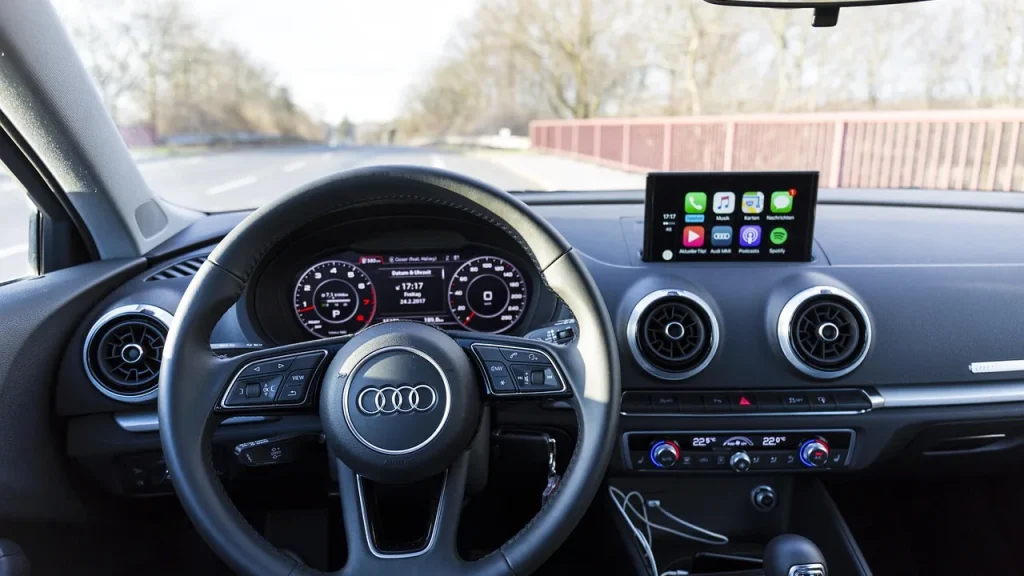
Milepost started on iPhone and has spread quickly across Apple’s lineup. You can start, stop, pause, resume or mark drives using Siri and CarPlay, and there are widgets and Shortcuts support for common actions.
iPhone and iPad: both can record drives. You need iOS or iPadOS 26.1 or later.
Apple Watch: controls your phone’s recording, drops markers and lets you browse friends’ Roadbooks from your wrist.
Mac: a bigger screen for viewing and editing drives recorded on iPhone or iPad, synced through Cloud Backup. It needs macOS 27 and an Apple silicon Mac.
iPhone Duo: the app has layouts built for Apple’s foldable display.
For more technical users, Milepost also runs an MCP server, a standard way for AI assistants to connect to apps. With your approval, a compatible AI agent can look at your past drives and help plan new trips.
What Milepost Pro costs and what you lose without it
Recording and saving drives is free. The limit is history: free users can open only their three most recent drives, plus each friend’s three latest shared Roadbooks.
Milepost Pro removes that cap and adds deeper driving insights, every Roadbook export option, shareable flyover videos, fresh Body Shop artwork and alternate app icons. It costs $4.99 a month, $29.99 a year or $199 for lifetime access, with a 7-day free trial.
The good news if you try Pro and cancel: older drives aren’t deleted. They stay saved and become viewable again if you subscribe later. That makes the free tier a low-risk way to start logging trips now and decide on Pro after your next road trip.
The yearly plan is the better deal for most people, working out far cheaper than paying monthly. The lifetime price is steep for a new indie app, so only consider it if you’re already hooked.
06
Quick answers
Is Milepost free?
Yes. You can record and save drives for free, but only your three most recent drives stay viewable. Pro unlocks your full history from $4.99 a month.
Does Milepost work with CarPlay?
Yes. You can start, pause, resume, end and mark drives from CarPlay or with Siri, so you don’t need to handle your phone while driving.
Can other people see my drives?
Not unless you choose to share. Roadbooks are private by default, and you decide whether to share each one with friends or through a public link.
Google Play will block new apps and updates that letterbox or lose your place on foldables, and store listings will soon show the unfolded screen first.
Apple says a change it pushed itself, not hackers, broke iCloud sign-ins, Apple Pay and the App Store for hours on Tuesday. Here's what failed and why.
6 min read
We use cookies to understand how readers use Talk With Tech, so we can make it better. Is that OK? Privacy policy
The Daily Brief
Today's biggest tech stories, in 5 minutes
Every morning, the news that matters from AI, phones, apps and the people shaping tech. Explained in plain English. Free.
One email a day. No spam, unsubscribe anytime. Privacy policy