iPhone Duo battery health: why Settings shows two numbers
Apple's foldable tracks each of its two battery cells separately. Here's what Battery 1 and Battery 2 mean, which number to watch, and when a replacement makes sense.
The iPhone Duo lists two battery health readings in Settings because it has two separate battery cells, one in each half.
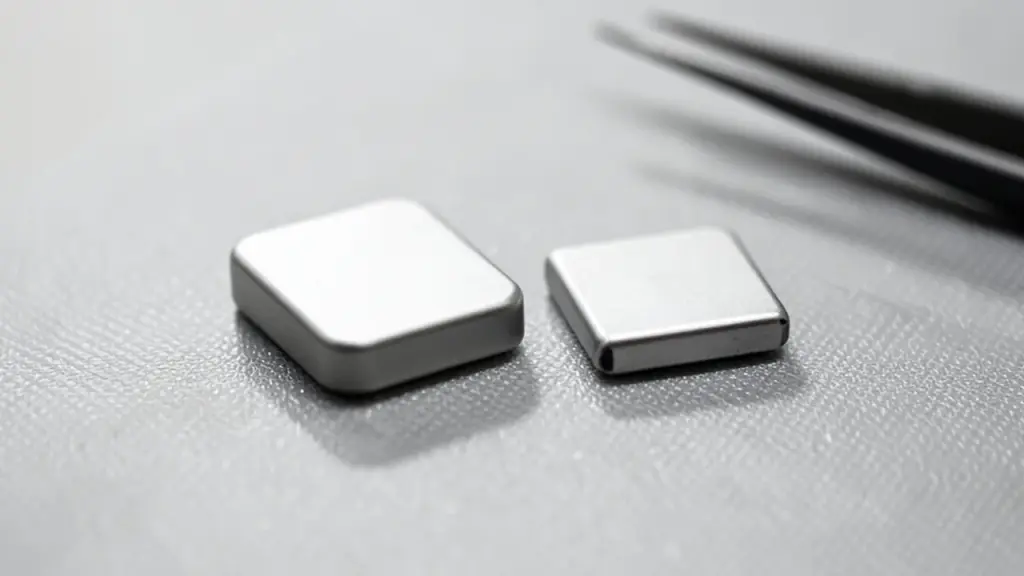
The larger cell holds 2,962mAh and the smaller one 1,921mAh, for a combined 4,883mAh confirmed by an EU filing.
Each cell shows its own maximum capacity and charge cycle count, and the two counts can differ over time.
Apple's batteries are designed to keep at least 80% capacity after 1,000 full cycles, and battery service for the Duo is listed at $229.
Quick read · 1 min
The iPhone Duo shows two battery health readings, Battery 1 and Battery 2, because Apple's first foldable has two separate cells, one in each half. The larger holds 2,962mAh and the smaller 1,921mAh, for 4,883mAh in total according to an EU filing.
Each reading lists that cell's maximum capacity, cycle count, first use date and manufacture date. The two cycle counts can differ, and Apple hasn't explained exactly how it shares power between the cells.
Apple designs its batteries to keep at least 80% capacity after 1,000 full cycles.
AppleCare+ covers a replacement below 80%; otherwise battery service is listed at $229.
The inner screen is rated for 31 hours of video versus 44 on the outer screen.
Apple's general advice to slow wear is to avoid heat, and on iPhone 15 models and later it offers a charge limit and Optimized Battery Charging.
Open the battery health screen on an iPhone Duo and you’ll see something no iPhone has shown before: two readings, labeled Battery 1 and Battery 2. That’s not a bug. Apple’s first foldable has two separate battery cells, one in each half of the phone, and iOS tracks the health of each one on its own.
If you own a Duo or are thinking about buying one, this matters more than it sounds. The two numbers tell you how each cell is aging, they can drift apart over time, and they decide when the phone is due for a battery service. Below is what each value means, how to read them, and the settings that actually slow battery wear on a $1,999 phone.
01
Why does iPhone Duo battery health show two values?
iPhone Duo battery health shows two values because the phone really does contain two batteries. A book-style foldable is too thin to fit one big cell, so Apple split the capacity across both halves of the chassis. At its September 9 launch event, Apple said it placed a high-energy battery on each side to get the most capacity out of the space inside.
The split isn’t even. An EU product data sheet, which Apple has to publish for phones sold in the European Union, lists the two cells like this:
Larger cell: 2,962mAh, in the half that holds the 7.6-inch inner screen and the A20 Pro system board.
Smaller cell: 1,921mAh, in the half behind the 5.4-inch cover screen.
Combined: 4,883mAh, or 19.073Wh of stored energy.
Day to day, you won’t notice the split. The status bar shows a single battery icon, and one USB-C port charges both cells. It’s only on the battery health screen in Settings, under the Battery section, that iOS 27.1 breaks the pack into its two parts. A teardown and an image shared online both show the separate Battery 1 and Battery 2 entries.
02
What each battery health reading tells you
Each cell gets its own set of details, so you’re really reading two small reports instead of one. For each battery, the Duo shows:
Charge cycle count: how many full charge cycles that cell has gone through.
Maximum capacity: how much charge the cell can hold now compared with when it was new, as a percentage.
First use date: when the battery first went into service.
Manufacture date: when the cell was made.
Maximum capacity is the number most people should watch. Apple describes it as a measure of capacity relative to when the battery was new. As a lithium-ion battery chemically ages, it holds less charge, so you get less time between charges, and its ability to deliver quick bursts of power, which Apple calls peak power, can drop too.
Here’s the twist with the Duo: the two cells can log different cycle counts. That suggests they don’t always work equally hard. Apple manages both as one unit but hasn’t explained exactly how it shares the load between them. The phone could drain one cell before the other, run both at once, or change its approach depending on whether it’s folded or open.
03
When should you worry about iPhone Duo battery health?
The key line is 80%. Apple’s batteries are designed to keep at least 80% of their original capacity after 1,000 full charge cycles. If you run through about one full cycle a day, that works out to nearly three years before either cell gets down to that level.
That 80% mark also matters for money. If you have AppleCare+, you can get the battery replaced at no extra charge once its capacity falls below 80%, subject to the plan’s terms. Without coverage, Apple lists battery service for the iPhone Duo at $229. What isn’t clear yet is whether that price covers both cells or just one. Because iOS tracks the cells separately, a technician could in principle service only the one that has worn out, but Apple hasn’t said how it will handle that.
Watch for the symptoms Apple links to aging batteries too. As a battery’s chemical age rises, its internal resistance goes up, especially when the charge is low or the phone is cold. If the system can’t get enough power, it may shut down to protect its components, which can feel like a random switch-off. On iPhones where performance management steps in, Apple says you might notice slower app launches, choppier scrolling, a dimmer screen or quieter speakers.
04
Why the inner screen drains the Duo faster
Battery health tells you how much charge each cell can hold. How long that charge lasts depends mostly on which screen you use. Apple’s own ratings make the gap plain:
Up to 44 hours of video playback on the 5.4-inch outer screen.
Up to 31 hours of video playback on the 7.6-inch inner screen.
Up to 24 hours of typical use when you split time between both screens equally.
That 13-hour difference between the two video ratings is the single biggest factor in Duo battery life. The inner display is the largest panel Apple has ever put in an iPhone, and it uses much more power. If you mostly check messages and email on the cover screen, you’ll get endurance close to a regular flagship. If you live on the big screen for video, games or reading, expect noticeably shorter days.
For context, the Duo’s 4,883mAh total sits between Apple’s other current phones. The eSIM iPhone 18 Pro has a 4,288mAh battery and the eSIM iPhone 18 Pro Max has 5,567mAh. Among foldables, Google lists the Pixel 11 Pro Fold at 4,806mAh and Samsung gives the standard Galaxy Z Fold8 4,800mAh, so the Duo is slightly ahead of both on paper. Independent battery tests that compare the phones under the same conditions are still missing, so capacity alone won’t tell you which lasts longest.
Apple’s support page on charging describes these options for iPhone 15 models and later; it doesn’t name the Duo specifically. On those models, you open the Charging options inside the Battery section of Settings and can set a charge limit anywhere from 80 to 100 percent, in steps of 5 percent. Apple says the aim is to improve battery lifespan by cutting the time the phone spends fully charged.
Here’s how Apple says those settings behave on iPhone 15 models and later:
Optimized Battery Charging is on by default and only works when the limit is 100 percent. It learns your routine and holds the charge at 80 percent until shortly before you usually unplug.
It needs time to learn. Apple says the feature needs at least 14 days of data and at least 9 charges of 5 hours or more in one place before it starts working, so don’t judge it in your first week with the phone.
A lower limit still tops off sometimes. With a limit under 100 percent, the phone will occasionally charge all the way to keep its charge estimates accurate. That’s expected.
iOS may suggest a limit. If it thinks a cap would help, you’ll see a recommendation, for example a 95% limit based on your habits.
Apple’s general battery advice also applies. Avoid charging the phone or leaving it in hot places, including direct sun, for long periods, and keep it about half charged if you’re storing it. Everyday tricks still help with battery life too: lower the brightness, cut background activity and keep an eye on power-hungry apps. On the Duo, the simplest move is to do quick tasks on the outer screen and save the inner screen for when you really need it.
Fast charging is the last piece. Apple says the Duo reaches 50% in about 20 minutes with a 60W or higher USB-C adapter, which isn’t in the box, and in about 30 minutes on a compatible MagSafe charger.
06
Quick answers
Can Battery 1 and Battery 2 show different numbers?
Yes. The two cells can record different cycle counts, which suggests they aren’t used equally, and Apple hasn’t explained exactly how it splits power between them.
How much does an iPhone Duo battery replacement cost?
Apple lists battery service for the iPhone Duo at $229. AppleCare+ covers a replacement at no extra charge once capacity drops below 80%. Apple hasn’t said whether the $229 price includes both cells.
What is the iPhone Duo’s total battery capacity?
It’s 4,883mAh across two cells of 2,962mAh and 1,921mAh, according to Apple’s EU filing. Apple doesn’t list mAh on its own spec pages.
Google just added four grocery stores, a tax tool and credit checks to Gemini and Search. Here is the list, who can use it, and one habit worth learning.
ChatGPT has a voice app on your car's screen, and OpenAI now lets Dot owners phone their assistant from the dashboard. Here is the setup, start to finish.
7 min read
We use cookies to understand how readers use Talk With Tech, so we can make it better. Is that OK? Privacy policy
The Daily Brief
Today's biggest tech stories, in 5 minutes
Every morning, the news that matters from AI, phones, apps and the people shaping tech. Explained in plain English. Free.
One email a day. No spam, unsubscribe anytime. Privacy policy