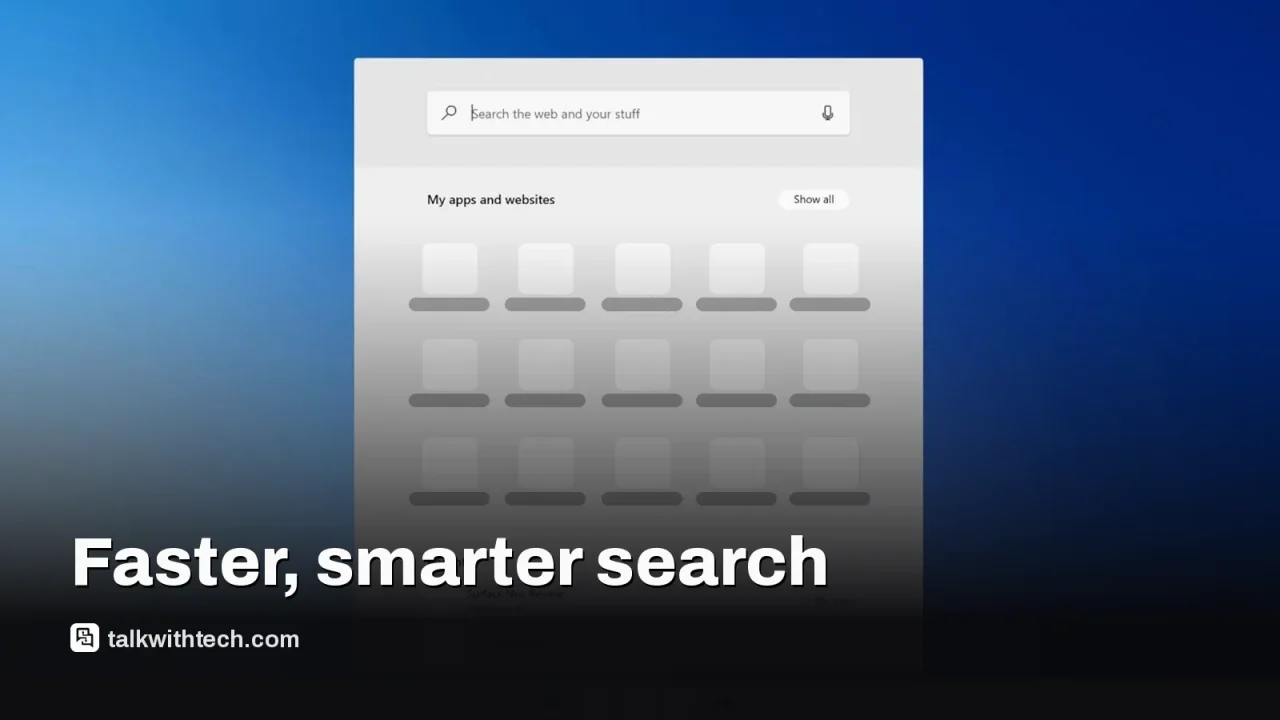
Microsoft is testing a major redesign of Windows Search in Windows 11.
The new UI is built on WinUI 3 and emphasizes speed, lower RAM usage, and inline results.
A key feature adds 'actions' so you can change settings directly from search.
Testing is underway with Windows Insiders and broader availability is expected in the coming months.
Quick read · 1 min
Microsoft is testing a faster, lighter Windows 11 Search overhaul built on WinUI 3. The new design surfaces results inline, reduces clutter, and adds in-search actions to adjust settings directly from the search box. It’s rolling out first to Windows Insiders, with a broader release planned later this year. In practical terms, you’ll type a query and get quicker results, plus you can tweak settings without leaving search.
For everyday users, the biggest win is less waiting and fewer clicks. It should feel snappier and more helpful as you hunt for files, adjust preferences, or launch apps. If you’re a frequent PC user, keep an eye out for the update in your Windows Update or Insider settings as testing expands.
Faster results
Inline previews
In-search actions
Microsoft is testing a major redesign of Windows Search for Windows 11. In private builds shown to insiders, the search experience is faster, lighter on memory, and visually simplified to surface results inline with more actions baked into the box.
Officially, Microsoft says the redesign is built on WinUI 3, part of a broader push to modernize core Windows experiences. The company cites improved performance and lower RAM usage as top goals, along with smarter matching for typos and synonyms so you find what you need more reliably.
The new interface collapses the previous split layout into a single streamlined panel. This makes results and previews easier to scan, and inline previews show details for things like PowerPoint files or photos without opening a separate pane. The experience is designed to feel faster from the moment you start typing.
Beyond faster results, Microsoft is testing “actions” inside search. You can type commands like change to dark theme or mute to adjust settings directly from the search box. In future updates, inline options that adjust brightness or switch modes may appear in the results, letting you apply changes with a click rather than digging through Settings.
Microsoft demonstrates that search can also act as a launcher. When paired with Phone Link, actions in search can sometimes carry over to your phone, enabling tasks such as sending a text from your PC without opening the phone app. The company says this integration will evolve as testing continues.
Insiders are currently receiving the new experience, with a plan to expand the test to more users in the coming months. Microsoft says work will continue to tailor the Start menu and adapt the search UI to various taskbar positions and Windows configurations. The goal is a more capable, context-aware search that helps people get things done directly from the box.
01
What changes right now
In the tested builds, users will notice a faster search that loads results more quickly and uses less memory. Inline previews reduce the need to open files just to see what they contain, and the panel is less cluttered overall.
02
What’s the big benefit for everyday users
For most people, a quicker, smarter search means less time hunting through folders and settings. If you’re juggling files, emails, or apps, fewer clicks can mean you can finish tasks faster. The in-search actions could cut down routine adjustments, like brightness or sound, without leaving search.
03
How this affects you if you’re not a tech hobbyist
If you use Windows daily, this change should feel like a speed boost in your favor. You’ll get quicker results and simpler access to common tweaks. The system will still index and surface web results, but the inline cards aim to keep you on task rather than jumping between windows.
04
What happens next
Microsoft will continue testing with Windows Insiders and then widen availability in the coming months. The company plans to bring the new search experience to the Start menu and optimize it for different screen layouts and configurations over time.
Apple's creative app bundle is getting MotionVFX effects and AI assistants in November. Here's what it costs in the US and Canada, and when buying outright wins.
Meta quietly put Instagram on the Apple TV App Store with no announcement. What you can watch, what you need to install it, and why Meta wants your couch.
Spotify now asks Family Plan members to prove they live together by scanning a code on the manager's phone. Miss the seven-day window and you're barred for 12 months.
5 min read
We use cookies to understand how readers use Talk With Tech, so we can make it better. Is that OK? Privacy policy
The Daily Brief
Today's biggest tech stories, in 5 minutes
Every morning, the news that matters from AI, phones, apps and the people shaping tech. Explained in plain English. Free.
One email a day. No spam, unsubscribe anytime. Privacy policy