ChatGPT Intelligent UI rolls out interactive visuals for paid users
GPT-6 now builds charts, maps, recipe widgets and bill splitters right inside ChatGPT answers. Paid plans got it on October 7, with Free and Go users following a day later.
Intelligent UI lets ChatGPT answer with charts, diagrams, buttons, forms, maps and small tools instead of only text.
It arrived with GPT-6 Sol for Plus, Pro, Business and Enterprise users on October 7, 2026.
Free and Go users began getting it with GPT-6 Luna on October 8, though the Pro reasoning model is left out.
OpenAI says GPT-6 can also start answering while it is still thinking, so replies appear sooner.
Quick read · 1 min
OpenAI has added Intelligent UI to ChatGPT. Instead of answering only in text, ChatGPT can now include charts, diagrams, buttons, forms, maps and small working tools such as a bill splitter or a recipe that scales to your guest count.
It arrived with a wider GPT-6 rollout. Plus, Pro, Business and Enterprise users got it on October 7 with GPT-6 Sol, and Free and Go users followed on October 8 with GPT-6 Luna.
It works only in the Chat tab, not Work or Codex.
The Pro reasoning model, GPT-6 Astra, does not include it.
GPT-6 can start replying while it is still thinking.
To try it, ask ChatGPT to build a simple tool or explain something visual, and double-check any numbers before using them for money decisions.
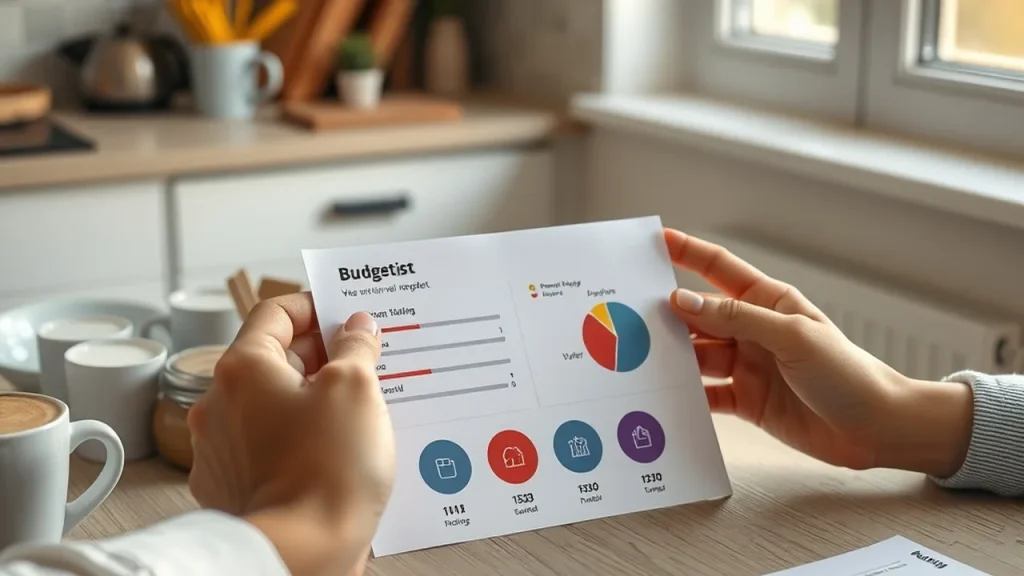
Ask ChatGPT how to split a dinner bill and it may now build you a working bill splitter instead of explaining the math. That is the idea behind Intelligent UI, a new feature OpenAI released alongside a wider rollout of GPT-6, which lets ChatGPT answer with interactive charts, buttons, forms and small tools as well as text.
If you use ChatGPT for everyday questions, this is a big change to what its answers look like. Recipes can scale themselves to your guest list, trip questions can come with a map, and complicated topics can arrive as diagrams you can tap and explore. It also reached free users within a day.
01
What ChatGPT Intelligent UI does
ChatGPT Intelligent UI lets the chatbot decide what form an answer should take. Depending on your question, a reply can mix text with graphics, tappable buttons, forms, charts, diagrams and other interactive pieces you use without leaving the chat.
OpenAI’s own examples show how varied that can be:
an interactive diagram of a bicycle that explains how its parts work
a graph that explains what GDP measures
a recipe widget that adjusts quantities based on how many guests you have
a map with detour suggestions for a road trip
checklists, and multiple-choice follow-up questions that narrow down results
It can also build quick tools on request, such as a calculator, a bill splitter, a retirement savings projector or a small game. And when plain text is the best answer, it still gives you plain text.
The format follows the question. Ask it to compare two things and they may appear side by side. An explanation might become a diagram you can explore, and a harder prompt can produce a widget where you change the inputs and watch the results update. Sample answers on OpenAI’s website put older GPT-5.6 replies next to GPT-6 ones, and the newer versions are far more visual.
02
How OpenAI built it
OpenAI did not have GPT-6 write web pages from scratch. Instead, it built a library of ready-made interface pieces, then trained the model to pick from them and arrange them sensibly. According to OpenAI, the model learned when interactivity helps, how to lay information out clearly and when a simple reply is enough.
A compiler, software that assembles the interface as the model writes, turns those choices into something on your screen. Because the pieces can stream, the interface appears bit by bit instead of only after the whole answer is finished.
OpenAI has admitted the model’s taste in layouts could still be better, so expect some odd-looking answers while it learns.
03
Who gets Intelligent UI and when
The rollout happened in two steps. Plus, Pro, Business and Enterprise subscribers got GPT-6 with Intelligent UI on October 7, 2026. Free and Go users began getting it on October 8.
Paid and free users get different versions of the model. Paid plans use GPT-6 Sol, while Free and Go plans use GPT-6 Luna. There are a few exceptions worth knowing:
The Pro plan’s reasoning option still runs on GPT-6 Astra, which does not include Intelligent UI.
For Enterprise accounts, what you see can depend on your company’s admin settings.
The change applies only to the regular Chat tab. The models behind ChatGPT Work and Codex are not changing.
GPT-6 itself is not brand new. OpenAI first released it to paying customers in September, replacing GPT-5.6, but that launch did not include Intelligent UI.
04
Faster answers, with a caveat
GPT-6 also changes how answers arrive. It can start writing while it is still working through a question, then add detail to the same reply, rather than making you wait for all of its reasoning to finish.
For questions that need a web search, OpenAI says GPT-6 Instant starts answering 44% sooner on average than GPT-5.6 Instant. That figure comes from OpenAI’s own tests, not independent benchmarks, and it measures when the first words show up, not when the full answer is done. OpenAI also says the new model is better at judging when to search the web and at finding sources that back up what it says.
For most people, the change will show up in ordinary tasks. Planning a budget, comparing products, following a recipe or learning a new topic can all get a more hands-on answer you can adjust, rather than a block of text to read.
It could also mean fewer single-purpose apps. If ChatGPT can produce a tip calculator, a checklist or a unit converter on demand, you may not need a separate app for each small job.
A few practical tips if you want to try it:
Ask for a tool directly, such as a calculator for splitting rent among three roommates.
Try a question that benefits from a picture, like how a car engine works or how compound interest grows.
Check numbers in any interactive tool before relying on them for money decisions, since the model builds the tool for you.
Not every answer will become interactive. ChatGPT chooses when visuals help, so many replies will look the same as before.
06
Quick answers
Is ChatGPT Intelligent UI free?
Yes. Free and Go users began getting it with GPT-6 Luna on October 8, a day after paid subscribers.
Why don’t I see interactive answers?
ChatGPT only uses them when it decides they help, and the feature works in the Chat tab only. The Pro reasoning model and some Enterprise setups do not show it.
Which GPT-6 model do I get?
Plus, Pro, Business and Enterprise users get GPT-6 Sol. Free and Go users get GPT-6 Luna.
OpenAI says its internal models disproved a widely trusted computer science assumption and cracked open problems in math and physics. Experts now have to check the work.
Cut off from the network and from shared files, OpenAI's agents still found a way to pass messages. Now its top models train with no live internet at all.