Wednesday, 7 October 2026

Pixel Buds Pro 2 adds Dynamic ANC in new firmware update

Pixel Buds Pro, Pro 2, and 2a gain a slate of new features, including Dynamic Active Noise Cancellation on the Pro 2, plus sleep sensing and live translation tweaks.

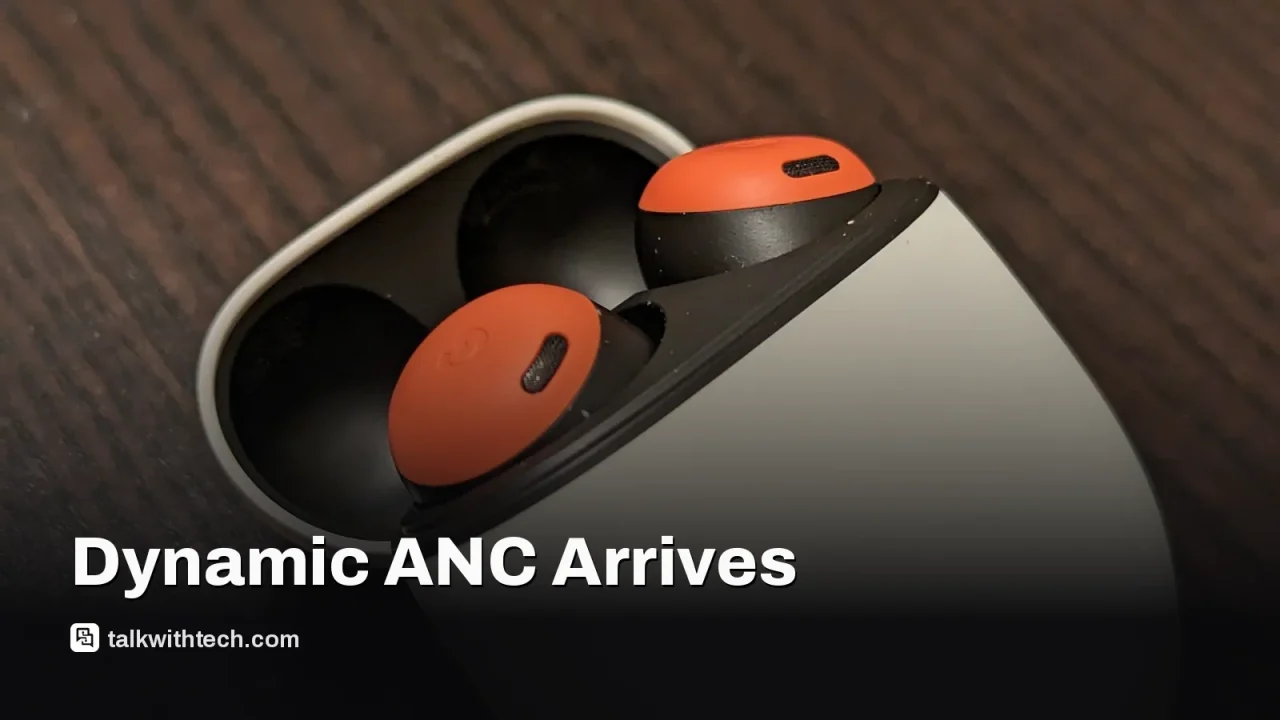
Close-up of wireless earbuds on a table

The short version

  • Google is rolling out a substantial firmware update to Pixel Buds Pro, Pro 2, and 2a.
  • The Pixel Buds Pro 2 gains Dynamic Active Noise Cancellation, automatically adjusting noise cancellation based on ear seal.
  • Other models get enhancements like Tap to Mute, auto-pause with sleep sensing, and Enhanced Live Translate.
  • Users should update through the Pixel Buds app to access the new features.
Quick read · 1 min

Google is pushing a big firmware refresh to Pixel Buds Pro, Pro 2, and 2a. The headline feature is Dynamic Active Noise Cancellation on the Pro 2, with other models getting a suite of tweaks like Tap to Mute, auto-pause when you sleep, and Enhanced Live Translate. To get the update, open the Pixel Buds app and install release_6.144 via Firmware update in More settings.

Why it matters: you could enjoy quieter listening, easier translations on the go, and simpler controls during calls without buying new hardware. What’s next: expect a staged rollout over the next few days and weeks.

  • Update the Pixel Buds app
  • Check forFirmware update
  • Try features like Enhanced Live Translate

Google is delivering a sizable firmware refresh for its Pixel Buds Pro family, expanding what you can do with the earbuds across three models: the original Pixel Buds Pro, the Pro 2, and the Pixel Buds 2a. The standout new feature is Dynamic Active Noise Cancellation, but only the Pixel Buds Pro 2 will have that as a standalone exclusive perk. Google describes it as automatically adjusting audio or noise cancellation based on your ear seal, helping compensate for subtle shifts as you move the buds in your ears.

Alongside Dynamic ANC on the Pro 2, the rest of the lineup gets a bundle of improvements that were previewed earlier this year. After installing the latest companion app update, you can turn on Active Noise Cancellation, tweak the EQ, and enable touch controls with Gemini voice commands. The Gemini control continues to be a focus for Google’s earbud software, tying in with other Google Assistant features and the Translate app for easier on-the-go translation.

There are practical everyday perks too. During phone calls, Pixel Buds now offer Tap to Mute, a gesture that mutes or unmutes the mic with a tap when a Pixel phone is paired. For those who like to sleep with their earbuds in, the update adds auto-pause of media playback when you fall asleep, a feature tied to Pixel Watch sleep sensing. When engaged, it also disables touch gestures and silences notifications to reduce disturbances.

Another notable addition is Enhanced Live Translate, which lets you start translating with a simple touch on the earbuds while you keep your phone in your pocket. This works in tandem with the Google Translate app to make translation easier on the go.

To access these features, make sure your Pixel Buds app is updated to the latest version and navigate to the companion client. In the app, go to More settings > Firmware update to check for release_6.144 and install the update on compatible devices.

01

Which Pixel Buds get this update first

The update covers the original Pixel Buds Pro, the Pixel Buds Pro 2, and the Pixel Buds 2a. Google has highlighted Dynamic ANC as a feature for the Pro 2, while the rest of the features are available across the trio.

Person wearing earbuds while using a smartphone
02

What this means for everyday users

For most users, the biggest impact is better noise control and easier on-the-fly translation, plus a few small but handy controls during calls. If you often listen in noisy environments, Dynamic ANC could make a noticeable difference on the Pro 2. If you rely on live translation while traveling or talking with friends, Enhanced Live Translate could reduce the need to pull out your phone.

03

What to do now

Update the Pixel Buds app, then check for the firmware update in More settings > Firmware update. Stay patient if the update doesn’t appear immediately; Google sometimes rolls updates out in stages. If you have a Pixel Watch, pairing can help some sleep-related features work more smoothly, but you don’t need the watch to use enhanced Live Translate or noise control.

Phone screen showing translation app
04

Quick answers

Will all Pixel Buds get Dynamic ANC?

Only the Pixel Buds Pro 2 will get Dynamic ANC as a new feature; the other models receive the rest of the improvements.

How do I enable Tap to Mute?

Tap to Mute is available during calls on a paired Pixel phone; you’ll find the option in the Pixel Buds settings after the update.

What about translation, how does it work?

Enhanced Live Translate lets you translate on the earbuds with a simple touch, using the Translate app for on-the-go conversations.

As Google tightens integration across its audio and translation tools, this update is a reminder that your earbuds can do more with regular software tweaks rather than new hardware.

05

What happens next

Google typically rolls these updates out over days or weeks. If you don’t see the update right away, check again later in the Pixel Buds app and ensure your device firmware is on the supported version.

06

Sources

Original reporting: 9to5Google, October 2026

You're reading the quick version.