HomeView wall model ships without mount or power brick
The wall-mounted HomeView ships without a power adapter or mount; buyers must select compatible power and mounting options, with specific USB-C specs to avoid power warnings.
The wall-mounted HomeView variant does not include a power brick or a mounting bracket.
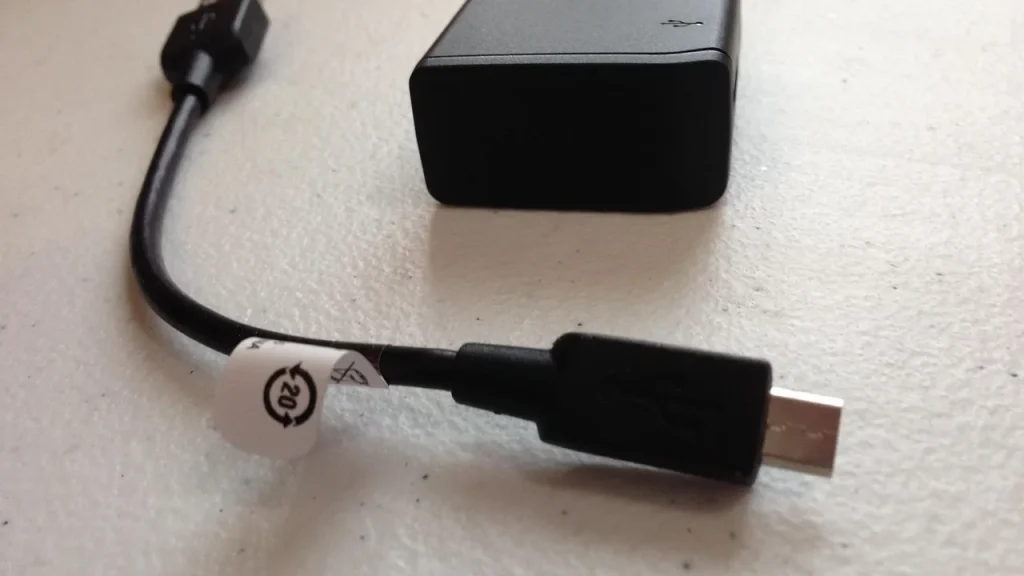
Power must come from a USB-C brick that can supply at least 20W and 9V at 2.22A or higher, or via a hardwired power path offered by the chosen mount.
Two mounts are available now starting at $59, with a third option coming in early 2027.
Quick read · 1 min
Apple confirms the wall-mounted HomeView requires separate power and mounting hardware. The wall variant does not come with a power brick or a mounting bracket in the box.
For power, you can use a USB-C charger that can deliver at least 20W with 9V at 2.22A or higher, or you can connect via a hardwired path through the mount. Mounts start at $59, and a new option is due in early 2027.
If you want a simple setup, consider the standard HomeView, which includes both power and basic mounting compatibility in one package.
Apple says the wall-mounted version of HomeView isn’t bundled with a power brick or a wall bracket. If you choose this variant, you’ll need to buy both a compatible mount and a separate power solution so the device stays powered during use. A warning about insufficient power can appear if the power setup isn’t strong enough.
For power, you have two paths. You can run a USB-C cable to a charger that can deliver at least 20W and supports 9V at 2.22A or higher. Alternatively, some mounts let you connect directly to your home’s electrical wiring, bypassing a dedicated USB-C adapter.
On the mounting side, Apple lists several bracket options that you can buy separately. Prices for mounts start at $59, and a new option is planned for early 2027, expanding how you can wall-mount the device.
In Apple’s words, the wall-mounted HomeView needs a compatible mounting solution and a suitable power path to operate, and those accessories are sold separately from the device itself.
01
Which power setup do I need for HomeView (Wall Mounted)?
Choose a USB-C charger that can provide at least 20W and supports 9V at 2.22A or higher. If you go with a hardwired option via the mount, follow the mount’s guidance for power wiring.
02
What about the standard HomeView?
The standard model includes a power cable and adapter in the box and does not require separate mounting or additional power hardware for typical use.
03
What this means for everyday users
If you’re aiming for a wall installation, factor in extra cost for both a mounting bracket and an appropriate power supply. It’s a common pattern with wall kits to need a few add-ons, so plan accordingly before you buy.
04
What to do now
Double-check your planned installation before purchasing. In the US, ensure your USB-C charger meets the 20W/9V 2.22A spec, or opt for a hardwired path via the mount. In the UK and Canada, verify compatibility with your chosen bracket and power setup, and note that some mounts arriving in early 2027 may offer different power options.
Samsung's built-in news feed on Galaxy phones and tablets ends in December. Here is the exact cutoff, what gets deleted, and how to switch in under a minute.