Monday, 2 November 2026

PS5 update November 2026: do you need 14.22 for GTA 6?

Sony's first November firmware is a small security patch, not a feature drop. Here's what it changes, the GTA 6 rumor, and how to install it.

A home game console on a media shelf with a controller in front of it

The short version

  • Sony released PS5 system software version 14.22 over the first weekend of November, a 1.267 GB download.
  • The only patch note is about security fixes, and it lands 11 days after the October 21 update, version 14.20.
  • Rumors say GTA 6 will need this firmware on November 19, but neither Sony nor Take-Two has confirmed that.
  • Installing it now costs a few minutes and avoids a forced wait when you want to play online or start a new game.
Quick read · 1 min

Sony's first PS5 update of November 2026 is version 14.22, a 1.267 GB download that rolled out over the first weekend of the month. Its only patch note mentions security fixes. There are no new features, and it comes just 11 days after the October 21 update.

The reason is the jailbreak race. Hackers cracked older firmware in September, and Sony keeps patching ahead of GTA 6's November 19 launch to keep pirates out. A datamining account claims GTA 6 will need this new firmware, but Sony and Take-Two haven't confirmed any minimum version.

  • Install it from Settings, System, System Software, then Update System Software.
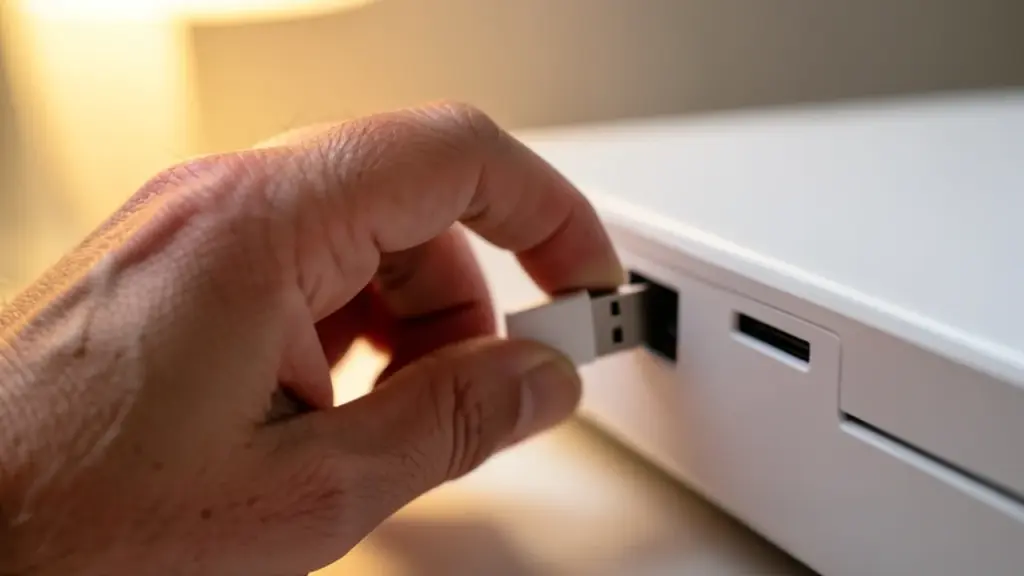
  • If downloads keep failing, get the file on a PC or Mac and install it from a USB drive.
  • Turn on automatic updates so the next patch lands in rest mode.

For most players, updating now saves a forced wait on launch night.

The PS5 update for November 2026 is version 14.22, and it does exactly one thing Sony is willing to talk about: it patches security holes. There are no new features, no interface changes and no listed bug fixes. Sony’s full label for it is 26.07-14.22.00, and the download weighs 1.267 GB.

So why are so many players searching for it? Because it arrived less than three weeks before GTA 6, in the middle of a running fight between Sony and people trying to jailbreak the console, and a popular datamining account now says Rockstar’s game will need it. That part is still a rumor. The good news is that installing it is quick, and the steps below cover the usual snags, from a stuck download to the vague “something went wrong” message.

01

What the PS5 update for November 2026 actually changes

Version 14.22 is a security-only release. Sony’s single patch note says it fixed security problems in the system software, and nothing more. Outlets dated the rollout to November 1 or November 2 depending on when it reached them, so if your console showed it on Sunday, that’s the same update.

It follows version 14.20, which came out on October 21 with an equally thin note: Sony said it had improved messages and usability on some screens. That makes two updates in 11 days, both light on details.

One thing this update does not seem to include is a wider rollout of QSSR (Quick Spectral Super Resolution), the AI upscaler that sharpens games on the base PS5. It’s already live in some of Sony’s own games, and Sony says QSSR offers “notable improvements” in image detail and stability on the standard console. Outside studios still can’t use it, and nothing in 14.22 changes that so far.

A hand plugging a USB flash drive into the front of a game console
02

Why Sony keeps patching: the jailbreak race

The timing makes more sense once you know what’s been happening in the homebrew scene. In late September, hackers released a jailbreak (a way to break the console’s locks so it runs unapproved software) that worked on every PS5 model, PS5 Pro included, running firmware 7.00 through 13.60. Any console that hadn’t been updated in the week before was exposed.

Sony’s counter was simple: some games began requiring firmware 14.00 before they would download their own updates, which pushed players onto newer, unbroken software. Hackers then went after the newer versions. One well-known member of the community showed evidence of a jailbreak for 14.10, though later comments suggested it couldn’t pull game files off the console.

Each new firmware resets that clock, and that’s the real point of 14.22. A jailbroken console can be modified freely, which opens the door to piracy. For a game as big as GTA 6, publishers are watching closely, and the arrival of strong AI coding tools has raised the stakes. There’s even been infighting: one hacker angered the scene by quietly reporting an exploit to Sony and collecting a $50,000 reward instead of sharing it.
03

Do you need 14.22 to play GTA 6?

Nobody official has said so. Here’s what’s confirmed and what isn’t:

  • Confirmed: GTA 6 launches November 19, and version 14.22 is a security update.
  • Claimed: the datamining account PlayStation Game Size previously said GTA 6 needs firmware 14.10, and after 14.22 appeared it hinted the game will need the newest version instead.
  • Not confirmed: neither Sony nor Take-Two (Rockstar’s parent company) has published a minimum firmware for the game.

Our read: it doesn’t matter much for ordinary players. Sony’s own support page says a console will prompt you to update when you insert a disc that needs newer system software, so a boxed copy of GTA 6 would ask for whatever it requires on the spot. Digital buyers hit the same wall from another side, because a PS5 that isn’t on current firmware can’t play online games or open the PlayStation Store until it updates. Sony may also ship more security patches before launch day, so 14.22 may not be the last one you see this month.

A player on a sofa waiting for a console download to finish
04

What this means for you

If you play on a normal, unmodified PS5, install the update. Sony’s UK support page strongly recommends putting on the latest software as soon as it appears, and warns that skipping it can leave the console open to security risks. The download is small by modern standards, a fraction of a typical game patch, which can run to 50GB on its own.

The only people with a reason to wait are those deliberately keeping an old firmware for homebrew, and that path carries its own risks and conflicts with Sony’s rules. For everyone else, the smart move is to update now rather than on launch night, when you’d rather be playing than watching a progress bar.

05

How to install the November PS5 update

The fastest way is over the internet:

  1. Open Settings from the home screen and go to System.
  2. Choose System Software, then System Software Update and Settings.
  3. Start the system software update there. If 14.22 has already downloaded in the background, the console only needs to install it.
  4. Leave the PS5 alone while it restarts. Don’t switch it off at the wall during the install.

To stop chasing updates by hand, turn on automatic downloads in the same System Software Update and Settings screen. Then, under Settings, System, Power Saving and Features Available in Rest Mode, switch on Stay Connected to the Internet so updates arrive while the console sleeps. If an install in rest mode once closed a game you’d left open, keep downloads automatic but switch off Install Update Files Automatically, so you choose when it installs.

Updating from a USB drive

If your connection keeps failing, Sony suggests downloading the file on a PC or Mac instead. Sony’s support page has the download and explains how the USB drive needs to be set up, then you install the file from the same System Software menu on the console. Sony’s tip if the PS5 says it can’t find the file: check that the folder and file names are spelled exactly right, all in capital letters.

06

PS5 update stuck or “something went wrong”?

Most failed updates come down to a broken download, and Sony’s first fix is to restart it. Try these in order:

  • Restart the download. Sony says a stuck system software download can be restarted, so cancel it and start the update again.
  • Check your connection. A wired cable or moving closer to the router often fixes a download that stalls partway.
  • Free up space. The console needs room to unpack the update, so delete a game you’re not playing if storage is tight.
  • Use the USB method. Sony recommends this after repeated failed downloads, since it skips the console’s own network entirely.

If none of that works, the problem is probably hardware or a corrupted system file, and PlayStation support is the next step.

07

Quick answers

What is the latest PS5 update in November 2026?

Version 14.22 (full label 26.07-14.22.00), a 1.267 GB security update released over the first weekend of November.

Does GTA 6 require PS5 firmware 14.22?

It’s rumored but unconfirmed. Sony and Take-Two haven’t named a minimum version, and a disc that needs newer software will prompt you to update anyway.

Does the November PS5 update add new features?

No. The patch notes mention only security fixes, and there’s no sign of the QSSR upscaler reaching more games yet.

You're reading the quick version.