Apple TV Siri AI beta rolls out while HomeView preorders open
Apple put its upgraded Siri on the TV and on a new $299 HomeView display. Both shipped November 13, and early testers say the assistant still stumbles.
Apple announced Siri AI for Apple TV and the 7-inch HomeView smart display on October 13, and both shipped on November 13.
Siri AI on Apple TV is a beta that needs a paired iPhone or iPad able to run Siri AI.
HomeView costs $299 in the US and recognizes up to six people, but it is not sold in the European Union.
Early reviews praise the HomeView hardware and report slow or inconsistent Siri AI answers on both devices.
Quick read · 2 min
Apple brought its upgraded Siri to the living room in two ways this fall. Siri AI arrived on Apple TV as a beta, and a new 7-inch smart display called HomeView went on sale for $299. Both were announced on October 13 and shipped on November 13.
On the TV, Siri AI finds shows through plain-language questions, answers queries in an overlay while you watch, and describes activity from compatible home security cameras. It works on the second-generation Apple TV 4K and later, but it needs a paired iPhone or iPad that supports Apple Intelligence.
HomeView recognizes up to six household members, handles FaceTime calls and controls smart home accessories. It is sold in the US, the UK and Canada, among other countries, but not in the European Union. Early reviews like the hardware and say Siri AI can be slow or inconsistent, so there is little reason to rush if the assistant is your main draw.
Apple’s smarter Siri now lives on the biggest screen in the house and on a brand-new small one. The company opened orders for a $299 Apple TV 4K and a $299 HomeView smart display on October 13, and both reached buyers on November 13 with an assistant Apple still calls a beta.
For anyone with an Apple TV under the television, or a kitchen counter with room for a screen, this is the first real look at what Apple’s AI push means at home. It also comes with two questions worth answering before you spend money: what you need to own already, and whether the assistant is good enough yet.
01
What the Apple TV Siri AI beta can do
Siri AI on Apple TV is mostly about finding something to watch by talking in plain sentences. Ask a question and a full-screen view appears with poster artwork and suggestions for related titles. Apple’s own example is asking which of its shows won Emmy Awards this year, then browsing other award winners from there.
It also works while a show is playing. You can ask where a scene was filmed, or whether a series suits a certain age, and the answer appears in a small overlay on top of the video.
The cleverer trick is personal context. If a friend recommended a show in a message, you can ask Siri to play it without remembering the title, because the assistant pulls that detail from a paired Apple device.
Then there is the smart home side. The Apple TV already acts as a home hub, the always-on device that keeps your accessories connected. With Siri AI it can describe what happened in recordings from compatible security cameras, sum up Home app notifications, control accessories and switch scenes on or off.
02
Which Apple TV boxes got it, and what you need
Siri AI runs on the second-generation Apple TV 4K and later, so it is not limited to the new fourth-generation box. Apple first tied the beta to tvOS 27.2. In practice, owners of second and third-generation boxes had to wait for a follow-up update that Apple released on November 13, the same day the new model arrived.
There is a requirement that is easy to miss. Using Siri AI on an Apple TV needs a paired device that supports Apple Intelligence, which means an iPhone 15 Pro or later, or a compatible iPad. Without one, you stay on the older Siri.
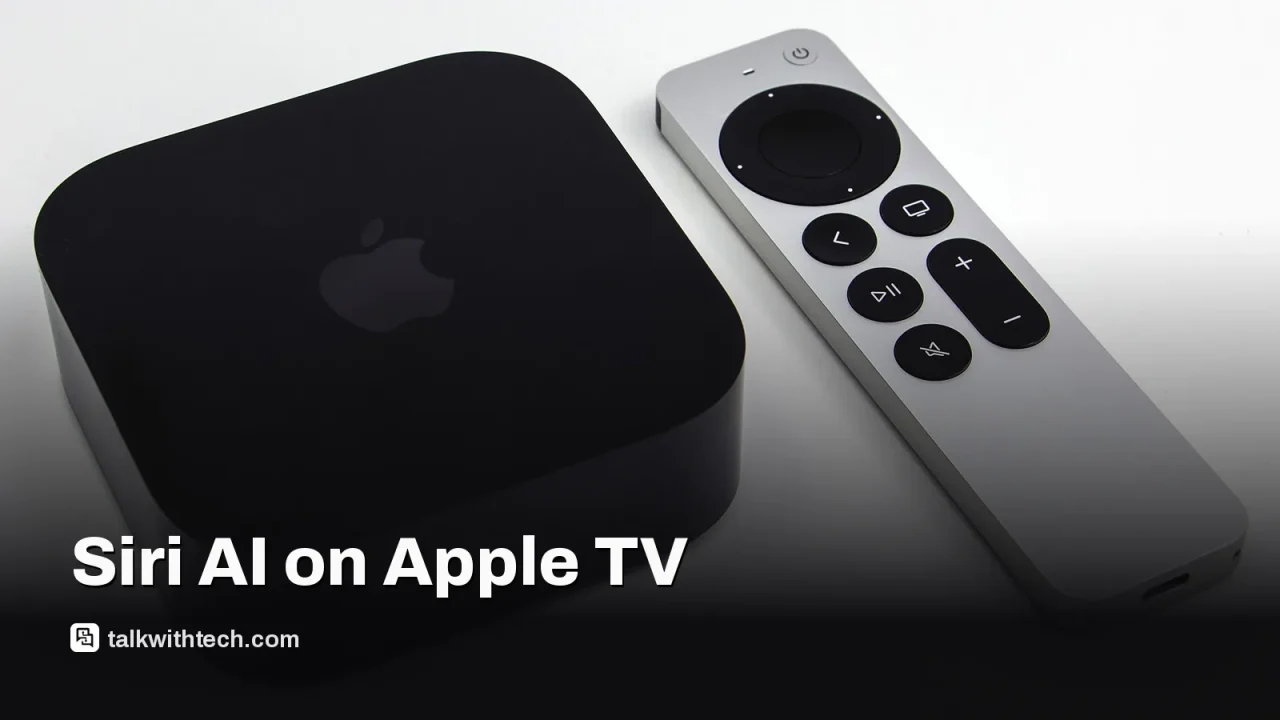
The new box does have extras the older ones lack. It has far-field microphones, so you can say Hey Siri from the couch without picking up the remote. It runs on an A19 chip, and it can pair with four HomePod speakers for surround sound.
03
What HomeView is, and where you can buy it
HomeView is Apple’s first smart display, a 7-inch touchscreen built to sit on a kitchen counter, nightstand or side table. It costs $299 in the US in either of two versions: a tabletop model with a speaker base, or a wall-mounted model whose mounts are sold separately.
It runs on Apple’s A18 chip and uses Siri AI for requests. The screen is a square LCD with a 1088×1088 resolution and a peak brightness of 500 nits. A 12MP ultra-wide camera handles FaceTime calls with Center Stage, the feature that keeps you in frame as you move around. Four far-field microphones pick up voices, and the device can recognize the sound of smoke and carbon monoxide alarms.
The part aimed at families is recognition. HomeView can tell apart up to six people in a household and show each one their own widgets and information. Replying to messages and email is reserved for recognized users, while shared photo libraries and music are open to anyone.
Orders opened on October 13 in the US, the UK, Canada, Australia, India and New Zealand, with Singapore following on October 15. HomeView is not sold in the European Union, where regulations around Siri AI have kept it off shelves.
There is no App Store on the device. It does support audio and video apps built for CarPlay, such as Spotify.
04
The costs that are easy to overlook
The $299 price is the same for both HomeView versions, but the wall-mounted one needs a separate mount and power source. Compatible mounts from Schneider Home start at $59.95, which puts the minimum wall setup at $358.95 before any power accessories or installation.
The Apple TV 4K is a bigger jump. One hands-on review noted that $299 is twice what the previous model cost at the same point last year, and suggested that owners of second or third-generation boxes probably don’t need to upgrade.
What early testers found, and what it means for you
The hardware is getting better marks than the assistant. On Apple TV, a hands-on test before launch found Siri AI better than the old Siri at pulling up movie and show recommendations and answering questions about them. Follow-up questions were the weak spot, working only part of the time.
HomeView reviews tell a similar story. Testers praised the display, the sound and the smart home controls, and reported inconsistent Siri responses, limited app support and some delays on harder requests.
Privacy on a shared screen is the open question. Apple says personal content such as messages and calendars appears only when HomeView recognizes an enrolled person’s face and that person’s iPhone or iPad is nearby and recently unlocked. One reviewer reported being able to scroll through her daughter’s messages several times anyway. Another said the device blocked him from his wife’s messages. Two experiences don’t prove a wider flaw, but families who share a kitchen screen may want to watch how this develops.
In practical terms, a household already built around iPhones gets the most from both products. If you own a recent Apple TV 4K, you can try Siri AI for free with a software update before deciding whether any new hardware is worth it.
One device is still waiting. Apple has promised Siri AI for the new HomePod mini in a future update and has not said when.
06
Quick answers
Is Siri AI on Apple TV finished?
No. Apple labels it a beta, and early testing found it handles first requests better than follow-up questions.
How much is HomeView, and can I buy it in the UK or Canada?
It costs $299 in the US and is sold in the UK and Canada as well. It is not available in the European Union.
Do I need a new Apple TV for Siri AI?
No. The second-generation Apple TV 4K and later support it, as long as you have a paired iPhone or iPad that can run Siri AI.
Plex stops pulling TV show details from TheTVDB on December 3. Nothing gets deleted, but shows still airing need one setting changed, and some should wait.