tvOS 27 enables 24-bit/192kHz Hi-Res Lossless on Apple TV 4K for compatible hardware.
Only the third-generation Apple TV 4K or newer supports the feature; the 2021 model is left out.
Real-world benefit depends on your setup, especially how you connect audio to speakers or a DAC.
Most users may not hear a difference unless they have a dedicated audio chain and high-end gear.
Quick read · 2 min
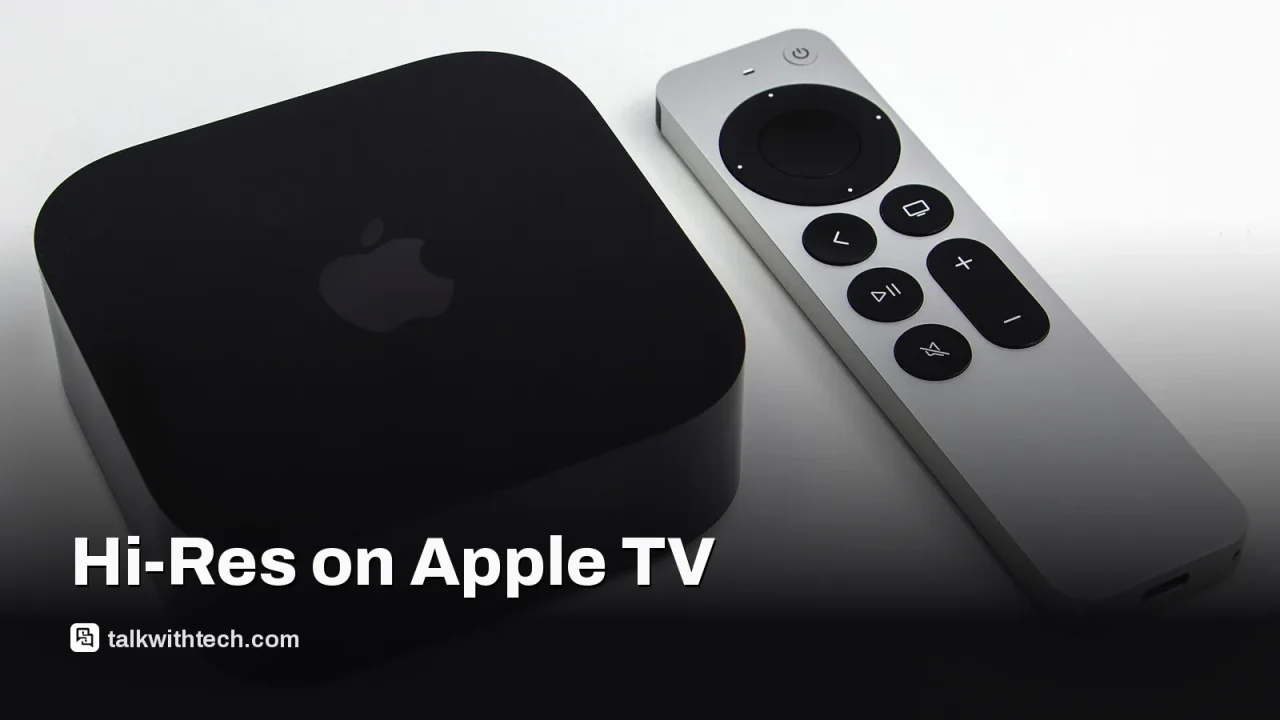
Apple’s tvOS 27 finally brings Hi-Res Lossless playback for Apple Music to the Apple TV 4K, but only on newer boxes. The upgrade supports up to 24-bit/192kHz audio, matching what iPhone users can access with external gear. The catch is that only the third-generation Apple TV 4K or newer gets the full feature set; the 2021 model is left out despite the update.
Real-world impact depends on your setup. If your TV is in the middle of the audio chain, or you’re using built-in speakers, you may not notice a difference. For some, a direct connection to an AV receiver or a dedicated DAC will be the difference-maker. If you’re curious, check your model number and look for Settings > Apps > Music > Audio Quality.
What happens next is simple: if you own a compatible box, enable Hi-Res Lossless in the Audio Quality settings and route the Apple TV straight to your sound system. If you don’t have the right hardware, you’ll still get the update, just not the Hi-Res feature.
tvOS 27 finally unlocks Hi-Res Lossless Apple Music on Apple TV 4K, but only for newer hardware. The update raises the ceiling from 24-bit/48kHz to 24-bit/192kHz for compatible setups, matching what iPhone owners can reach with an external DAC. The catch is which Apple TV box you actually own.
Apple’s own support details help explain the split: Hi-Res Lossless is available on the third-generation Apple TV 4K or newer, but not on the 2021 second-generation box. In practical terms, if your box is the 2021 model, you’ll get the tvOS 27 update, but you won’t see the Hi-Res Lossless option in the audio quality settings. If you’re on the 2022 model or later, you should get the feature when you install tvOS 27.
The hardware difference matters more than you’d expect. The 2021 box runs an A12 Bionic chip, while the 2022 model uses an A15 Bionic. This likely influences whether the system can handle higher sample rates without dropping to lower fidelity. The difference isn’t just about the chip, though. The way you route audio in your living room can also block Hi-Res Lossless from reaching your speakers.
On the software side, you’ll find the option under Settings > Apps > Music > Audio Quality if you have the right hardware. Higher resolutions use more data, so if your internet plan has a monthly cap, you may want to keep an eye on usage. The feature is designed to work best when you connect the Apple TV directly to an AV receiver or a high-quality soundbar that can handle uncompressed audio. If your setup passes audio through your TV first, you might not hear the higher 192kHz signal even with Hi-Res Lossless enabled.
So, is it worth chasing right away? For most people, the jump to Hi-Res Lossless on Apple TV might not be noticeable unless you have a dedicated audio path and high-end speakers. The difference hinges on two things Apple can’t fully control: the box you own and the gear between your box and your ears.
If you’re curious and want to maximize your chances of hearing the improvement, check your model number in Settings > General > About. A2737 or A2843 indicates a third-generation box or newer, while A2169 means you have the 2021 model. If you do own a newer box, consider plugging the Apple TV into an AV receiver or HDMI-equipped soundbar, and use an audio extractor if your setup is stereo and you still want to pull the signal to a dedicated DAC.
In short, tvOS 27 closes a long gap for Hi-Res Lossless on Apple TV, but you’ll need the right hardware and a compatible audio chain to hear any difference. If your gear is older or routed through the TV, expect to stay at standard lossless or compressed audio.
01
Which devices get the update first
The update itself is available for Apple TV 4K models, but the Hi-Res Lossless feature is limited to the third-generation Apple TV 4K or newer. The 2021 model will receive the tvOS 27 update, but not the Hi-Res Lossless option.
02
What this means for everyday listening
For most home listeners, the practical effect is modest unless you have a high-end audio chain. Hi-Res Lossless could offer crisper detail when you play from Apple Music through a good DAC or AV receiver, but the difference may be subtle through built-in TV speakers or budget soundbars.
03
How to set it up
If you have a compatible box, go to Settings > Apps > Music > Audio Quality and enable the Hi-Res option. Use a direct audio path to an AV receiver or soundbar for the best chance of hearing the higher sample rate. If you’re using a TV as the audio intermediary, you may not reach 192kHz even with Hi-Res enabled.
04
What happens next
Apple hasn’t announced any further changes to Hi-Res Lossless beyond tvOS 27, and the real-world impact will depend on how many users have a third-generation Apple TV 4K or newer and a compatible audio chain. If you’re in the market for better Apple Music fidelity, you’ll want to verify your hardware first and then test with a lossless track to hear the difference.
Will all Apple TV 4K models support Hi-Res Lossless after tvOS 27?
No. Only the third-generation Apple TV 4K or newer supports the feature. The 2021 model does not.
Do I need an external DAC or AV receiver?
For the best chance at hearing 192kHz, yes. An external DAC or an AV receiver with a direct path from the Apple TV helps avoid the TV in the audio chain.
Both 2026 Kindles share the same 7-inch screen and 12-week battery. The $249.99 model wins on looks, storage and one accessory that matters to button lovers.