Apple HomeView third-party apps need CarPlay compatibility
Apple explains HomeView will support some third‑party audio and video apps from your iPhone, but details are still murky and depend on CarPlay compatibility.
Apple's HomeView will support some third-party audio and video apps from your iPhone, but coverage is limited.
Support hinges on CarPlay compatibility, and Apple has not detailed how proximity requirements will work for developers.
Apple notes that select first-party apps will be available on HomeView, with potential app availability varying by region.
Readers should expect ongoing updates as Apple clarifies supported apps and developer steps.
Quick read · 1 min
Apple’s new HomeView display will handle built‑in apps and some third‑party audio and video apps from your iPhone, but the support is limited. It relies on CarPlay for bringing apps over, and availability can vary by region. Proximity to your iPhone may be required for certain apps to show up on HomeView.
This matters if you want a broad app lineup on the display. If your favorite apps aren’t CarPlay‑compatible or aren’t offered in your area, they may not appear.
What happens next: Apple hasn’t announced a full list of supported apps or a developer timeline. Watch for official details on which apps will be supported and how the proximity feature will work.
Update · Oct 14, 5:20 AM ET
New details clarify that HomeView will run third‑party apps not by an on‑device App Store, but via a CarPlay‑like system that displays compatible iPhone or iPad apps when a device is nearby. In addition to built‑in apps, audio services like Spotify and Audible will work, and developers can extend support to existing iOS video apps.
Apple also confirms supports up to six people in a household, with personalized views that appear only for authenticated users who are near a paired and recently unlocked iPhone or iPad. The device carries a $299 price and will launch on November 13, with pre‑orders now open.
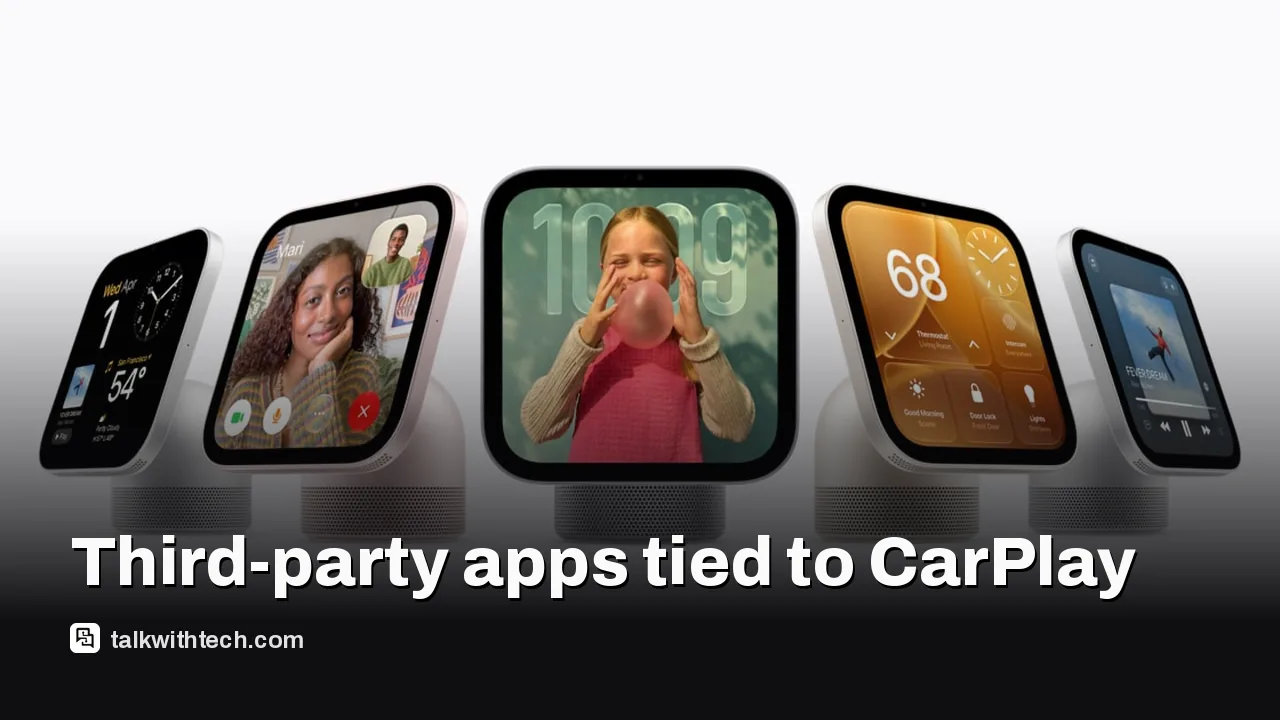
Apple today introduced HomeView, a $299 7-inch smart home display designed to control devices, run built‑in apps, and handle video and audio playback. A key question many readers have is whether HomeView will support third‑party apps beyond Apple’s own lineup. Apple’s answer is: yes, but with limits.
In brief, HomeView will support compatible third‑party audio and video apps from your iPhone, aiming for a familiar experience across devices. The catch is that the support is not universal. Apple says some apps may be available, but not all, and some content may require a subscription to access. The company also notes that availability can vary by region and that proximity to a paired iPhone may be required for certain apps to appear on HomeView.
There are two different bits of fine print to parse. On the HomeView marketing page, Apple lists “Subscription may be required to access some content and services. Some applications are not available in all areas.” On the product press release, a similar line appears, but with a crucial addendum: “Select apps require a paired and compatible iPhone nearby.” That distinction matters for developers and users trying to understand what needs to be built specifically for HomeView versus what can ride on CarPlay infrastructure.
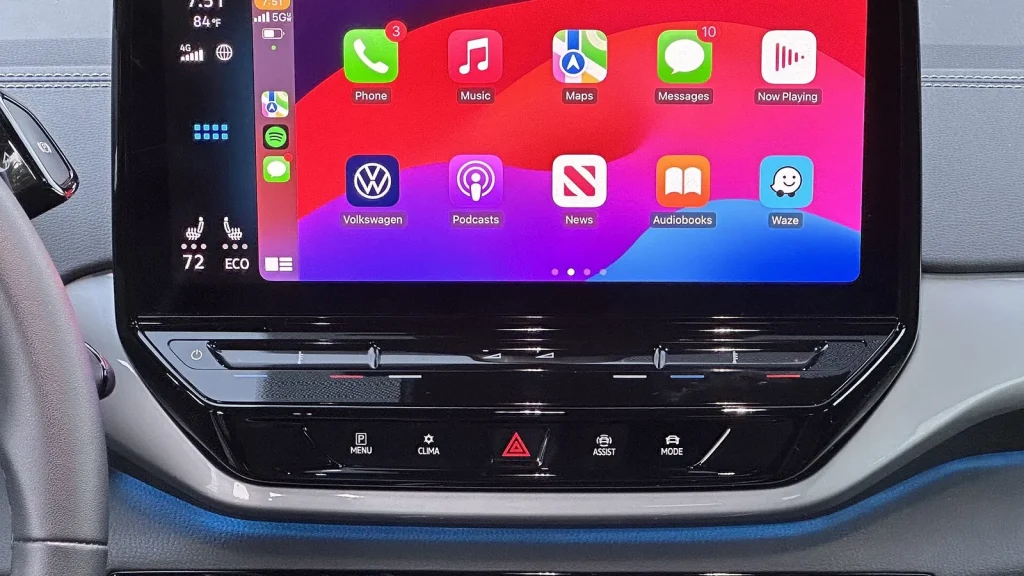
What does this mean for developers and the app ecosystem? It appears Apple intends to lean on CarPlay as the bridge for bringing third‑party media apps to HomeView, rather than mandating a brand‑new HomeView-only app, at least for media experiences. Wired’s reporting cited a few examples, noting that some CarPlay apps could automatically show up on HomeView after setup if users already have them on their iPhone. Whether that model extends to other app categories, such as messaging or AI assistants, remains unresolved. Apple has not provided a detailed developer path or a formal list of eligible apps yet.
For everyday users, the immediate takeaway is simple: you might get a handful of your favorite third‑party audio and video apps on HomeView, but you shouldn’t assume every app you use on your iPhone will be available on the display. Availability will depend on whether the app is compatible with CarPlay and whether it’s offered in your region. If you rely on a long list of non‑Apple media apps, you may want to hold off on expecting full breadth until Apple clarifies developer requirements and regional limits.
01
Which apps get the update first
Apple hasn’t published a definitive list of third‑party apps that will come to HomeView. Based on the company’s statements, apps already available through CarPlay could be the first candidates. The exact rollout order and regional availability will depend on developers’ integration decisions and Apple’s approvals.
If you’re hoping to use a lot of non‑Apple apps on HomeView, you’ll want to watch for official notes from Apple about which apps are supported and how to set them up. The proximity requirement means you may need your iPhone nearby and linked to HomeView to access certain apps, which could feel less convenient than independent app support.
03
What this means for your privacy and data
Apple has not released new privacy specifics tied to third‑party apps on HomeView in the information available so far. It’s reasonable to expect the same privacy guardrails that govern other Apple platforms, but with third‑party apps running on the display via CarPlay, you’ll want to review the app permissions you grant on your iPhone and how data is shared with HomeView.
04
What happens next
Apple has not shared a public developer roadmap or a complete list of supported apps yet. Expect more details about which third‑party apps will be supported, how the proximity rule will work in practice, and when updates roll out to users. If you’re planning to buy HomeView for the broadest possible app experience, you may want to wait for clearer guidance from Apple.
Samsung's built-in news feed on Galaxy phones and tablets ends in December. Here is the exact cutoff, what gets deleted, and how to switch in under a minute.