Hirudo Android malware tricks users with fake bank app updates
Hirudo malware secretly swaps legitimate banking apps with patched copies that bypass in-app security checks, letting thieves steal credentials and spy on devices.
Talk With Tech Newsroom
The short version
Hirudo replaces eight Indonesian banking apps with patched copies that bypass in-app security checks.
Delivery happens via dropper apps that present fake updates to install the patched bank apps.
The malware can steal passwords, PINs, SMS messages, and enable live remote control of the device.
Threat actors can capture screens and videos, and even access cameras, making it a broad threat for users in several regions.
Quick read · 1 min
A new Android banking trojan named Hirudo replaces real banking apps with patched copies that bypass in-app security checks. It spreads via fake update prompts in dropper apps tied to shopping or entertainment content and can steal credentials, intercept SMS, and even take over the device live.
Once a device is infected, Hirudo can monitor the screen, capture video or audio, and display fake checkout pages to harvest PINs. It targets Indonesian banks first but has signals across Asia and beyond. To stay safe, only install apps from official stores, keep your phone updated, and run Play Protect scans.
Don’t trust in-app update prompts from third-party apps
Reinstall banking apps from the official store if you suspect compromise
Enable strong device protections and monitor unusual banking prompts
Security researchers have spotted a new Android banking trojan that takes a brazen approach: it replaces legitimate banking apps with purpose-built patched copies inside the target device, effectively turning the app’s own security checks against it. Known as Hirudo, the malware uses a hooking engine to bypass the bank app’s built-in protections, including signing certificate checks, Accessibility permissions, and Play Integrity responses.
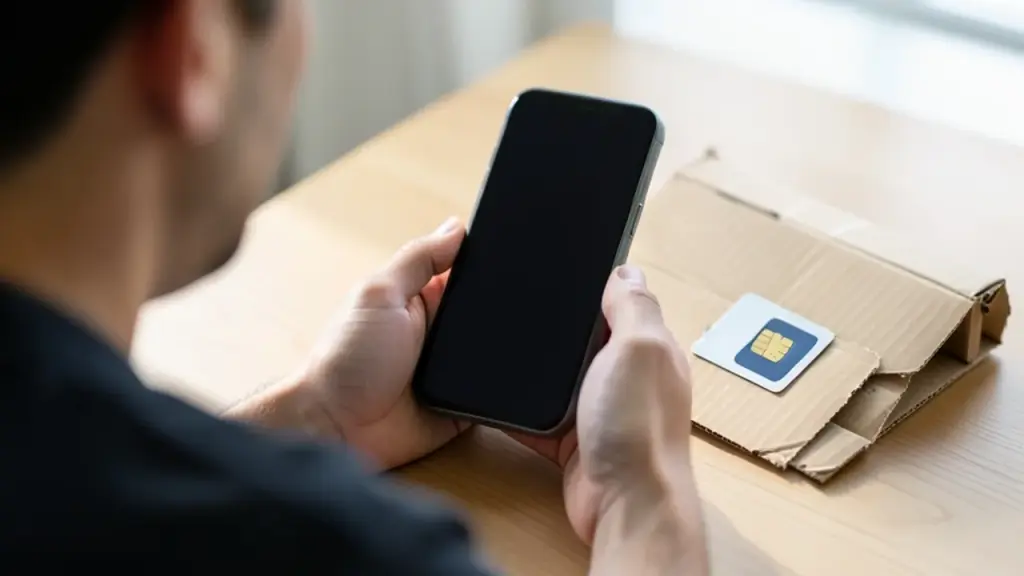
Hirudo has been observed targeting at least eight Indonesian banking apps, though researchers note the campaign also shows activity against financial institutions in China, India, Mexico, Morocco and Thailand. The attackers spread Hirudo by slipping it into dropper apps that appear legitimate for shopping, adult content, or short drama. Those app types lure users with real content, then trigger a fake “update” prompt that leads to permission prompts and the installation of the patched banking app copy.
Once installed, Hirudo uninstalls the original banking app from the device and proceeds to download a patched version. The malware then uses the app’s own process to run a hooking engine that can clone and alter the app’s behavior. Specifically, the attacker’s code substitutes the genuine signing certificate when queried, hides any enabled accessibility services, and disables screenshot protections so the attacker can view or capture the screen in real time. It can also modify key-attestation certificates and relay Play Integrity checks back to an operator-controlled server, effectively tricking the bank’s defenses.
Beyond bypassing checks, Hirudo is designed for credential theft and full device takeover. It can steal banking passwords, payment PINs, unlock secrets, and SMS messages. It also supports remote control of the infected phone, screen and camera capture, and fake checkout screens that collect PINs before showing a counterfeit success page.
ThreatFabric, which first described Hirudo in detail, notes a serious constraint for defenders: the patched app’s attestation keybox is publicly leaked, and Google lists some certificates as compromised. That means server-side revocation checks can detect forgeries, but it also shows attackers can move fast by reusing leaked materials. The researchers say the damage is amplified by a centralized backend that ties campaigns to stolen data like device status, lock-screen history and financial-risk data.
What this means for everyday users is simple: standard protections may not be enough if your device ends up with a patched banking app. To reduce risk, avoid downloading apps from unofficial stores, keep devices up to date, and run regular Play Protect scans. If you notice unusual behavior around banking apps, unexpected prompts, requests for extra permissions, or unfamiliar update dialogs, treat it as suspicious and reinstall the legitimate app from the official store.
Banks themselves are urged to tighten their integrity and attestation checks server-side, bind verifications to active sessions, and maintain strong transaction-risk controls. The evolving threat shows attackers are moving from device-level tricks to manipulations inside trusted banking apps, making defense a shared challenge for users, app makers, and financial institutions alike.
An unreleased OpenAI model found and exploited hundreds of Linux kernel bugs for about $1,279 each. Here's what's patched, who's exposed and what to do.
An encrypted copy of mSecure Cloud data was taken. Here is who is exposed, what the company says to change, and why your master password now matters most.