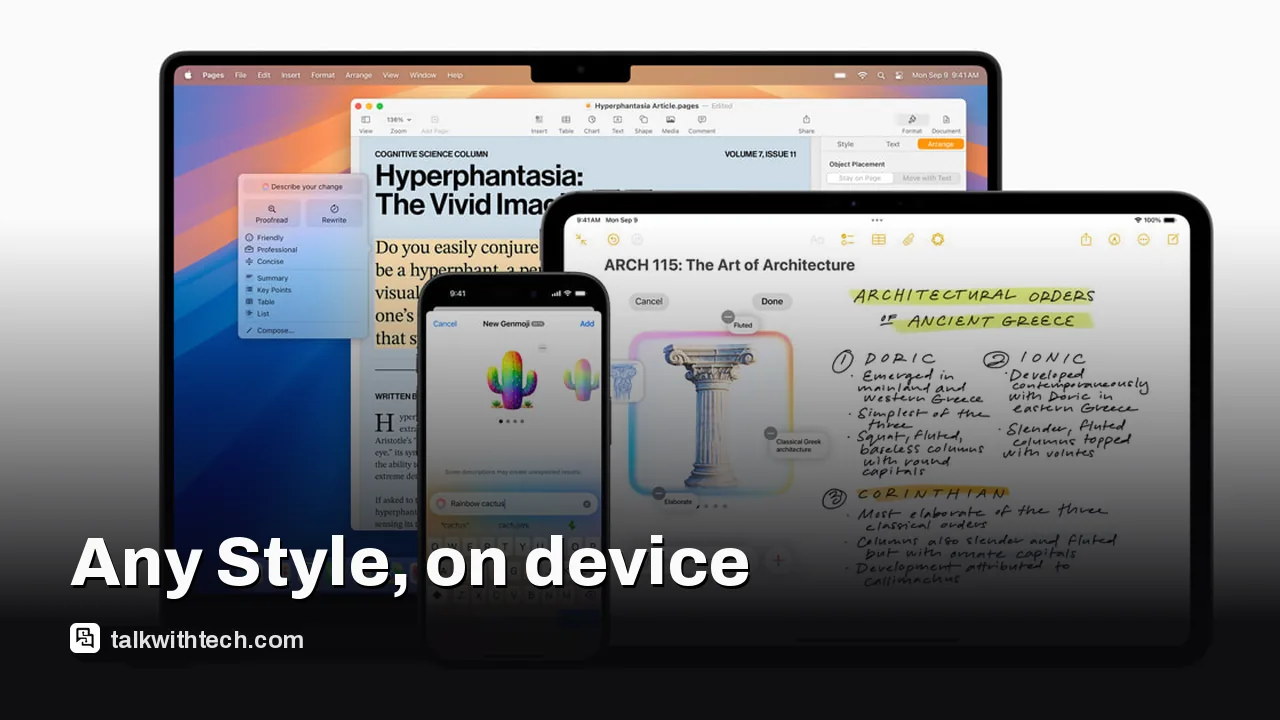
Image Playground gains an on-device 'Any Style' prompt in iOS 27, enabling broader visual styles without cloud processing.
New touch-based edits let you reshape existing images by selecting regions and applying prompts directly on the device.
Genmoji creation and new Lock Screen wallpapers are introduced, with integration into Messages, Keynote and Freeform.
Supported devices include newer iPhone models with Apple Intelligence and compatible iPads and Macs with current chips.
Quick read · 1 min
Apple’s Image Playground gains an on-device boost in iOS 27, with a flexible Any Style prompt and touch-based edits. It now also helps you create Lock Screen wallpapers and Contact Posters, and it works directly in Messages, Keynote and Freeform. The update supports newer iPhone models and compatible iPads and Macs with recent processors.
What this means for you: faster, easier image creation without sending data to the cloud, plus more ways to personalize visuals across Apple apps. If you want to try it, update to iOS 27 and explore the new prompts and editing tools on your supported device.
New Any Style prompt option
Touch-based image edits
Lock Screen wallpapers and Contact Posters
Apple’s on-device image tool is getting more approachable with the iOS 27 release. Image Playground, which debuted in 2024, is expanding its capabilities to let you steer style with natural language prompts and edit images directly on your device, without sending files to the cloud.
The big change is a new flexible prompt mode that describes visual style in everyday language. Apple calls it an “Any Style” option, letting you push beyond a handful of presets to shape look, mood and finish with a few words. This makes it easier to move from a rough idea to a finished image while keeping data on the device.
Editing gets tactile too. You can touch the image to mark a region and then prompt the AI to adjust that area. In practice, you could take a cabin scene and, with a few taps, change the door color or reposition elements. The edits blend your instructions with AI suggestions for quicker iteration.
Additionally, Image Playground now supports creating Contact Posters and Lock Screen wallpapers, so you can refresh your visuals across Apple’s apps and devices with a few taps.
On compatibility, Apple says Image Playground on iOS 27 works with newer iPhone models that support on-device AI. It also works on iPads with recent processors and on Macs with current chips. In other words, most of Apple’s current devices can use the new prompts and editing tools.
Because these features run on-device, they don’t require sending your images to distant servers for processing. That helps with privacy while you experiment with more personalized visuals in your messages, presentations and boards.
01
Which devices get the update first
Apple notes the new features rely on the latest on-device AI capabilities, so the high-end iPhone line and other newer devices are first in line for these tools.
For most users, the result is faster, more flexible image creation without leaving the iPhone or iPad. A natural-language prompt can define the look, and touch-based edits let you refine it in real time. The new Lock Screen wallpapers and Contact Posters give you more ways to express yourself across Apple’s ecosystem.
03
What it means for privacy and data
All the new features process images on-device, reducing the need to upload content to cloud services. As always, review app permissions and how you share AI-generated images in Messages or Freeform to stay in control of your data.
04
What happens next
If you want to try it, update to iOS 27 when it’s available and look for the new Any Style prompts, touch edits and wallpaper tools in Image Playground. Check that your device supports the latest AI features and explore bringing your new visuals into Messages or Keynote for shared work.
When your phone loses service, CarPlay can still help if you’ve prepped in advance. Here are four practical fixes to keep navigation, music, and messages flowing.
4 min read
We use cookies to understand how readers use Talk With Tech, so we can make it better. Is that OK? Privacy policy
The Daily Brief
Today's biggest tech stories, in 5 minutes
Every morning, the news that matters from AI, phones, apps and the people shaping tech. Explained in plain English. Free.
One email a day. No spam, unsubscribe anytime. Privacy policy