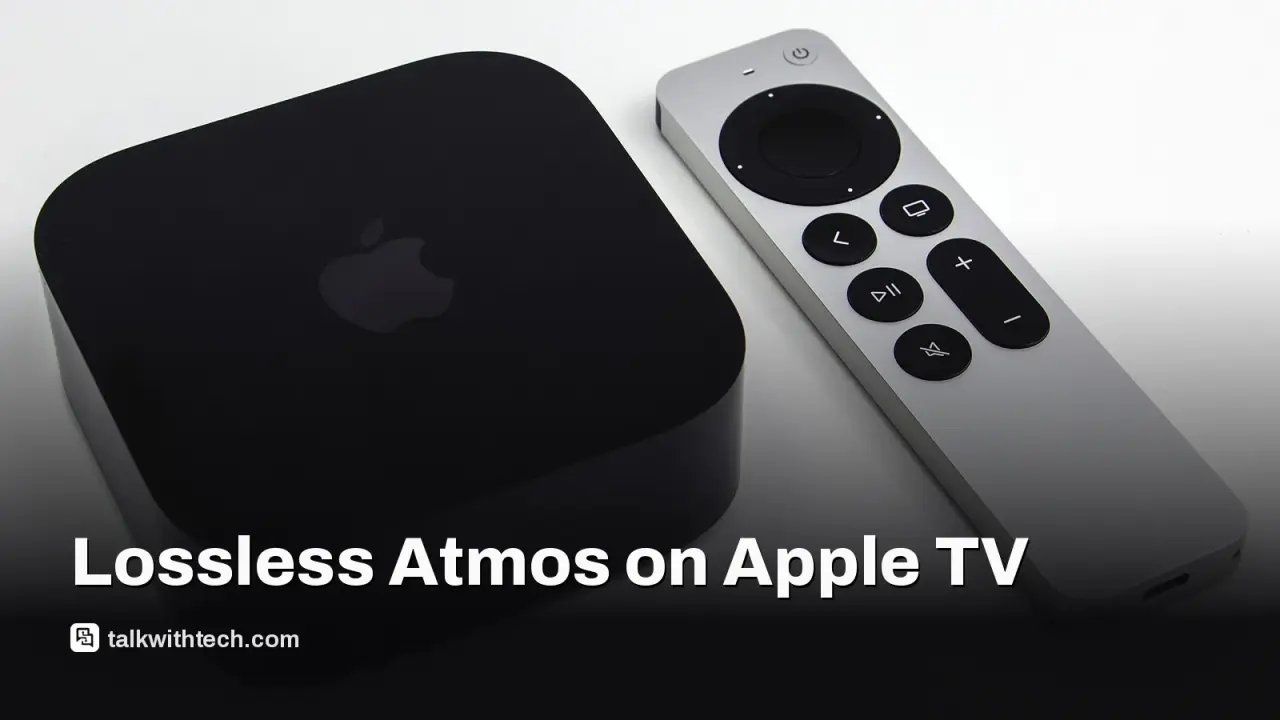
Developers have demonstrated a method to play lossless Dolby TrueHD Atmos on the Apple TV 4K using a Mac-based workflow.
The approach decodes TrueHD Atmos separately, maps its spatial data to a 9.1.6 speaker render, and repackages it for tvOS playback via APAC.
This is not an official feature; it requires signing a custom app on macOS and running a configured pipeline on tvOS 26+ with TrueHD Atmos sources.
Quick read · 1 min
Tech enthusiasts have cobbled together a way to play Dolby Atmos TrueHD on the Apple TV 4K, a feature Apple doesn’t officially support. The method requires a Mac, Xcode, and signing a custom app to route audio through Apple’s APAC codec and a 9.1.6 speaker map.
Why it matters to you: if you have a home theater and Blu-ray-grade audio files, this could improve Atmos sound on Apple TV 4K. It’s not a consumer toggle, and it isn’t officially endorsed by Apple, but it shows what’s possible with DIY software tweaks.
What happens next: the process may become more user-friendly if the community refines the tools or if someone builds a converter into a standalone app. For now, you’d start by setting up a Mac-based workflow, preparing a 48kHz TrueHD Atmos file, and attempting the steps on tvOS 26+.
The dream of hearing Blu-ray-grade audio in your living room through an Apple TV 4K is no longer purely theoretical. A developer on Reddit has shown a way to push Dolby Atmos TrueHD through the Apple TV 4K, but it comes with a long checklist and a few caveats. This isn’t a software update from Apple or a guaranteed feature; it’s a DIY path that relies on a Mac and a community-driven workflow.
How it works, in practical terms, is a bit technical but easy to explain at a high level. The TrueHD Atmos soundtrack is decoded separately from its spatial data. A fixed 9.1.6 speaker render is used to map where sounds should come from, then those elements are reassembled into a format the tvOS device can handle. The final step runs through Apple’s proprietary APAC codec, which is Apple’s own spatial audio framework, to deliver a more immersive effect than typical streaming codecs.
Because Apple TV 4K devices are designed around streaming formats, TrueHD isn’t supported natively. The hack is essentially an end-to-end pipeline that translates Blu-ray-grade audio into a tvOS-friendly path. The author stresses that this is not a plug-and-play feature for the average user; it requires a Mac, Apple’s Xcode, and an app you sign yourself with a developer account. You also need video files that carry 48kHz TrueHD Atmos audio.
Several elements power this approach. It builds on earlier work from open-source communities and other audio projects, and it relies on the developer’s ability to sign and run a custom app on tvOS. If you’re not comfortable with macOS development, signing apps, or tweaking media pipelines, you’ll likely want to wait for more accessible tools or official support.
For home theater fans who already own a high-end setup, the payoff could be richer sound from compatible Blu-ray-quality tracks. It’s not about changing the Apple TV’s core feature set, but about squeezing out higher fidelity from a platform that’s tuned for streaming and compressed audio. The practical takeaway is clear: this is for the technically inclined, and it may stay in the DIY corner for now.
You can repurpose an old Android tablet as an Android Auto display at your desk, kitchen counter, or car-less setup with a couple of apps and a USB cable.
4 min read
We use cookies to understand how readers use Talk With Tech, so we can make it better. Is that OK? Privacy policy
The Daily Brief
Today's biggest tech stories, in 5 minutes
Every morning, the news that matters from AI, phones, apps and the people shaping tech. Explained in plain English. Free.
One email a day. No spam, unsubscribe anytime. Privacy policy