Sunday, 18 October 2026

iPhone explained: what it is and what it means for you

A plain‑English guide to the iPhone, how it works, and what the latest features mean to everyday life.

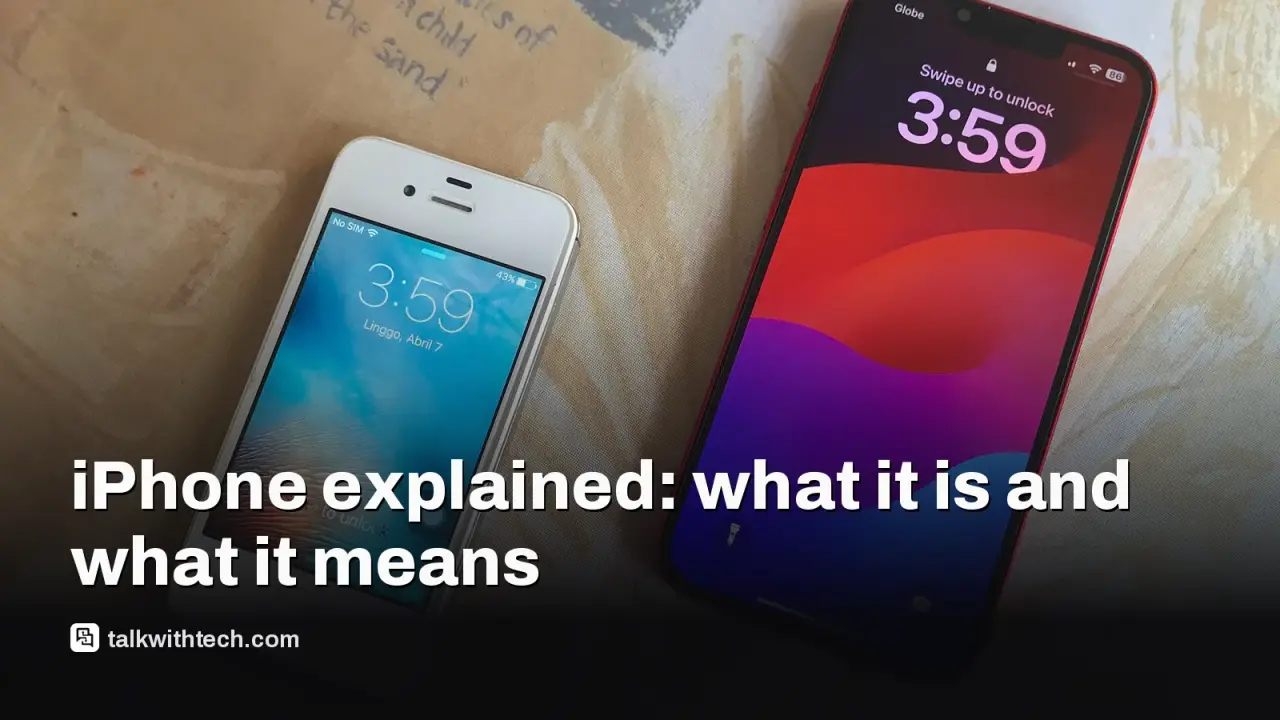
iPhone
Photo: CGBR / CC BY-SA 4.0 (modified)

The short version

  • The iPhone is Apple’s popular touchscreen phone that runs on iOS and supports many built‑in apps and services.
  • Recent updates to iPhone software introduce new features in the Phone app, Health app, and cross‑device experiences like iPhone Handoff.
  • For everyday life, these updates aim to reduce interruptions, surface important information, and simplify staying connected across devices.
Quick read · 1 min

The iPhone is Apple’s popular smartphone. It runs iOS, uses built‑in apps like Phone and Health, and works with other Apple devices for a smoother, more connected experience.

Recent updates in iOS 27 bring new Phone app features (Hold Assist, Call Screening, Call Context) and a redesigned Health app with Readiness and Health Age metrics. The aim is fewer call interruptions and easier understanding of your health data, all while protecting your privacy.

What this means for you: you’ll see smarter call handling if you spend a lot of time on calls, and health insights may feel more coach‑like. Availability depends on your iPhone model and when your region gets iOS 27. If you want the early look, you can try the public beta.
01

What is the iPhone, in one plain sentence

The iPhone is Apple’s flagship smartphone that runs iOS, combines hardware with built‑in apps and services, and works with other Apple devices to keep you connected and productive.

02

How it works

At a high level, an iPhone is a touchscreen computer that fits in your pocket. It runs Apple’s iOS software, which includes built‑in apps for calls, health, messages, photos, and more. Updates to iOS bring new features to the Phone app, the Health app, and ways your devices talk to each other. Privacy and security are built into the system, with data handling designed to protect sensitive information while still delivering useful helpers like AI‑assisted context during calls and health insights from sensors you wear on your wrist.

Two recent ideas people are hearing about involve how the Phone app and health data work, and how iPhones pair with other devices:

  • The Phone app is getting features that help you handle calls more easily. Hold Assist keeps track when you’re on hold, Call Screening reduces spam by asking unknown callers to identify themselves, and Call Context uses AI to surface relevant information (like order numbers) during a call, drawn from data in your apps while prioritizing privacy.
  • The Health app is being redesigned to show more actionable signals. New metrics like Readiness and Health Age aim to translate daily health data into easy, at‑a‑glance insights, especially for users with an Apple Watch that tracks heart rate and other vitals.
03

Why it’s in the news right now

These features are tied to iOS 27 and ongoing beta testing. Apple positions several of them as privacy‑first helpers that surface information you need without you hunting through apps. Some items are launching first on newer iPhone models, and broad availability depends on a full iOS 27 rollout later this year. There’s also real‑world relevance for people using two iPhones or who rely on cross‑device workflows, such as Windows users using Phone Link to handle calls and texts from a PC.

04

What it means for you

Things feel smoother when you’re juggling calls, messages, and flight or order details. If you spend a lot of time on customer service calls or tracking purchases, Call Context could help you find information faster without digging through apps. If you regularly get spam calls, Call Screening can reduce interruptions. The Health app redesign could make health data easier to understand at a glance, which might help you see patterns in activity, sleep, or heart rate more quickly.

Meanwhile, if you own two iPhones or plan to share a phone with a family member, iPhone Handoff and related cross‑device features could affect how you manage calls and messages across devices in the UK and elsewhere, with carrier‑level timing and pricing to watch for in your region.

05

What to watch next

Keep an eye on the iOS 27 rollout dates in your area. If you’re curious now, you can join the public beta to try features like Hold Assist, Call Screening, and Call Context early. For health data, see how the redesigned Health app changes how you read vitals and readiness signals once it lands in a future beta update.

06

What happens next

Apple will continue refining these features through betas, with a wider release planned later this year. Your exact access depends on your iPhone model and your region’s rollout schedule. If you’re considering two iPhones or a cross‑device setup, stays tuned for carrier details on services like iPhone Handoff in your country.

07

Quick answers

What is Call Context?

It’s an AI helper that brings up relevant information from your apps during a call, aiming to show you numbers or details you might need without you searching for them.

Which iPhone gets Call Context first?

Apple says it will be available on newer models first, with iOS 27 rolling out to supported devices later this year.

End of explainer. The next steps are to check your iPhone model and carrier rollout, and consider trying the public beta if you want to test these features early.

You're reading the quick version.