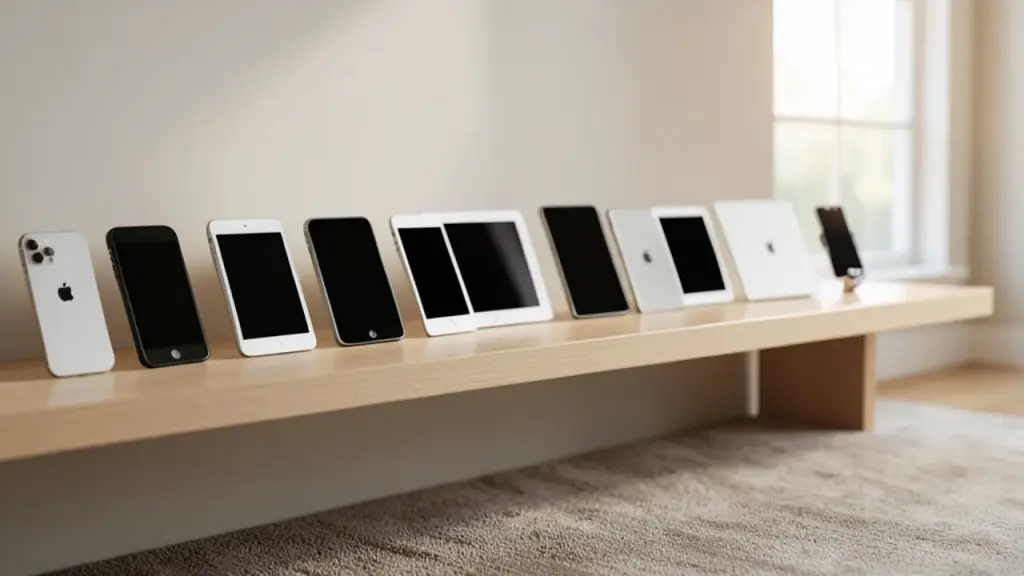
Hoardware is a free iOS app to catalog Apple devices and their software versions in one place.
It auto-fills device details, including model numbers and serials, and shows a built-in coverage view by iOS version.
The app can alert you when new software updates are released, helping you stay current.
Library data syncs via iCloud with no ads or upcharges, making it a simple, ongoing tool for collectors and everyday users alike.
Quick read · 1 min
Hoardware is a new free iOS app that helps you track Apple devices and their software versions. It automatically fills device details, stores serial numbers, and can alert you when updates are released. Your library syncs via iCloud, with no ads or paid upgrades.
Why it matters: if you own several Apple devices, Hoardware gives you a single place to see what you own, what software it runs, and when updates are available. It’s especially useful for collectors or anyone juggling multiple devices, from iPhones to tablets and beyond.
Automatic data fill for new devices
Update notifications to stay current
iCloud sync and no ads
Next steps: try Hoardware to see how well it fits your setup, especially the update alerts and the visual coverage view that shows your version spread.
A new indie app named Hoardware is catching the eye of Apple device owners who want a tidy inventory of their gear. The app aims to be a single place to catalog hardware, software versions, model numbers, and serials, with a few helpful extras that appeal to both collectors and casual users.
Using Hoardware is straightforward: you add a device to your library, choose its model, and the app fills in much of the rest. It shows hardware details, the current software version, and the device’s serial number, information that’s handy when you’re keeping track of a growing collection or managing multiple devices. There’s even a “coverage” view that shows how many devices you own on each iOS version, helping you spot aging devices or plan upgrades.
Beyond listing what you own, Hoardware includes alerting for software updates. When Apple releases a new iOS version or firmware, the app can push a notification so you can decide whether to upgrade or replace a device before the update lands in your default Apple notices. That proactive nudge can be useful if you’re juggling several devices or need precise version control for compatibility reasons.
Adding devices is meant to be quick. The app presents a scrollable list of model options, and most details are auto-filled. It can also pull in device photos, making the library easier to scan at a glance. Users can mark items as favorites so the most important devices rise to the top, a small but practical touch when your list grows long.
One practical detail: Hoardware syncs via iCloud, so your catalog stays with you across iPhones and iPads. And unlike many tools in this space, Hoardware is advertised as free with no ads and no subscriptions, which is fairly unusual in indie app land.
Why this matters to everyday readers: if you own more than a couple of Apple devices, especially older ones you keep for nostalgia, resale, or practical use, Hoardware gives you a single place to see what you own, what software it runs, and when updates come through. It can simplify maintenance, insurance checks, and upgrade planning by turning a scattered collection into a clear picture.
01
Which features stand out
The auto-fill for device data and the update alerts are the most useful bits if you’re trying to stay on top of a large or mixed collection. The iCloud sync keeps your catalog in sync across devices, which matters if you frequently switch between iPhone and iPad.
02
The potential catch
So far, Hoardware presents itself as a straightforward catalog tool. It’s free and ad-free with no obvious in-app purchases. It isn’t clear yet how deeply it supports non-Apple devices or rare regional models, and privacy-minded readers may want to review how data is stored in iCloud and what access the app requests. If you’re especially cautious about data, you’ll want to consider what you’re comfortable sharing with a cloud-based catalog.
03
Cost and what you get
The app is described as free, with no ads and no subscriptions. That means you can start organizing your Apple gear without paying a cent or committing to ongoing fees.
04
What this means for everyday people
If you’re just trying to tidy a small device lineup, Hoardware may feel like overkill. But for people who own several devices, keep backups, or track hardware and firmware for resale or repair planning, it offers a straightforward, visual way to see what you own and what needs updating.
If you’re curious, try Hoardware to see how well the auto-fill and update alerts fit into your routine. You might find the coverage view helps you spot gaps in your version spread and decide which devices to prioritize next.
06
Quick answers
What is Hoardware?
A free iOS app that catalogs Apple devices, software versions, model numbers, and serials with iCloud sync and update alerts.
Is it free to use?
Yes. Hoardware is free with no ads or subscriptions.
Meta's video editor now runs on Apple silicon Macs with 4K exports and AI agent support, yet Windows users and cross-device projects still have to wait.
Apple's new questionnaire tags dating apps and romantic AI chatbots as adults only, and flags location sharing. Here's what parents and developers face.
6 min read
We use cookies to understand how readers use Talk With Tech, so we can make it better. Is that OK? Privacy policy
The Daily Brief
Today's biggest tech stories, in 5 minutes
Every morning, the news that matters from AI, phones, apps and the people shaping tech. Explained in plain English. Free.
One email a day. No spam, unsubscribe anytime. Privacy policy